
WordPress
Connect BabyLoveGrowth and publish articles to your website on auto-pilot.
Integration Video
Integrations Instructions
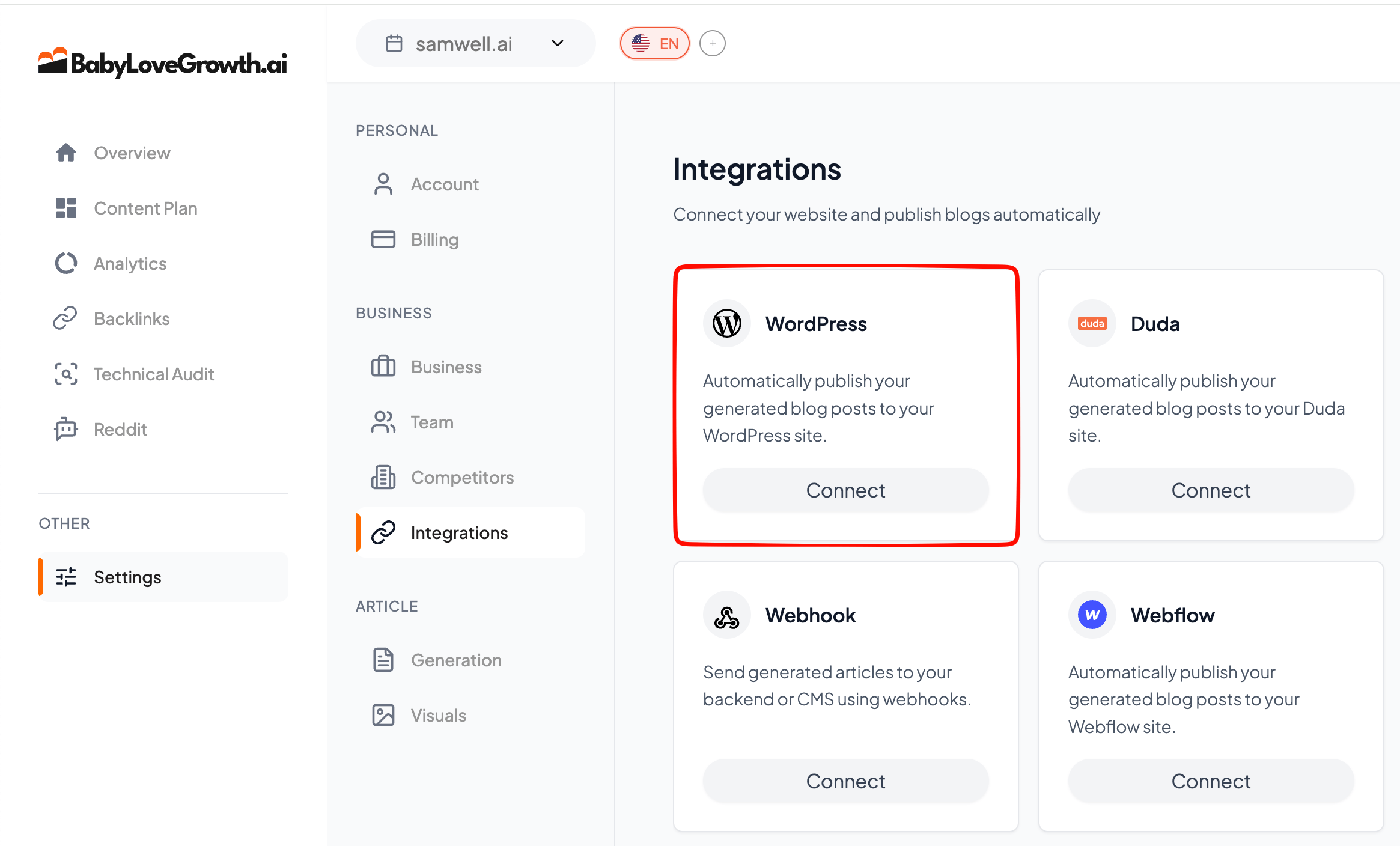
To begin, go to Settings → Integrations → WordPress.
What You Needv
WordPress admin access (so you can install and configure plugins)
Plugins enabled (self-hosted WordPress or a plan that supports plugins)
Then follow the steps below:
1. Install the Official Pluginv
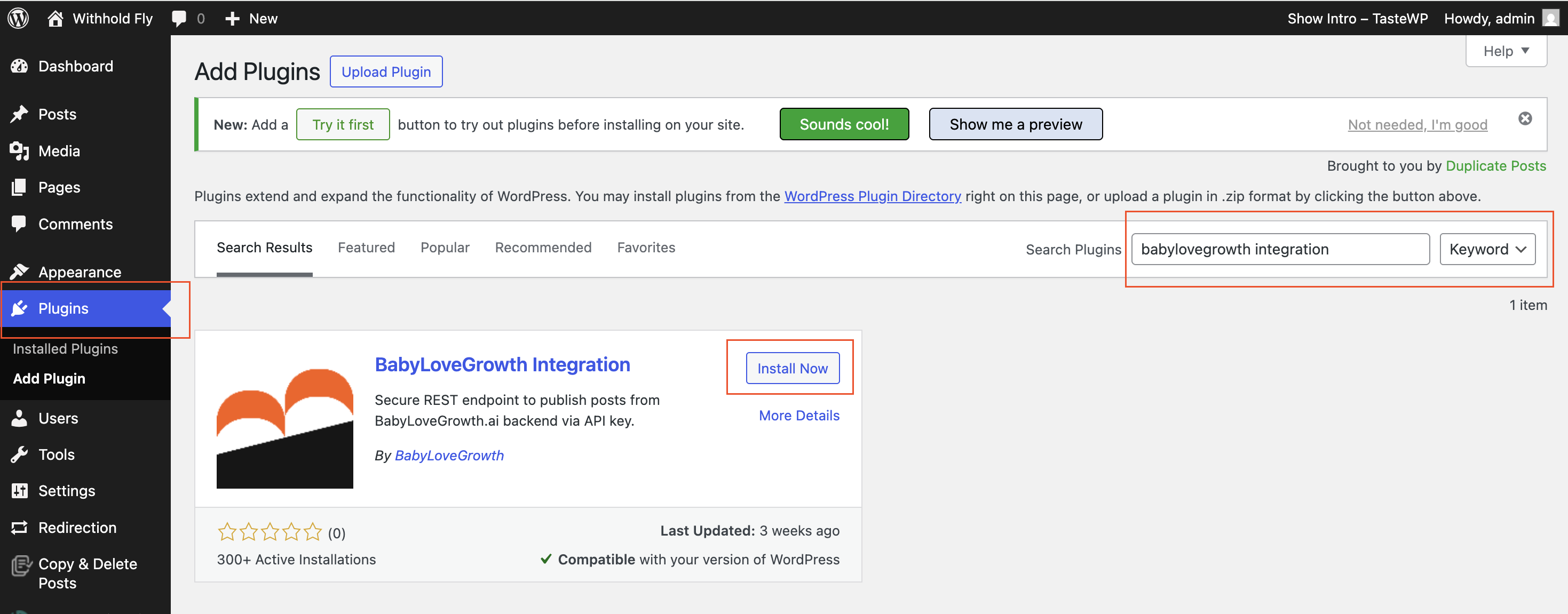
In WordPress, go to Plugins → Add New
Search for BabyLoveGrowth Integration
- Install and activate the plugin
2. Copy Your Credentials from WordPressv
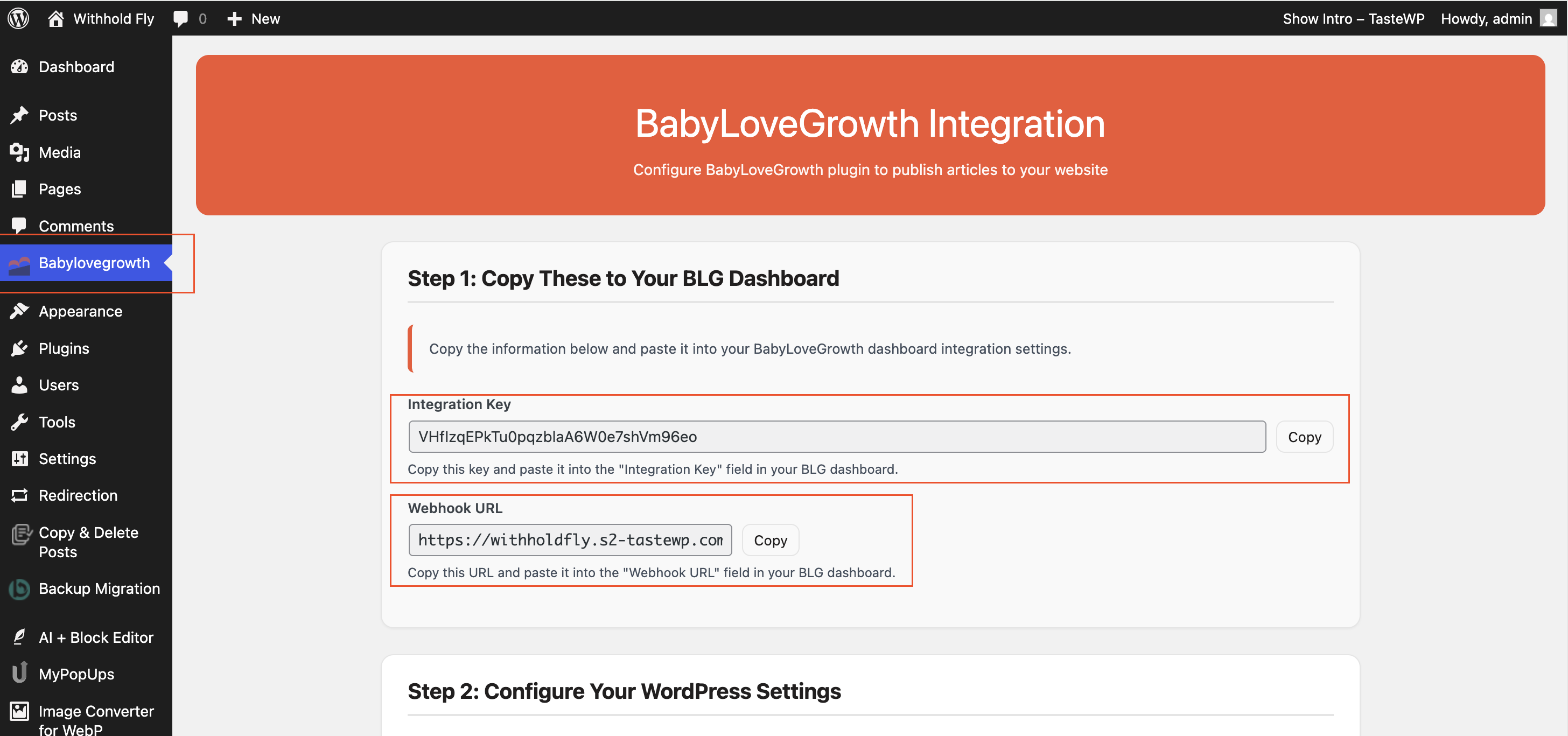
Once the plugin is installed, you'll need to copy two credentials:
- Integration Key
- Webhook URL
3. Connect in BabyLoveGrowthv
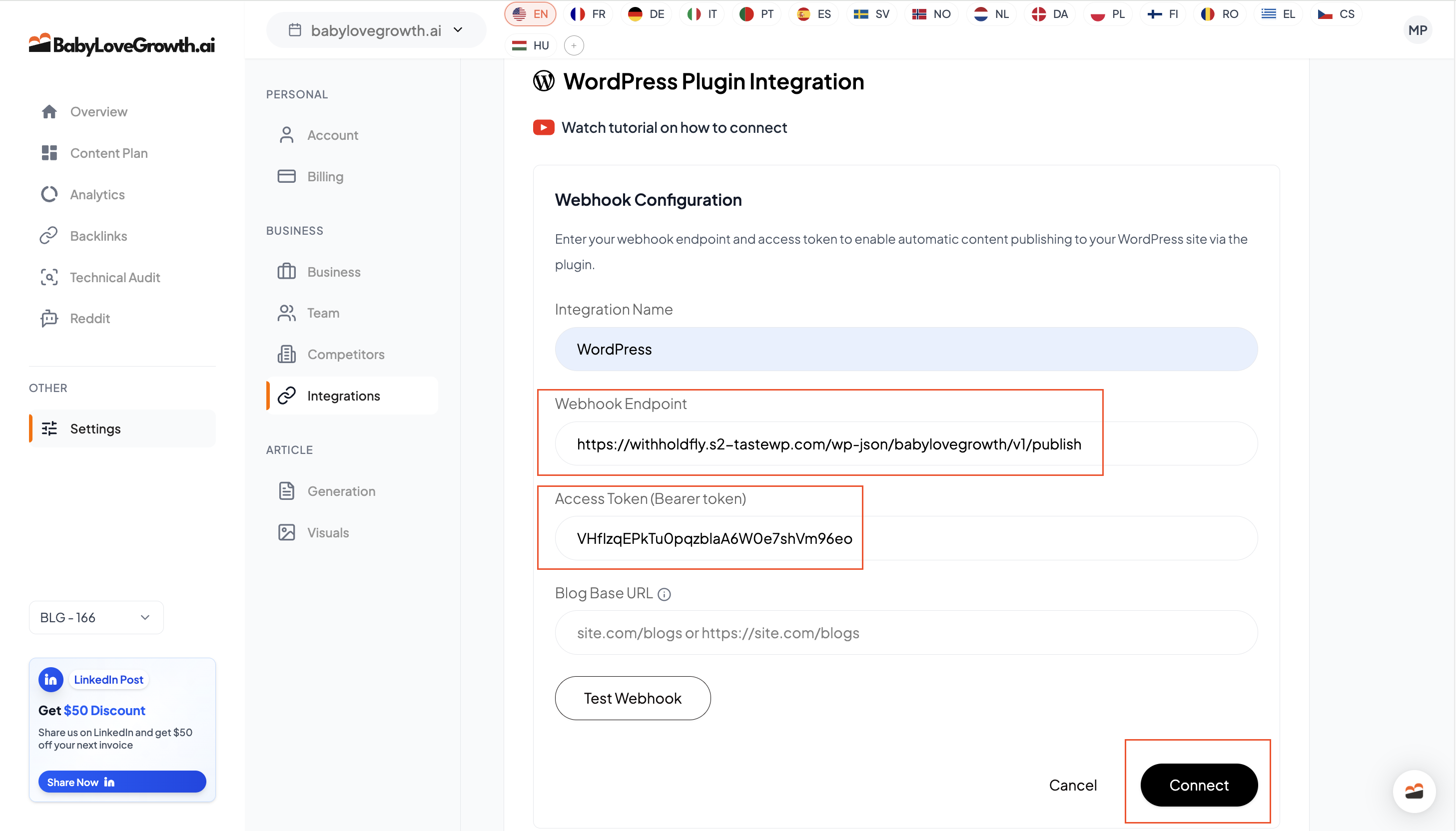
In the BabyLoveGrowth dashboard, open Integrations → WordPress
Paste the Integration Key and Webhook URL
Save. When successful, the integration shows Connected
After the connection is established, articles will be published automatically every day.
Post Settings (Categories, Author, Tags)v
Where to configure
In your WordPress plugin settings (under your WordPress admin), set the defaults you want BabyLoveGrowth to apply when publishing new posts.
What you can select
Category — choose the default WordPress category to apply to new posts.
Tags — choose one or more WordPress tags to apply to new posts.
Author — published posts are assigned to the WordPress user configured in the plugin. If you need a different author, change the author in the WordPress plugin (then re-validate/reconnect if prompted).
Tip: If you leave Category/Tags empty in the plugin, WordPress will use its default behavior (for example, assigning an "Uncategorized" category, or applying no tags).
Troubleshooting & FAQv
Connection fails?
Regenerate the Integration Key/Webhook URL in WordPress, then paste again in BabyLoveGrowth.
Why am I getting WordPress authentication error?
This usually means something is blocking the connection between BabyLoveGrowth and your WordPress site. The most common causes are security plugins (like Wordfence, VPN Guard, Proxy Blockers, Akismet, or Jetpack) that block external REST API connections. Try temporarily disabling these plugins to see if the connection works.
Firewall/security plugin blocks requests?
You may need to whitelist BabyLoveGrowth so our server can connect to your site. If you need help, contact support from the bottom-right chat icon.
Is the plugin required?
Yes. Use the official BabyLoveGrowth Integration plugin to get the Integration Key and Webhook URL.
Can I reconnect if I rotate keys?
Yes. Regenerate keys in the plugin, then paste them into the BabyLoveGrowth WordPress integration screen.
Do I need to change my theme?
No. We publish standard WordPress posts; your theme controls presentation.
If I edit the article, can I republish?
Yes, re-publishing updates the article.
Do I need a specific WordPress plan?
Any WordPress site that allows plugins and webhooks works. (Self-hosted or plans with plugin support.)