
Blog Hosting
Let us host your blog on a custom subdomain with zero technical setup required.
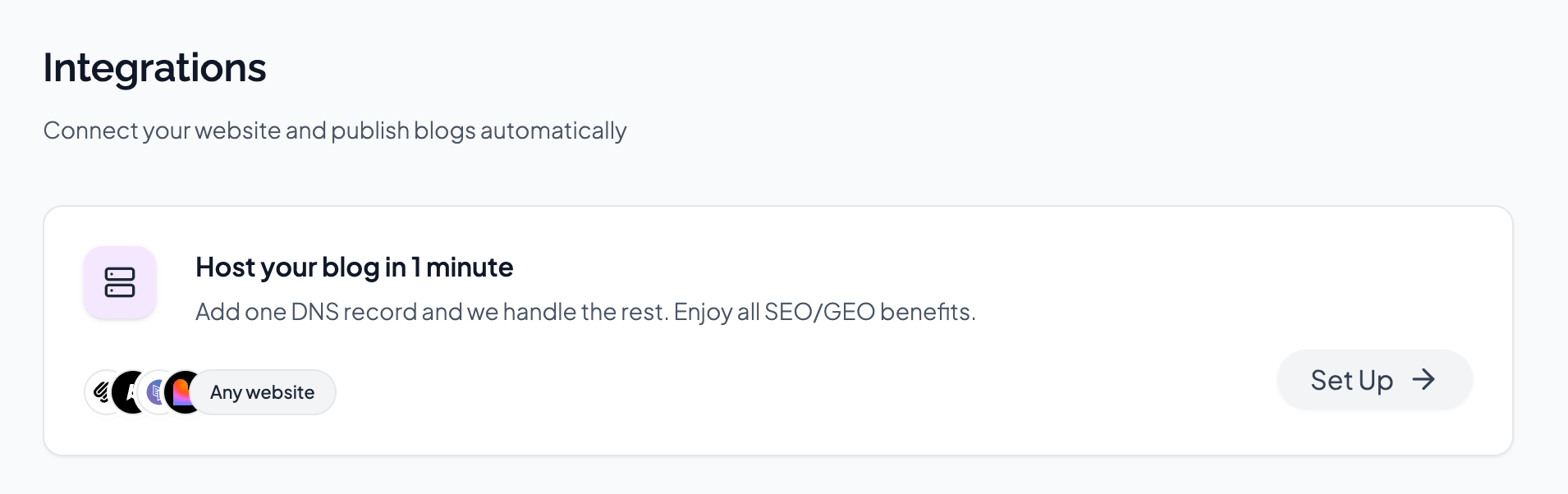
BabyLoveGrowth can host your blog for you on your subdomain (blog.yoursite.com). We handle all the technical details (article publishing, styling, server side rendering, caching, building sitemap,...). Blog hosting is 100% free to use.
Important: Hosting on a subdomain has the same SEO value as hosting on your main domain. You'll receive all backlinks and SEO benefits just as you would with any other hosting solution. Plus, your blog remains online even if you cancel your subscription.
Note: On Blog Hosting, BabyLoveGrowth controls the base styling and mobile responsiveness. You can customize your brand logo and colors from hosting settings.
Learn more →
Integration Video
Why Choose BabyLoveGrowth Hosting?
No Technical Setup
Just add one DNS record and we handle everything else—no plugins, no theme configuration, no hosting headaches.
Full SEO Benefits
Subdomains provide the same SEO value as your main domain. You get all backlinks, domain authority, and search rankings just like any other hosting solution.
Automatic SSL & CDN
Your blog is served over HTTPS with automatic SSL certificates and global content delivery for fast loading times.
Auto-Publishing
Articles are automatically published to your hosted blog—no manual work required.
Branded Experience
Customize your blog with your brand logo and colors to match your website's look and feel.
Always Online
Your blog stays online even if you cancel your subscription. Your content is preserved permanently.
Setup Instructions
Setting up your hosted blog takes less than a minute. Follow these steps:
Step 1: Enable Blog Hostingv
Go to Settings → Integrations in your BabyLoveGrowth dashboard
Click on "Set Up"
Step 2: Add DNS Recordv
You now need to add 1 DNS record.
- Log in to your DNS provider (where your domain is managed)
Create a new CNAME record with these values:
Name/Host:
blog(or the subdomain shown in your dashboard)- Type:
CNAME Value/Points to: Copy from the dashboard
- Save the DNS record
DNS propagation: It may take 5-60 minutes for DNS changes to propagate globally. You can click the "Recheck" button to verify the status.
Step 3: Verify & Customizev
- Wait for DNS propagation (usually 5-60 minutes)
Click the Recheck button in the integration settings
Once the status shows OK, your blog is live!
Customize your blog by uploading your brand logo and setting your brand color
Success! Your blog is now live at blog.yourwebsite.com and
articles will be automatically published.
Customization Options
Once DNS is configured and your blog is live, you can customize the appearance:
Brand Logo
- Upload a PNG, JPG, or WEBP image
- Recommended size: 200x200 pixels (square)
- Your logo will appear in the blog header
Brand Color
- Choose your primary brand color using the color picker
Enter a hex color code (e.g.,
#FA5C12)- Used for links, buttons, and accent elements
Troubleshooting & FAQ
DNS status shows "NOT FOUND" even after adding the recordv
DNS propagation can take anywhere from 5 minutes to 24 hours, though it's usually complete within an hour.
Steps to verify:
- Wait at least 15-30 minutes after adding the record
- Double-check that you entered the CNAME record correctly (name and value)
Make sure the record type is
CNAMEand notAorTXT- Click the "Recheck" button in the integration settings
Can I use a different subdomain instead of "blog"?v
Currently, the hosted blog is automatically set up on blog.yourwebsite.com. If
you need a different subdomain, please contact support using the "I need help" button in the
integration settings.
Where can I find my DNS provider?v
Your DNS provider is typically where you purchased your domain name (like GoDaddy, Namecheap, or Cloudflare). If you're not sure:
Check the nameservers for your domain using a
DNS lookup tool
- Look for emails from your domain registrar
- Contact your IT team or web developer
BabyLoveGrowth will automatically detect your DNS provider when you add the record, and we'll show a direct link to their DNS management page.
Do I need to have an existing website to use blog hosting?v
Yes, you need to have a registered domain name to set up blog hosting. The hosted blog will be
available at a subdomain of your main website (e.g., blog.yoursite.com).
If you don't have a domain yet, you can purchase one from providers like
Namecheap
,
GoDaddy
, or
Cloudflare
.
Can I customize the blog design beyond logo and colors?v
The hosted blog uses a clean, professional design optimized for SEO and readability. Currently, you can customize:
- Brand logo
- Brand color (for links and accents)
If you need more control over design and functionality, consider using one of our
CMS integrations
(like WordPress, Webflow, or Shopify) instead.
Is SSL/HTTPS included?v
Yes! SSL certificates are automatically provisioned and renewed for your hosted blog. Your blog will always be served over HTTPS for security and SEO benefits.
What happens to my blog if I cancel my subscription?v
Your blog remains online even after cancellation. All your published articles
stay accessible at blog.yourwebsite.com, preserving your backlinks and SEO value.
Additionally:
- Your articles remain saved in BabyLoveGrowth
- You can export your articles via the API
- You can reconnect or switch to a different integration anytime
How do I update my brand logo or color?v
Simply go back to Settings → Integrations → Blog Hosting and you can:
- Click on your existing logo to upload a new one
- Click on the color preview to pick a new brand color
- Changes take effect immediately
Does the hosted blog use server side rendering (SSR)?v
Yes! All pages on your hosted blog are fully server side rendered. This means:
Search engines receive fully rendered HTML, maximizing crawlability and indexing speed
- Pages load fast for every visitor, even on slow connections
- Social sharing previews (Open Graph, Twitter Cards) work out of the box
- No JavaScript is required for search engines to read your content
SSR is one of the key reasons why the BabyLoveGrowth hosted blog delivers strong SEO performance without any configuration on your end.
Need Help?
If you run into any issues or have questions:
- Click the "I need help" button in the top right corner of the Blog Hosting integration page
- Contact support via the chat icon in the bottom right of any page
- Email us at [email protected]
Our team is here to help you get your blog up and running quickly!