Content Plan
View, modify and manage your content plan
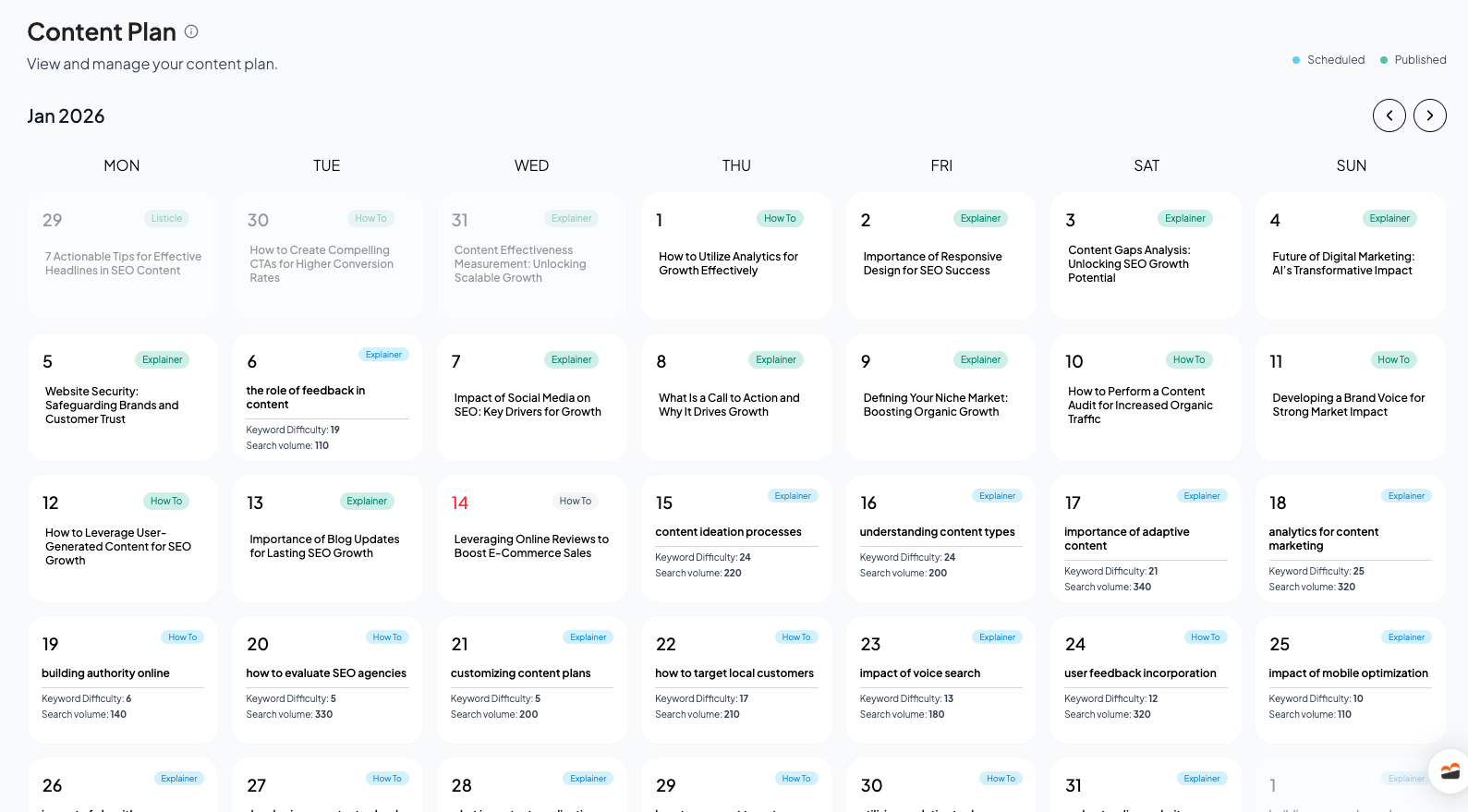
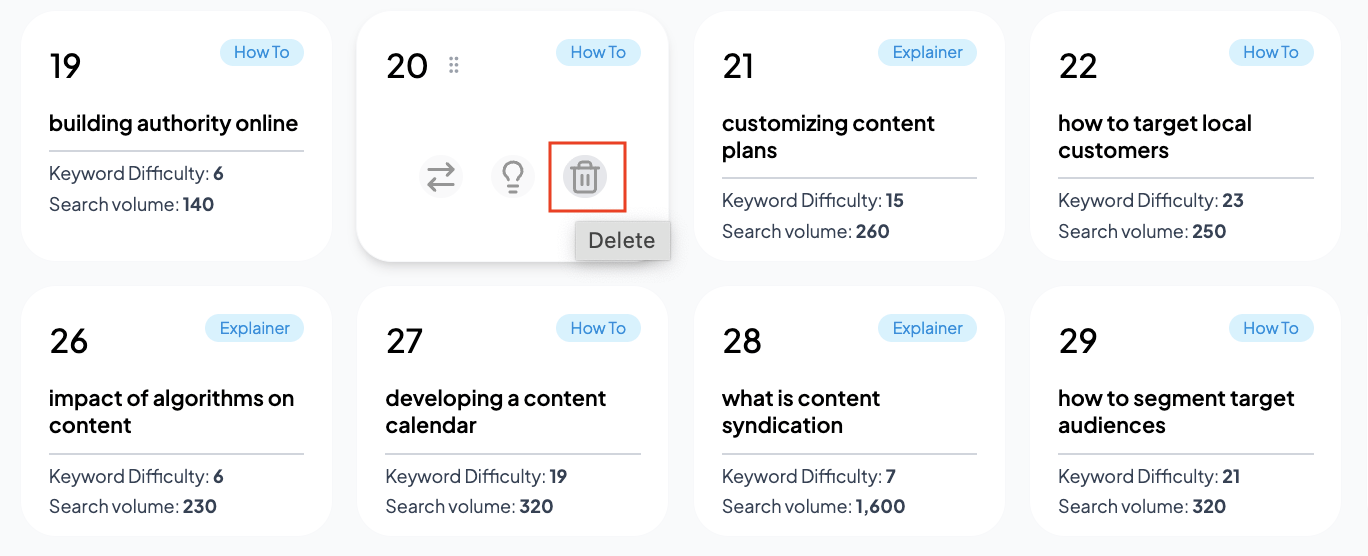
On this screen, you’ll find a calendar view of all your planned content topics, along with important details such as keyword difficulty (KD) and search volume for each topic.
Keyword difficulty (KD) is a score between 0-100 and measures how challenging it is to rank for a keyword in search engine results—the higher the score, the more competitive the keyword.
Search volume indicates how many times people search for that keyword per month, helping you prioritize topics with the greatest traffic potential.
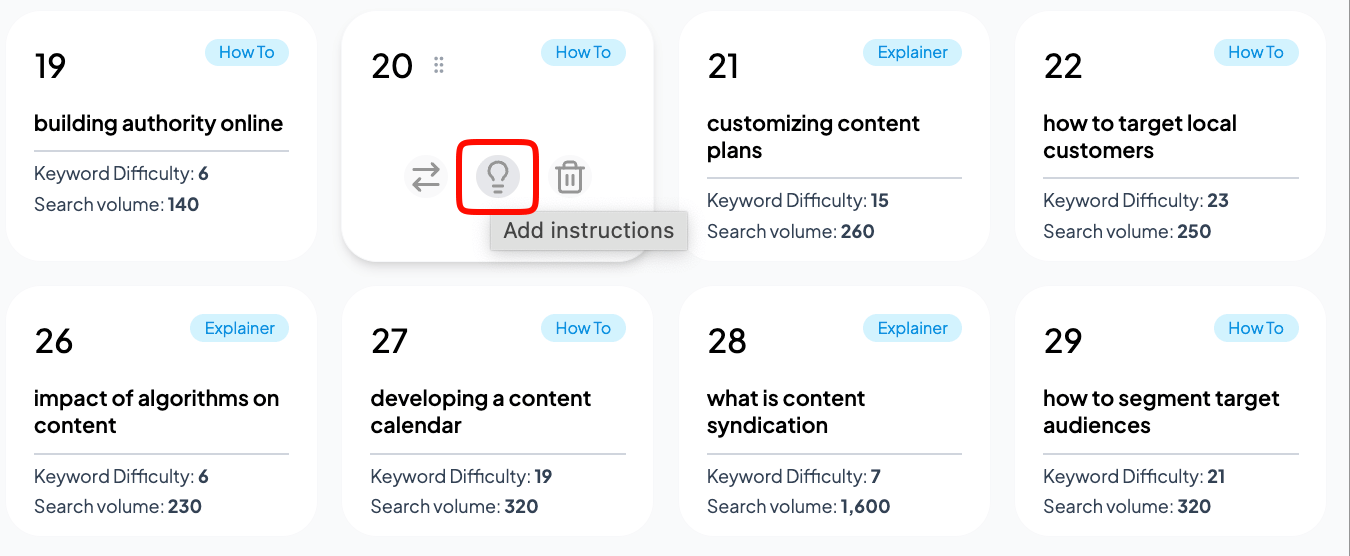
You can also review previously generated articles, switch out planned topics, and give specific instructions to guide article creation.
View Generated Articlesv
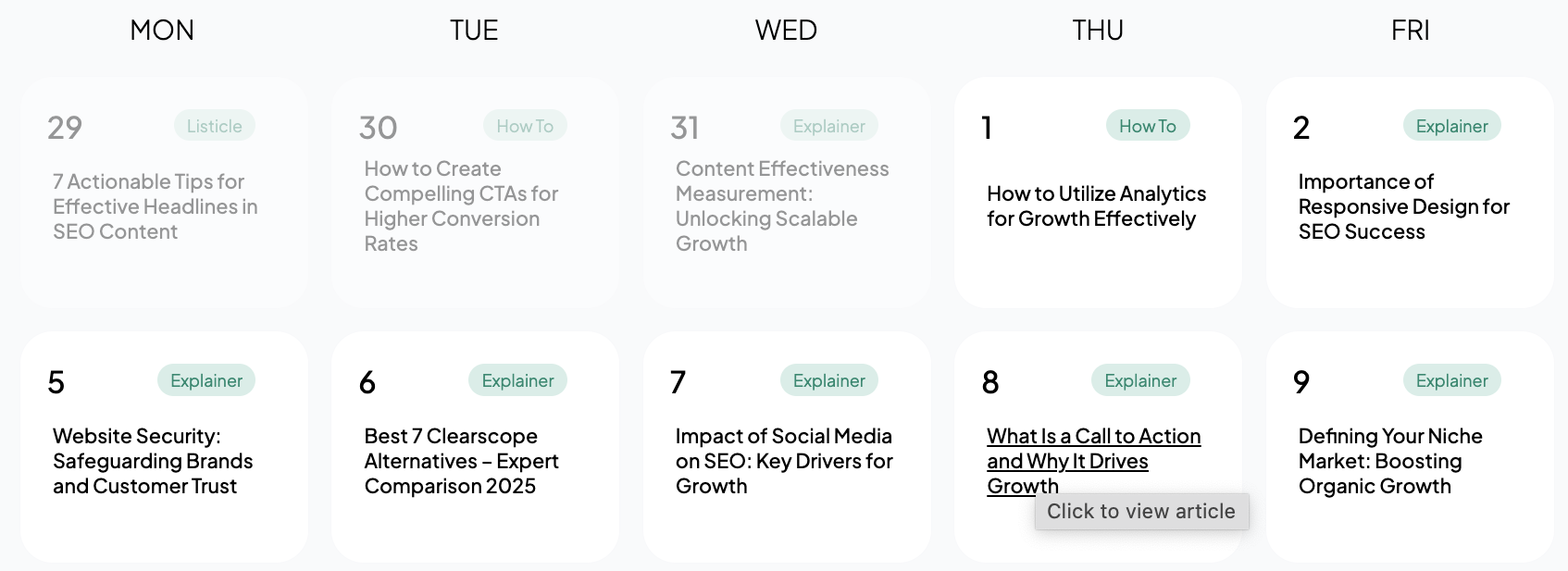
- Click on any published article to preview the full content.
- If you would like, you can edit the article and its meta tags
Change Topicv
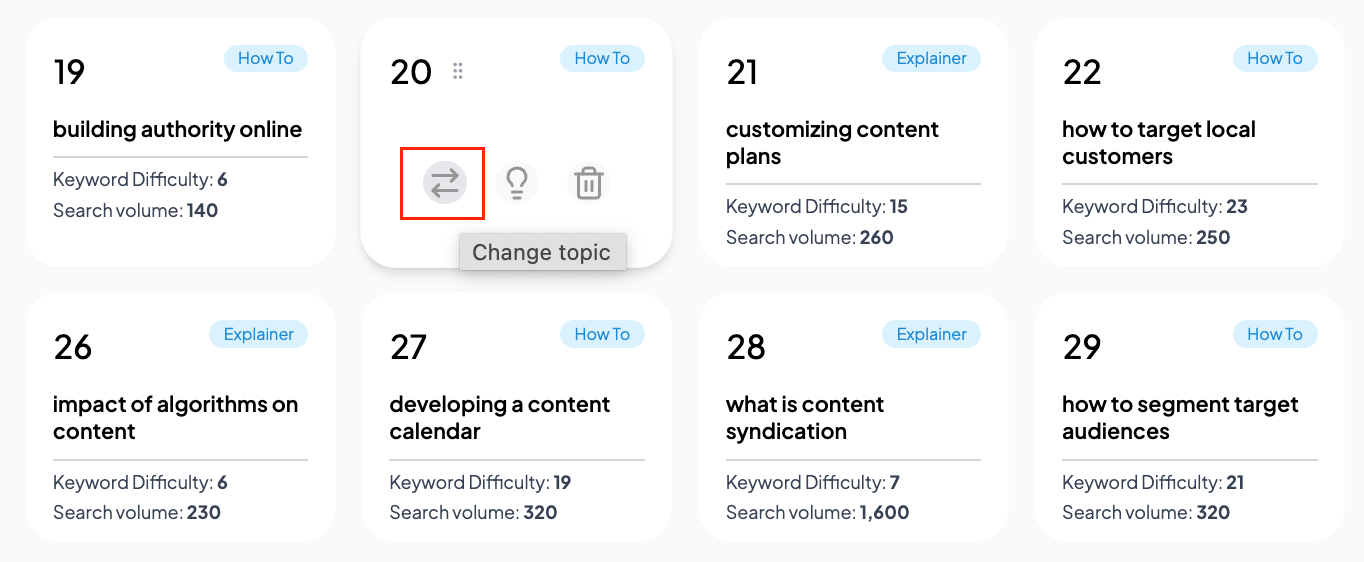
- Not happy with a planned topic? Change it in seconds.
Delete Topicv
- Remove any topic from your schedule that no longer fits your strategy.
- The slot becomes available for a new topic.
Add Custom Instructionsv
Provide specific guidance for how an article should be written or which information it should include
- You can also upload product images which should be included in the article visuals