12 Budget SEO Tools That Actually Work (Under $99/mo, 2026)

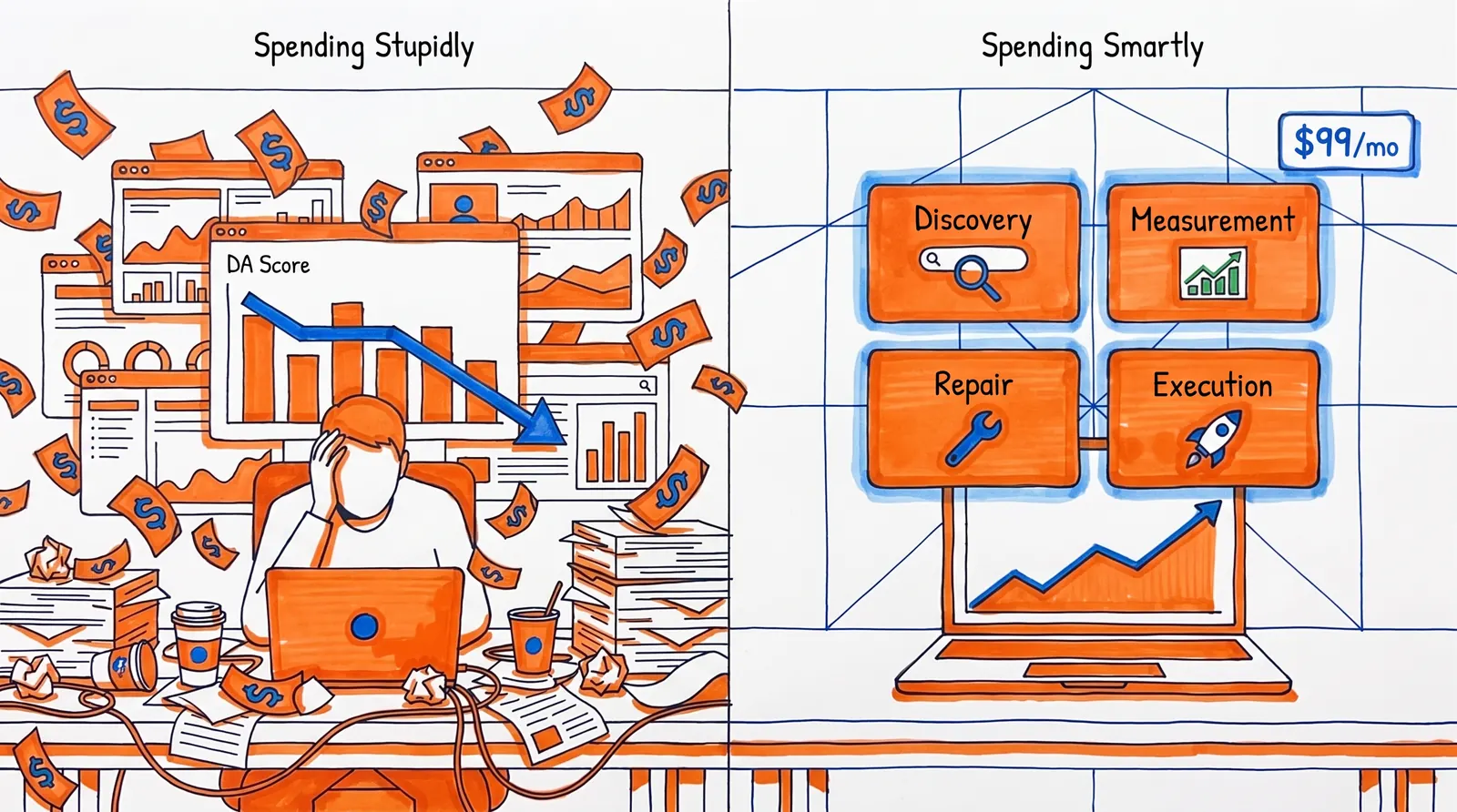
Spending little on SEO isn't the issue. Spending it badly is.
Google's spam policies spell it out plainly: any tactic built to manipulate rankings can get a site downranked or kicked out of search results altogether. So the real question isn't "which SEO tool is cheapest?" It's "which inexpensive tool actually helps me climb the rankings without leaving behind a mess I'll have to undo later?"
We put genuine hours into testing what moves the needle for small teams, solo operators, and lean businesses. The blunt truth: most low-cost SEO tools flop because they don't help you do real work. They sell pretty dashboards, vanity scores, and the illusion of momentum. The 12 tools below earned their spot because they advance one of four loops that genuinely matter:
① Discovery: surfacing the keywords and topics real people search for
② Measurement: seeing how Google currently perceives your site
③ Repair: spotting crawl, indexation, and technical problems before they snowball
④ Execution: shipping ideas into published, optimized pages, faster
A tool that doesn't obviously push one of those forward is just decoration.
Cheap SEO Tools at a Glance: Compare by Budget
Not everybody has time for a 3,000-word tool roundup. Fair enough. The short version:
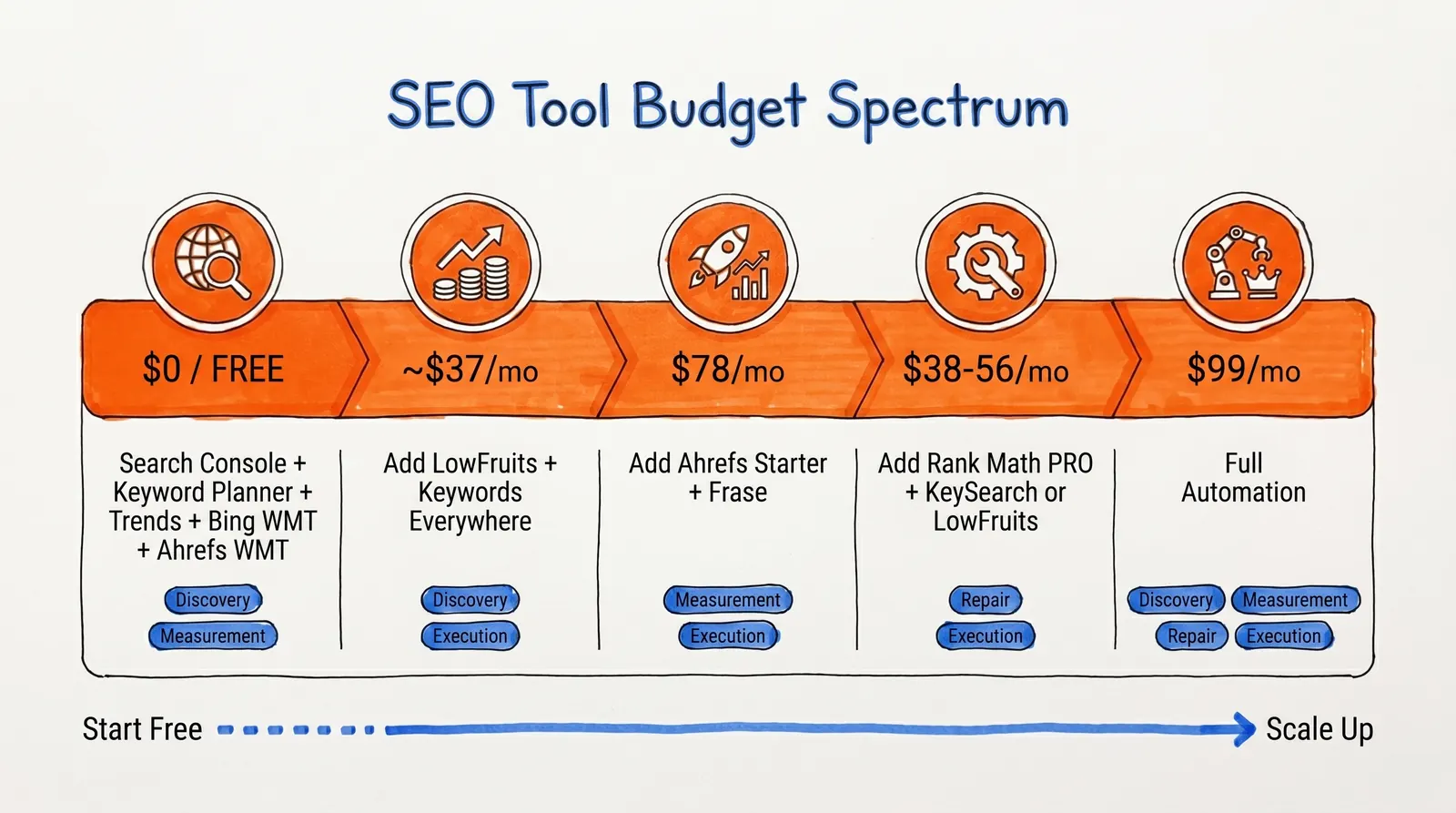
| Your Situation | What to Grab | Monthly Cost |
| Zero spend so far | Google Search Console + Keyword Planner + Trends + Bing Webmaster Tools + Ahrefs Webmaster Tools | $0 |
| Want winnable keywords on a tight budget | Layer LowFruits + Keywords Everywhere onto the free stack | ~$37/mo |
| Need competitor data without enterprise pricing | Layer Ahrefs Starter + Frase onto the free stack | $78/mo |
| Running WordPress and want on-site SEO dialed in | Add Rank Math PRO + LowFruits or KeySearch | $38-56/mo |
| Site has grown large and disorganized | Add Screaming Frog to the free stack | Free (500 URLs) or ~$17/mo |
| Want end-to-end automation: research, writing, publishing | Babylovegrowth | $99/mo |
If one of those rows fits your situation, skip straight there. Otherwise, the breakdown below covers everything in detail. For groundwork on how to analyze website traffic and SEO growth, that's a useful companion read.
How to Choose a Cheap SEO Tool That Actually Works
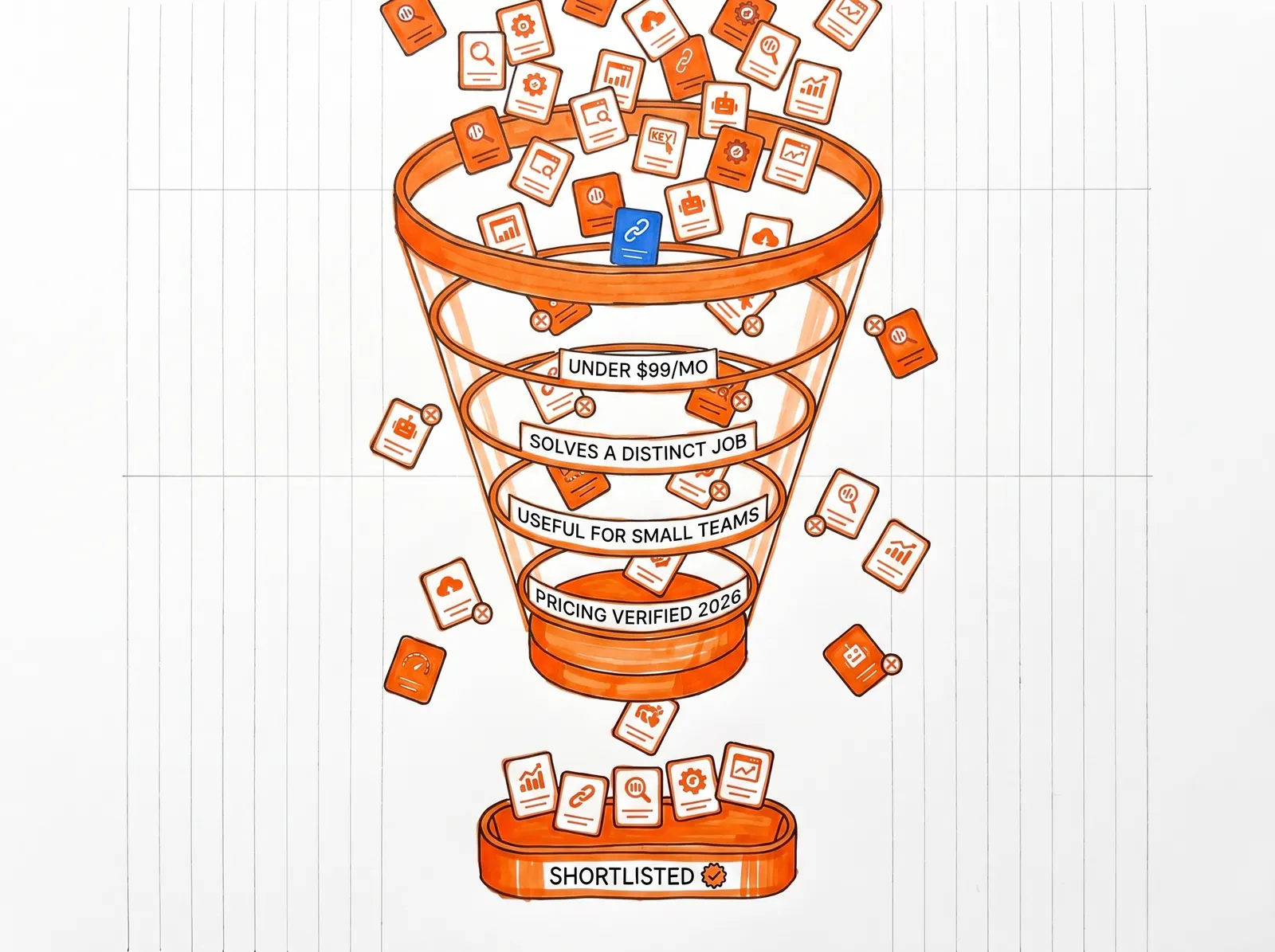
We applied four filters, and we were unforgiving about each one:
-
Sticker price under $99/mo (or comfortably under that line on an annual plan)
-
Does a job nothing else on this list does better — no weaker clones of tools already included
-
Genuinely useful for a solo founder, small business, publisher, or lean team — not a watered-down enterprise pitch
-
Pricing checked against official vendor pages, not copy-pasted from last year's listicle
That final filter matters more than people realize. Roundups age quickly because they parrot outdated prices. Everything here was verified against 2026 vendor data directly.
Best Free SEO Tools to Set Up Before Spending Anything
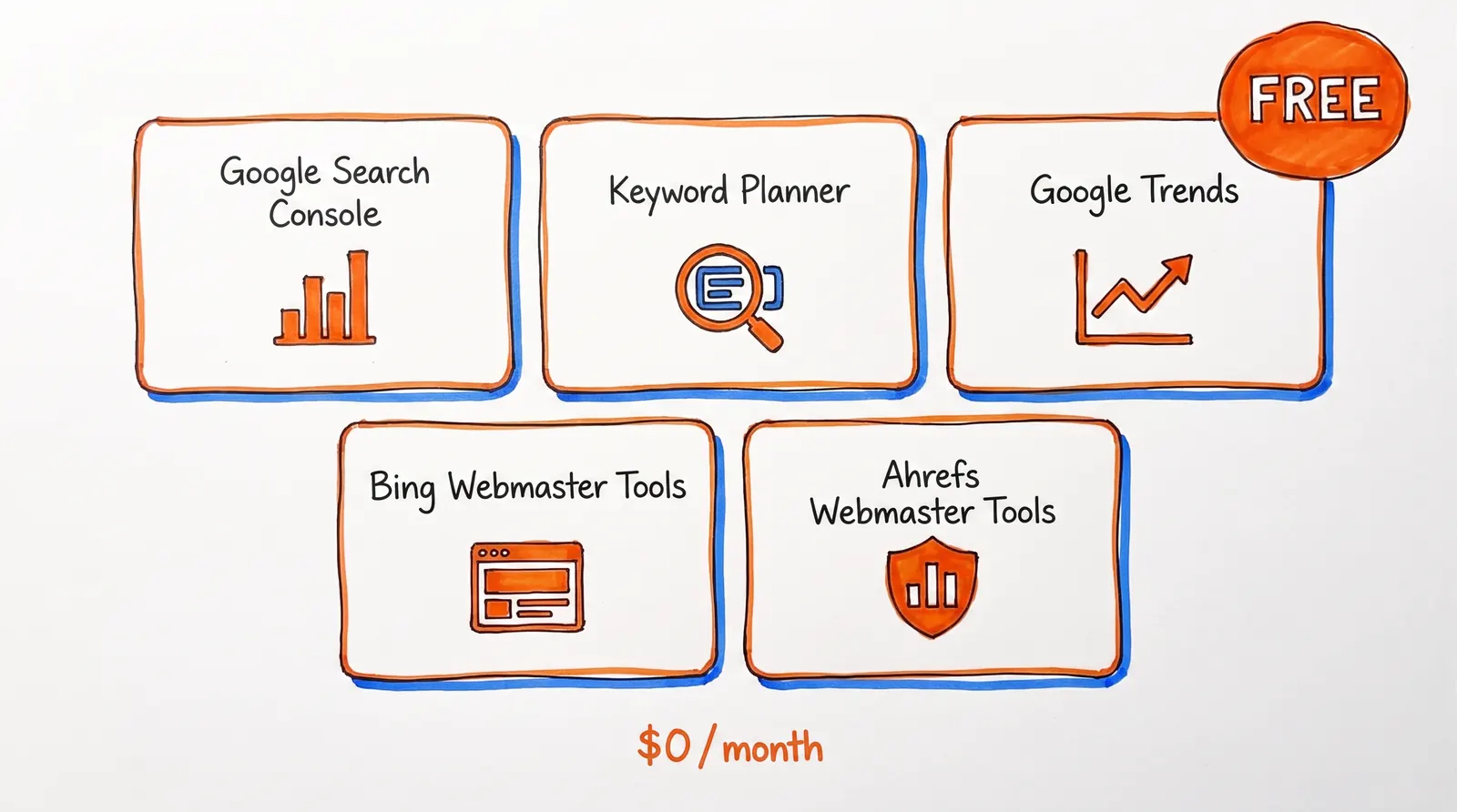
Before you pull out a credit card, get these five in place. They're free, they hand you real data, and ignoring them is a bit like buying a gym membership before you've even tried walking around the block.
Google Search Console
Price: Free | Best for: First-party performance, indexation status, and direct issue alerts
Google Search Console is the bedrock everything else stands on. Google describes it as a free service for monitoring, maintaining, and troubleshooting how your site shows up in search. You see queries, clicks, impressions, average position, sitemap submissions, URL inspection, and issue alerts — straight from Google.This is first-party data from the search engine that matters most. You aren't looking at someone's guess; you're seeing what Google itself sees. Google Search Central even points out that daily checks aren't necessary — monthly reviews plus a look-in after big site changes will do for most sites.
The limits: It won't surface competitor data, and it can't tell you what to publish next. But as a free SEO tool, nothing tops it.
Google Keyword Planner
Price: Free | Best for: Demand volume, CPC signals, and commercial intent
Google Keyword Planner was designed for advertisers, which is precisely why SEOs find it valuable. Google bills it as a free tool for uncovering keyword ideas, viewing monthly search estimates, and forecasting performance. Forecasts update daily based on the past 7-10 days and factor in seasonality — a handy reminder that search demand is rarely static.One small hurdle: you'll need to finish account setup and add billing details before keyword ideas unlock. There's no charge, but Google insists on the billing step.
Why this matters for budget SEO: CPC is a rough but useful proxy for commercial value. A keyword that pulls ad dollars usually carries buyer intent. Keyword Planner is especially good at separating "interesting topics" from "money topics." For deeper guidance, our keyword optimization 2025 guide walks through how to put this data to work.
Google Trends
Price: Free | Best for: Seasonality, rising queries, and timing
Google Trends answers a question most keyword tools quietly skip: when does a topic actually matter?Google's own docs note that Trends can sharpen content strategy, surface emerging queries, compare topics across time, and help with seasonal planning. The underlying data is a random sample of aggregated, anonymized searches — perfect for reading direction and momentum, but not for exact volume.
Why timing counts: Publishing a seasonal page after the spike has passed is like rolling up to a concert as the house lights come on. Trends helps you arrive before the crowd does.
Bing Webmaster Tools
Price: Free | Best for: A second search engine's read on your site
Bing Webmaster Tools gives you a free reporting suite covering crawling, indexing, and performance from Microsoft's side. Even if Google is your sole focus, having a second webmaster source is cheap insurance against blind spots.When a crawl problem appears in Bing but not Google (or the other way around), that's a useful signal. Two sources of truth surface issues sooner.
Ahrefs Webmaster Tools
Price: Free | Best for: Verified-site backlinks, technical audits, and plugging Search Console gaps
Ahrefs Webmaster Tools (AWT) opens up Site Audit, Site Explorer, and Web Analytics — free — for sites you verify. Ahrefs says the scanner checks for 170+ technical and on-page issues, surfaces which pages and keywords pull traffic, and reveals who's linking to you.
Think of it like this: Search Console is your pulse, AWT is your X-ray. It fills gaps in detection and gives you sharper visibility into backlinks and keyword data.
Know the caps: The free tier limits you to 5,000 crawl credits per month per project and shows 1,000 backlinks or keywords at once. It only works on sites you own and verify. No competitor digging at this level.
Best Paid SEO Tools Under $99/mo (2026)
Once your free stack is running, the next question is: where's your actual chokepoint? Each paid tool below targets a specific one.
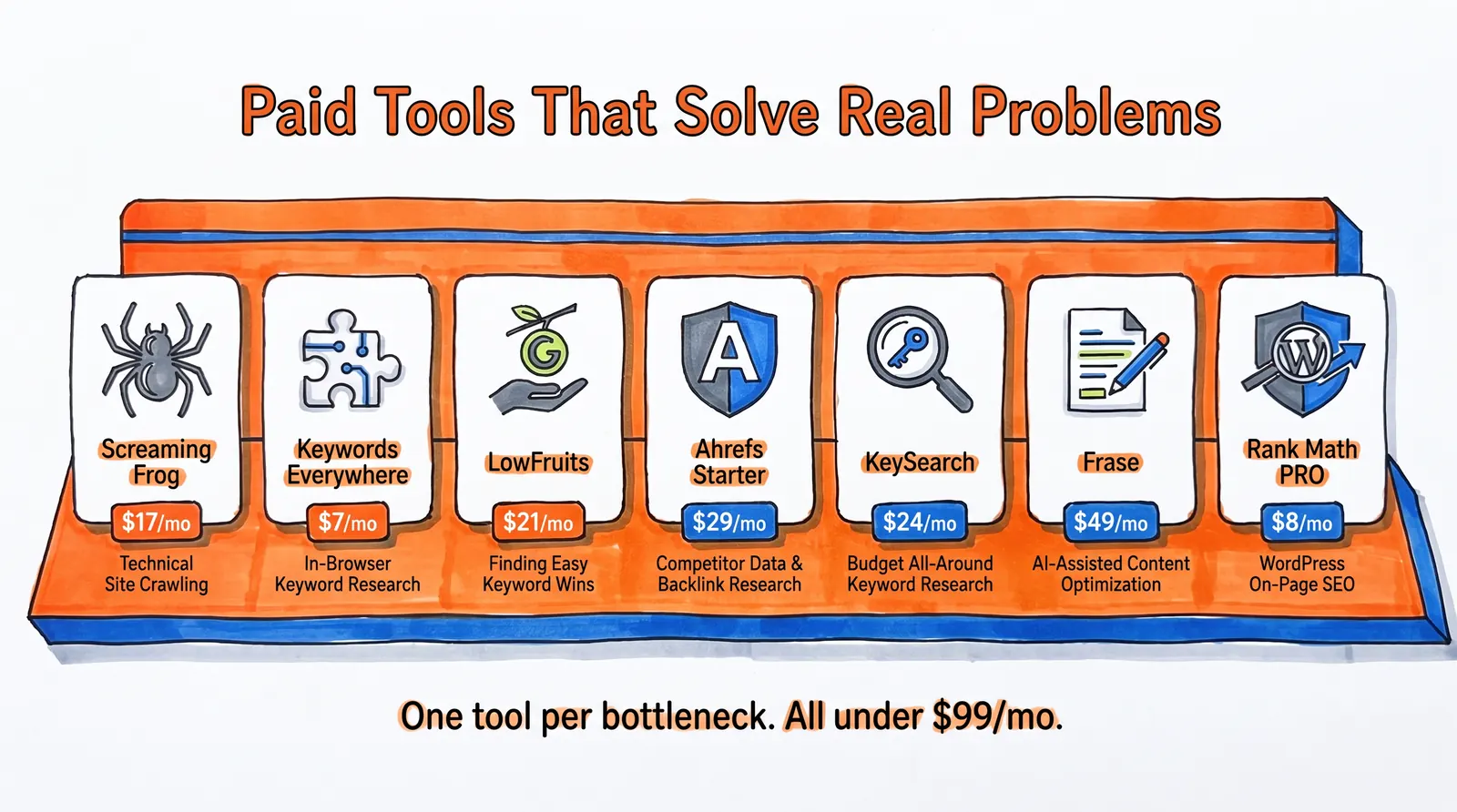
Screaming Frog SEO Spider
Price: Free up to 500 URLs | Paid: 199 GBP/year (~$17/mo) Best for: Technical SEO audits at scale
Screaming Frog is, hands down, one of the best values in SEO. Here's how the tiers line up:
| ㅤ | Free | Paid (~$17/mo) |
| URL crawl ceiling | 500 URLs | Unlimited |
| GA / Search Console integration | No | Yes |
| PageSpeed Insights integration | No | Yes |
| Scheduling & automation | No | Yes |
Search engines crawl pages, not brand narratives. A crawler shows you what's genuinely broken — titles, redirects, canonicals, duplicates, broken links, response codes, and more. If your site has hundreds of URLs or complex templates, this is the tool that catches what your eyes miss.
The interface is utilitarian. Newcomers may feel overwhelmed at first. But once you find your footing, nothing else at this price comes close for technical audits.
Keywords Everywhere
Price: ~$2.17/mo effective Best for: Lightweight keyword research right in your browser
Keywords Everywhere is a browser extension that keeps research frictionless. The Bronze plan ships with 100,000 credits per year, one user seat, and inline keyword and backlink data right inside search results.
Why it works for budget SEO: It strips away friction. Quick, directional research often beats "perfect" research when the alternative is never publishing anything at all.
Watch for: It runs on credits, not unlimited usage. If you do heavy research sessions, keep an eye on your burn rate.
LowFruits
Price: ~$20.75/mo (annual billing) Best for: Spotting realistic keyword openings for smaller sites
LowFruits has a loyal following among niche-site builders and indie publishers, and it deserves it. The Standard plan currently includes:
-
3,000 credits per month
-
Competitor ranking and keyword idea extraction
-
Rank tracking and domain explorer access
-
Pay-as-you-go credits for occasional bursts
One pricing detail worth flagging: subscription credits don't carry over month to month, while PAYG credits hold for a year.
The core insight: the best keyword isn't always the biggest. For smaller sites, the smart play is hunting long-tail keywords with realistic competition that you can actually contend for. LowFruits is built exactly for that kind of work.
Ahrefs Starter
Price: $29/mo Best for: Competitor research with a real data engine behind it
Ahrefs Starter is where "free tools" tip over into "actual competitor visibility." The plan unlocks traffic, keywords, and backlink data on any site (not just verified ones), plus Keywords Explorer and Rank Tracker access.
According to Ahrefs' pricing page (updated March 2026), Starter includes:
-
100 credits per month
-
50 tracked keywords
-
10,000 crawl credits per verified project per month
-
One unverified project and one month of historical data
The limits: 100 credits a month evaporates fast if you click around aimlessly. Plan your research sessions before diving in.
KeySearch
Price: $24/mo (Starter) | $48/mo (Pro) Best for: A budget-friendly all-rounder
KeySearch is one of the cleaner all-purpose tools in the low-budget tier. Plan comparison:
| Feature | Starter ($24/mo) | Pro ($48/mo) |
| Keyword searches/day | 200 | Higher limits |
| Tracked keywords | 80 | More |
| Audited pages | 2,000 | More |
| AI credits | 5,000 | More |
| Foresight feature | No | Yes |
Both tiers come with keyword research, live SERP analysis, competitor analysis, backlink analysis, YouTube research, an SEO auditor, an AI content assistant, and rank tracking. That's a lot of capability for under $50.
The honest tradeoff: KeySearch isn't trying to out-data Ahrefs at the top end. Its win is affordability and a clean UI. For bloggers and small businesses working with limited budgets, it's a solid pick.
Frase
Price: ~$39.20/mo on annual billing Best for: Turning keyword ideas into structured, optimized content
Frase shines when content production is your bottleneck. The Starter plan covers:
-
10 AI-optimized articles per month
-
AI visibility tracking across 2 platforms
-
50 audit pages, 1 domain, 1 seat
-
Content calendar with auto internal linking
-
SERP research plus competitor analysis
Every Frase plan also bundles the AI Agent, SEO and GEO content optimization, and API access.
Why content tooling matters here: good content wins when structure, topic coverage, intent matching, and internal linking all line up. The right tool compresses that workload dramatically. A solid content calendar built for SEO growth goes hand-in-hand with what Frase automates. Frase isn't pretending to be a backlink tool or a crawler — its focus is making content production faster and more structurally sound.
Rank Math PRO
Price: $7.99/mo (billed annually) Best for: WordPress SEO control at a ridiculously low price
If you're on WordPress, Rank Math PRO is tough to beat on value. The current pricing page lists PRO at $7.99/mo on annual billing. That covers:
-
Rank tracking for 500 keywords
-
GA4 integration and AI Search Traffic Tracker
-
Google index status monitoring
-
Advanced schema controls
On-site SEO is a stack of small but compounding chores: meta titles, schema markup for search visibility, canonical tags, redirect handling. A good WordPress SEO plugin folds all that operational overhead into something manageable.
If you're not on WordPress, this obviously doesn't apply. But if you are, it's borderline negligent not to use it at this price.
How to Build Your SEO Tool Stack Under $99/mo
Most people don't need 12 subscriptions. They need the smallest stack that covers the entire job. Here are five starting points based on where you actually are right now.

Free SEO Tool Stack ($0/mo)
Google Search Console + Google Keyword Planner + Google Trends + Bing Webmaster Tools + Ahrefs Webmaster Tools
This combo gives you first-party performance data, demand volume and CPC signals, trend timing, a second webmaster source, and free verified-site audits with backlink visibility. You can run this for months and still make real progress. Start here before spending anything.
Budget SEO Research Stack (~$37/mo)
Layer LowFruits Standard and Keywords Everywhere onto the free stack. At current official pricing, that lands around $27.75/mo effective if you put LowFruits on annual billing too.
This combo is great for niche sites, indie founders, and small content teams who need keyword research depth without a heavyweight bill.
Complete Solo SEO Stack Under $99/mo
Free stack + Ahrefs Starter + Frase. That's $78/mo before annual discounts. What that actually delivers:
→ First-party data and free site audits from the zero-budget stack
→ Real competitor research via Ahrefs Starter (any site, not just yours)
→ Content optimization and entry-level AI-visibility monitoring from Frase
All under the $99 cap.
Best SEO Stack for WordPress Sites ($38-56/mo)
Free stack + Rank Math PRO + either LowFruits or KeySearch.
| Combination | Monthly Cost |
| Rank Math PRO + KeySearch Pro | $55.99/mo |
| Rank Math PRO + LowFruits Standard (monthly) | $37.89/mo |
| Rank Math PRO + LowFruits (annual billing) | Even less |
Technical SEO Tool Stack for Site Audits (Free-$17/mo)
Free stack + Screaming Frog. If your site runs hundreds of pages, weird templates, duplicate content, odd canonicals, or redirect chains, a serious crawler is worth more than a third keyword tool. The free version handles up to 500 URLs. The paid tier drops the cap for 199 GBP/year.
Cheap SEO Mistakes to Avoid
Not every low-priced thing is a good deal. Here's what we'd skip.

Beyond cheap backlinks, watch for these traps:
-
Stacking three keyword tools before setting up Search Console. You're paying for estimates before you've collected facts.
-
Buying a content tool with no editorial workflow. Drafts aren't outcomes. Without someone reviewing and editing the output, you're publishing rough sketches.
-
Choosing the cheapest plan of a suite that hobbles the one feature you need. Credit ceilings, seat limits, and tiny tracking allowances are where "cheap" turns expensive. Read the fine print on what each tier really covers.
For a broader rundown of marketing challenges teams hit in 2026, that's worth a read before committing budget.
When Cheap SEO Tools Aren't Enough: Done-for-You SEO
So you've assembled the tools. You understand what needs to happen. Then you smack into the uncomfortable truth many founders eventually face: knowing what to do and doing it consistently are two completely different problems.
Maybe you keep meaning to publish 20+ articles a month but get yanked into product, sales, or operations. Maybe you've tried freelancers and spent more time managing them than the output justified. Maybe you just want someone to handle the whole thing so you can focus on running the business.

Frequently Asked Questions
What's the best free SEO tool in 2026?
For most sites, it remains Google Search Console. Free, first-party, and tied directly to Google's view of your search performance, indexing, and site health. Nothing else delivers that level of direct insight from the search engine itself.
Can cheap SEO tools actually replace expensive suites like Semrush or Ahrefs?
For a lot of small sites, yes — and for far longer than most people assume. The chokepoint for most small teams isn't a shortage of enterprise-grade historical data or multi-seat dashboards. It's execution. A free first-party stack paired with one or two well-chosen paid specialists gets surprisingly far before enterprise tooling becomes genuinely necessary.
What's the best cheap paid tool for keyword research?
Depends what kind of research you're after:
-
LowFruits is excellent for finding realistic, contestable opportunities
-
Google Keyword Planner is solid for demand volume and CPC signals
-
KeySearch is a strong budget all-rounder with broad coverage
-
Ahrefs Starter is the right step up when you specifically need competitor data
Are cheap backlinks worth buying?
Almost never. Google's spam policies explicitly warn that manipulative link tactics can reduce visibility. Their spam-update notes also point out that once spammy link effects are neutralized, any ranking lift those links provided is permanently lost. Cheap links buy a fleeting illusion, not durable authority.
How much should a small business spend on SEO tools?
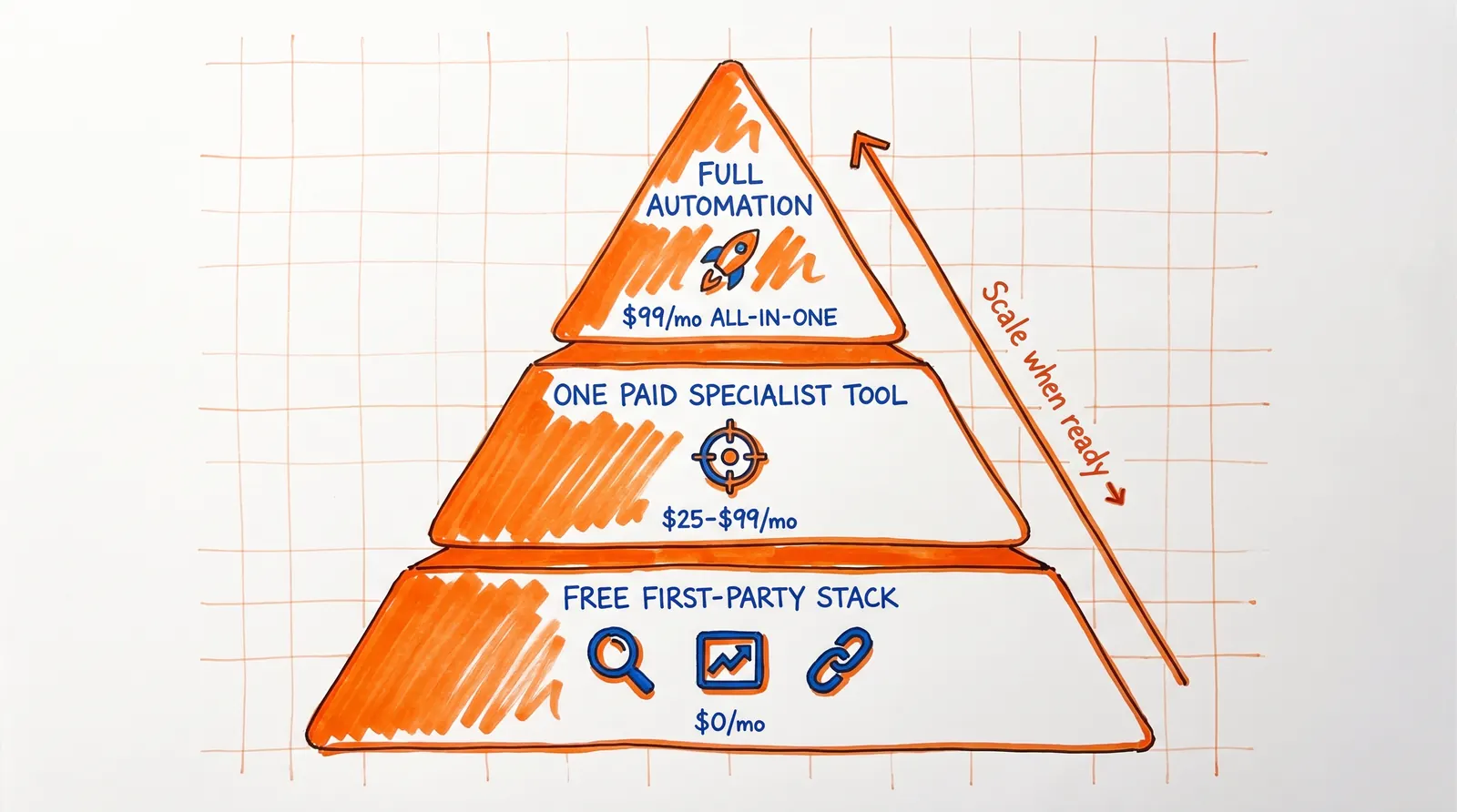
There's no magic figure, but a workable framework: start at $0 with the free stack, layer in $25-50/mo when you hit a specific need, and only go to $99/mo when you want a tool that runs the whole pipeline from keyword research through publishing.
Do I need separate tools for keyword research, content, and technical SEO?
Not necessarily. Your free stack (Google Search Console + Ahrefs Webmaster Tools) already covers baseline technical SEO and measurement. From there, only add tools for the specific gap you're hitting:
-
Need keyword depth? Add LowFruits or KeySearch
-
Need content help? Use an AI-driven blog writer
-
Need execution help? Move up to a full automation platform
Don't buy tools for problems you haven't run into yet.
What makes "cheap SEO" actually work vs. just being cheap?
The difference is whether the tool helps you finish one of the four core SEO loops: discovery, measurement, repair, or execution. A $9/mo tool that lets you ship 30 optimized pages a month beats a $99/mo tool that gives you pretty dashboards without helping you do anything actionable. Focus on output, not on how many metrics you can stare at.
Is $99/mo enough budget for effective SEO?
Absolutely. With the right mix of free tools and one or two paid additions, $99/mo covers a lot of ground. If that whole budget goes to a single platform that bundles keyword research, content generation, CMS publishing, and backlink building, you've got a complete SEO engine for less than the price of one freelance article a month.
Start with Free SEO Tools and Scale When Ready
Cheap SEO that genuinely works is delightfully boring. It's Search Console data, demand signals, trend timing, crawl audits, better briefs, cleaner on-page work, and consistent publishing. It isn't mystery backlinks, fake guarantees, or five overlapping tools because some listicle told you to grab them all.
Start with the free first-party stack. Add one paid tool that targets your actual chokepoint. And when that chokepoint shifts from insight to execution, level up.