Build Content Calendar for SEO Growth: Step-by-Step


TL;DR:
- A well-organized content calendar improves SEO by ensuring consistent publishing and keyword coverage.
- Simplicity and built-in validation gates are key for effective, compliant content planning.
- Automating with specialized platforms accelerates content creation, tracking, and compliance management.
Missing deadlines, scrambling for topics last minute, publishing content that never ranks — sound familiar? Most marketing professionals and small business owners don't have a content problem. They have a coordination problem. A well-built content calendar fixes that by turning scattered publishing into a structured, SEO-driven system. In this guide, you'll get the exact steps to build a calendar that improves consistency, targets the right keywords, and keeps your team aligned — without overcomplicating the process or locking yourself into a rigid template that breaks the moment priorities shift.
Table of Contents
- Why content calendars matter for SEO
- Essential tools and prerequisites for building your calendar
- Step-by-step: How to develop a content calendar for SEO
- verifying results and avoiding common mistakes
- Why most content calendar advice gets it wrong
- automate and amplify your content calendar with babylovegrowth
- frequently asked questions
Key Takeaways
| Point | Details |
|---|---|
| Validation gates prevent failure | Calendars with validation gates succeed in regulated industries and reduce errors. |
| Simple tools work best | Small teams thrive with easy-to-use platforms, avoiding overcomplicated setups. |
| Balance new and refreshed content | Mixing fresh posts with updated content maximizes SEO impact. |
| Regular review boosts results | Frequent assessment keeps your calendar flexible and effective for growth. |
Why content calendars matter for SEO
A content calendar is more than a scheduling tool. It's the backbone of any strategy designed to streamline strategy and boost results over time. Without one, you're reacting instead of planning, and reactive content rarely earns strong organic rankings.
Here's why consistency matters so much for SEO. Google's algorithm rewards sites that publish regularly and update existing content. When you publish sporadically, crawl frequency drops, topical authority weakens, and competitors gain ground. A content calendar locks in your publishing rhythm so that never happens.
Content calendars also prevent content gaps. These are weeks or months where a keyword cluster goes unaddressed, leaving traffic on the table. By mapping topics in advance, you can see exactly where those gaps are before they cost you rankings.
Key benefits of using a content calendar for SEO:
- Better keyword coverage across your content pillars
- Built-in time for keyword research, drafting, and review
- Clear ownership across team members or contractors
- Easy tracking of published vs. planned content
- Space to schedule content refreshes alongside new articles
For teams working in regulated industries — healthcare, finance, legal — one critical factor is often overlooked. 73% of AI calendars fail without built-in validation gates. A validation gate is a mandatory review step where compliance or legal teams approve content before it's published. Without it, even a perfectly planned calendar becomes a liability.
Pro tip: Don't wait until your calendar is full to set up validation steps. Build them into your workflow from day one, even if you're a small team. It's far easier to approve content in batches than to chase corrections after publishing.
Small teams often make the mistake of adopting overly complex systems because they look professional. You don't need a 12-column spreadsheet or enterprise software to start planning a content calendar. A simple tool that your team will actually use beats a sophisticated one that collects dust.
Essential tools and prerequisites for building your calendar
Before you map out a single topic, you need the right setup. The tools you choose will shape how smoothly your calendar runs, especially as your content output scales.
Small teams prioritize simple tools — and for good reason. A tool your team ignores is worse than no tool at all. Start lean, then add complexity only when a real need surfaces.
What you'll need before you build:
- A keyword research source (Google Search Console, free AI tools, or a paid platform)
- A content inventory of existing pages and their performance
- A clear list of your content pillars or topic clusters
- Access to your analytics to understand what's already working
- Team roles defined: who writes, who edits, who publishes
For tool selection, here's a quick comparison based on team size and needs:
| Tool type | Best for | Key feature | Cost |
|---|---|---|---|
| Google Sheet | Solo or small teams | Simple, shareable, flexible | Free |
| Monday.com | Mid-size teams | Task ownership, timelines | Low to mid |
| AI calendar platform | Teams scaling fast | Auto-scheduling, keyword mapping | Mid to high |
| Editorial spreadsheet | Budget-conscious teams | Full customization | Free |
If you're building an AI-powered content calendar, look for platforms that include compliance review steps if your industry requires it. AI tools can speed up content planning dramatically — they're already proven at cutting research time for SEO by significant margins. But speed without quality checks creates risk.
Before your first planning session, gather your team and align on one thing: what does success look like in 90 days? That answer shapes every decision you make, from topic selection to publishing frequency. AI planning tools can help model different scenarios, so you can choose a realistic pace rather than an aspirational one that collapses under pressure.

Step-by-step: How to develop a content calendar for SEO
Now that your tools are ready, here's the process for building a calendar that actually drives organic growth.
Step 1: Define your content pillars These are the 3 to 5 core topics your business owns. Every piece of content you create should connect back to at least one pillar. This builds topical authority, which Google increasingly uses to determine rankings.
Step 2: Map keywords to each pillar For each pillar, list 8 to 15 keywords at varying difficulty levels. Mix high-volume terms with long-tail queries. The long-tail topics are easier to rank for and often convert better.
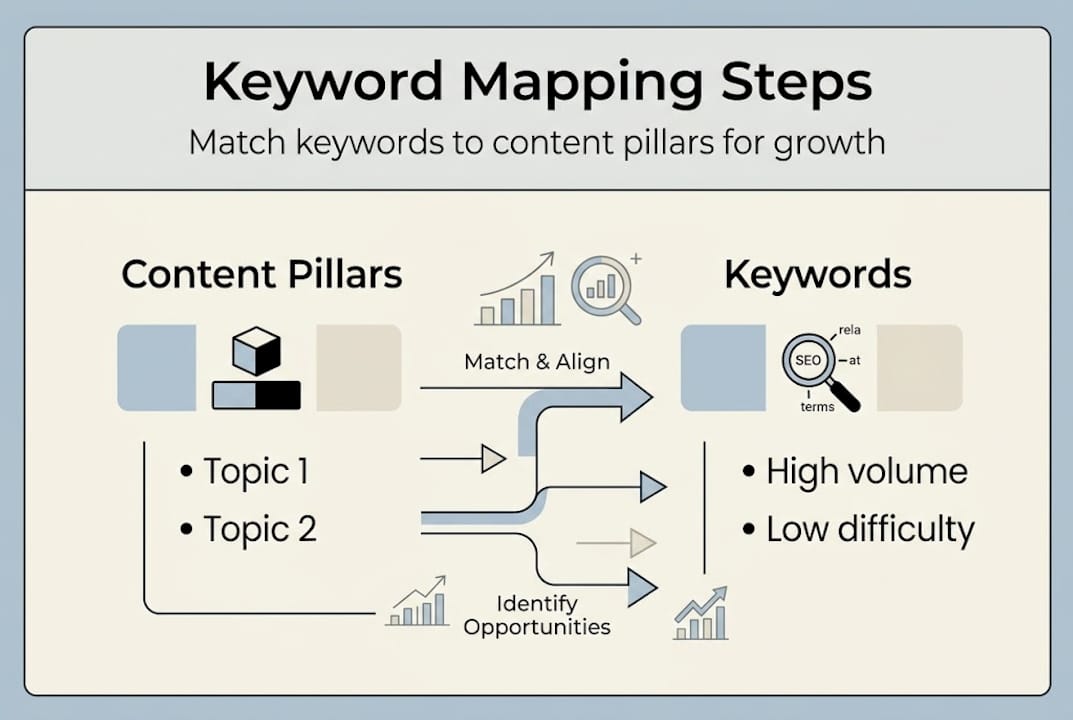
Step 3: Build your publishing schedule Decide how often you'll publish. Be honest about your capacity. Two well-researched posts per week beat five rushed ones. Use a data table like this to plan your first 30 days:
| Week | Topic | Target keyword | Content type | Status |
|---|---|---|---|---|
| 1 | Content calendar basics | content calendar for SEO | How-to guide | Draft |
| 2 | AI writing tools | AI content tools 2026 | List post | Research |
| 3 | On-page SEO tips | on-page SEO checklist | Tutorial | Not started |
| 4 | Content refresh guide | update old blog posts | Strategy post | Not started |
Step 4: Schedule content refreshes alongside new posts Updating existing content is one of the fastest ways to recover lost rankings. Balance new vs. refresh intentionally — a healthy ratio is roughly 70% new content to 30% refreshes, though this shifts based on your site's age and existing content library.
Step 5: Add validation gates if needed For regulated industries, insert a mandatory review step between draft completion and scheduling. Tag content by category (medical, financial, legal) so reviewers know what to check.
Pro tip: When creating a content calendar, leave 20% of your schedule open for reactive content. Industry news, algorithm updates, and trending topics are opportunities you don't want to miss because your calendar is too rigid. Strategic marketing planning works best when flexibility is built in from the start.
verifying results and avoiding common mistakes
Building the calendar is only half the job. The other half is making sure it's performing and catching problems before they become patterns.
Start with a monthly review. Look at which published pieces are gaining impressions, which ones are stalling, and whether your publishing cadence is holding. If you're consistently falling behind, the schedule is too aggressive — adjust it rather than pushing through and burning out your team.
Common mistakes to watch for:
- Setting a publishing frequency that's unrealistic for your team size
- Planning too far ahead without leaving room for edits or pivots
- Publishing without checking keyword cannibalization (two posts targeting the same term)
- No clear owner for each content piece, causing delays
- Missing content refresh cycles and letting old posts decay in rankings
The biggest trap for AI-assisted calendars specifically? 73% AI calendars fail without validation gates in place. This is especially dangerous in regulated sectors where inaccurate or non-compliant content carries legal risk, but it applies broadly — AI tools can generate plausible-sounding content that contains factual errors.
"A content calendar without a review process is just a deadline list. The gate between draft and publish is where quality is actually protected."
To measure calendar effectiveness, track these core metrics monthly:
- Publishing consistency rate: Did you hit your planned frequency?
- Average ranking position: Is your targeted content moving up?
- Content refresh impact: Are updated posts recovering traffic?
- Content pipeline health: Do you have at least 2 weeks of content drafted ahead?
For inspiration on formats that actually drive engagement, content marketing examples from successful brands show how a well-maintained calendar compounds results over 6 to 12 months.
Pro tip: Set a quarterly audit on your calendar to retire underperforming topics, promote high-traffic themes to higher frequency, and re-evaluate your keyword mix based on what Google Search Console is showing you.
Why most content calendar advice gets it wrong
Here's the uncomfortable truth: most content calendar templates you find online were designed to look impressive in a screenshot, not to survive contact with a real marketing team.
Rigid 90-day templates feel organized, but they assume your business priorities won't shift — and they always do. The most effective teams we see treat their AI-powered SEO calendars as living documents, not locked plans. They review weekly, adjust monthly, and scrap what isn't working without guilt.
The second blind spot: most advice completely ignores validation gates. With AI generating content at scale, the gap between fast publishing and compliant, accurate publishing has never been wider. A simple approval checkpoint isn't bureaucracy. It's protection.
Finally, complexity is sold as sophistication. In reality, the teams consistently producing the best organic results are often running the simplest possible systems — a shared spreadsheet, a weekly sync, and a clear owner for every task. Start simple, build in what you actually need, and iterate from there.
automate and amplify your content calendar with babylovegrowth
Putting all these steps into practice manually takes real time and attention. That's where having the right platform behind you changes the equation entirely.
frequently asked questions
What's the most common reason content calendars fail?
The most common reason is missing validation gates, particularly for AI-driven calendars — research shows 73% of AI calendars fail without them, leaving content unchecked before it's published.
How often should I update my content calendar?
Review your calendar weekly for task progress and monthly for strategic adjustments, so your SEO priorities stay current and your team stays aligned with real-world performance data.
What tools are best for small teams building content calendars?
Simple tools work best for small teams — a shared Google Sheet paired with a lightweight project app and an AI tool for keyword suggestions covers most needs without overwhelming your workflow.
Should regulated industries use special features in their content calendars?
Absolutely. validation gates are essential for healthcare, finance, and legal sectors to ensure every piece of content clears compliance review before it goes live.
Recommended
Smart SEO,
Faster Growth!
Most Read Articles
Generative Engine Optimization (GEO)
Learn how Generative Engine Optimization (GEO) helps your content rank in AI search engines like ChatGPT and Google AI. This comprehensive guide explains the differences between SEO and GEO, why it matters for your business, and practical steps to implement GEO strategies for better visibility in AI-generated responses.
DylenJan 18, 2025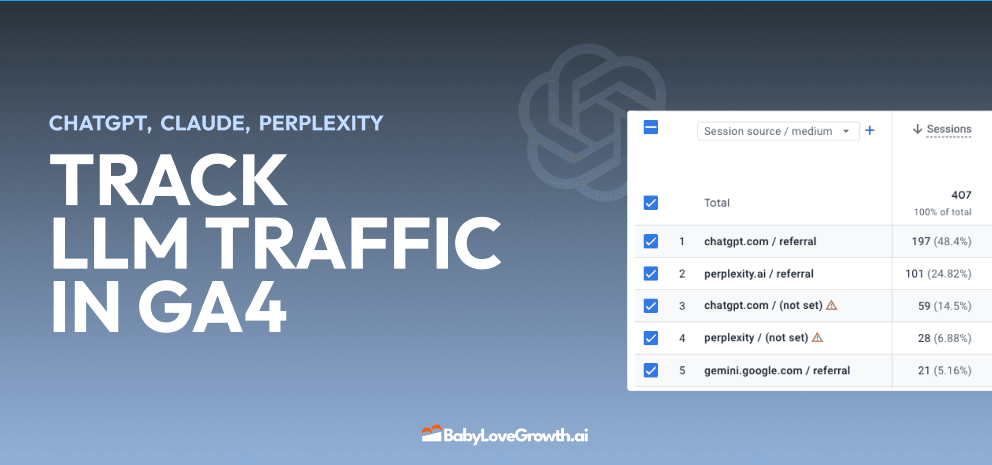
Track LLM Traffic in Google Analytics 4 (GA4)
Learn how to track and analyze traffic from AI sources like ChatGPT, Claude, Perplexity, and Google Gemini in Google Analytics 4. This step-by-step guide shows you how to set up custom filters to monitor AI-driven traffic and make data-driven decisions for your content strategy.
DylenMar 18, 2025
How to Humanize AI Text with Instructions
Learn practical techniques to make AI-generated content sound more natural and human. This guide covers active voice, direct addressing, concise writing, and other proven strategies to transform robotic text into engaging content.
DylenApril 7, 2025
Open AI Revenue and Statistics (2024)
Comprehensive analysis of OpenAI financial performance, user engagement, and market position in 2023. Discover key statistics including $20B valuation, $1B projected revenue, and 100M+ monthly active users.
DylenOctober 03, 2025
"Search Google or Type a URL": What It Means & What to Do
Learn what "Search Google or type a URL" actually means, how your browser decides whether to search or navigate, and what to do if your address bar starts behaving unexpectedly. Includes browser settings guides for Chrome, Firefox, Edge, and Safari.
DylenApr 21, 2026