Importance of a Well-Designed Website for SEO Success


Standing out online can feel impossible when every competitor is just a click away. The difference often comes down to a website’s first impression, which happens within milliseconds. A truly well-designed website blends visual arrangement, easy usability, and accessibility so visitors trust your business from the start. This article shows how smart design choices can build credibility, grow your audience, and support your SEO goals as you scale in the Canadian and American markets.
Table of Contents
- Defining A Well-Designed Website Today
- Core Elements That Drive User Trust
- How Design Influences Seo Performance
- Common Website Design Mistakes To Avoid
- Scaling Growth With Effective Website Design
Key Takeaways
| Point | Details |
|---|---|
| User Experience is Crucial | A seamless navigation and intuitive design enhance user experience, boosting engagement and conversions. |
| Trust is Built Through Design | Professional aesthetics, fast load times, and clear branding create trust, encouraging visitors to stay and explore. |
| SEO is Affected by Design | Good design fosters longer session durations and lowers bounce rates, both of which are favorable for SEO performance. |
| Accessibility Expands Audience | Implementing accessibility guidelines not only helps reach a broader audience but also improves search engine rankings. |
Defining a Well-Designed Website Today
A well-designed website today is far more than just looking pretty. It blends visual arrangement, usability, and accessibility to create meaningful digital experiences that actually work for your business and your visitors.
Think of your website as a first handshake with a potential customer. You get milliseconds to make an impression. That means clear branding, engaging visuals, and strategic whitespace need to work together seamlessly.
Modern website design centers on three core pillars:
- User experience: Navigation must be intuitive, making it easy for visitors to find what they need without friction
- Visual appeal: Graphics, typography, and color schemes create the aesthetic that keeps people engaged
- Mobile responsiveness: Your site must work flawlessly on phones, tablets, and desktops—this isn't optional anymore
The foundation of trust matters enormously for small to medium business owners. Professional design builds credibility through consistent branding, security indicators, and social proof. When visitors land on your site, they're unconsciously asking: "Can I trust this business?"
Accessibility often gets overlooked, but it's critical. A well-designed website adheres to accessibility guidelines so everyone—regardless of ability—can navigate your content. This expands your potential audience while improving SEO.
Storyelling through design elements creates emotional connections. Rather than just listing features, your design should guide visitors through a narrative that shows them why your solution matters.
Consider how site structure supports your overall design strategy. A logical hierarchy helps both visitors and search engines understand your content.
To better understand how crucial elements of website design support business goals, see the breakdown below:
| Design Element | Primary Function | Impact on Business |
|---|---|---|
| Clear Branding | Establish brand identity | Builds recognition |
| Responsive Design | Adapts to any device | Expands audience reach |
| Visual Consistency | Maintains unified look and feel | Increases user confidence |
| Fast Page Load Speed | Reduces waiting time | Lowers bounce rates |
| Accessibility Features | Ensures inclusive usability | Improves SEO and trust |
A well-designed website isn't about winning design awards—it's about converting visitors into customers while maintaining credibility and ease of use.
Pro tip: Audit your current website through the eyes of a first-time visitor. Can they understand your value proposition within 10 seconds? If not, your design needs refinement regardless of how modern it looks.
Core Elements That Drive User Trust
User trust is the invisible currency that turns casual visitors into paying customers. Without it, your website is just another forgettable digital storefront. The good news? Trust is built through deliberate, observable design choices.
Trust starts with professional site design and clarity. When everything looks polished and intentional, visitors immediately feel more confident. When navigation is confusing or visuals are amateurish, skepticism sets in fast.
Here are the core trust drivers your website needs:
- SSL certificates and security indicators: Show visitors their data is protected with visible security badges
- High-quality visuals: Professional images and graphics signal that you care about your brand
- Fast loading times: Slow sites frustrate users and damage credibility instantly
- Intuitive navigation: Users should find what they need without hunting or guessing
- Consistent branding: Familiar colors, fonts, and messaging reduce cognitive friction
Social proof is remarkably powerful for small and medium businesses. Testimonials and customer reviews give potential clients reassurance that real people have had positive experiences with you. This works because prospects trust their peers more than marketing claims.
Transparent communication builds confidence in your interactions. Be clear about pricing, policies, and what customers can expect. Ambiguity breeds doubt.Visual consistency matters more than you might think. When your website looks cohesive—same fonts, color palette, layout patterns—users feel more comfortable. It signals organization and attention to detail.
Privacy assurances are non-negotiable. State how you handle customer data, include a privacy policy link, and honor those promises. One data breach story spreads faster than you can respond.
Trust is fragile and built slowly through thousands of small design decisions, but shattered instantly through poor security, inconsistency, or hidden agendas.
Pro tip: Run a trust audit on your website: Check if visitors can see security badges within two seconds, find testimonials on key pages, and understand your privacy practices without digging through pages.
How Design Influences SEO Performance
Here's what most business owners miss: Your website design isn't just about aesthetics. It directly impacts how Google ranks you. Design decisions ripple through your SEO performance in ways you might not realize.

Search engines care deeply about user engagement metrics. When visitors bounce immediately, Google notices. When they stay longer, Google rewards you. Your design either encourages people to stick around or sends them running.
These design elements directly affect your SEO rankings:
- Mobile responsiveness: Google prioritizes mobile-first indexing. Non-responsive sites get penalized, period.
- Site speed: Fast loading times reduce bounce rates and improve rankings
- Clear navigation structure: Search engine bots crawl your site more efficiently when organization is obvious
- Accessibility compliance: Better accessibility improves indexing and reaches more potential visitors
- Content hierarchy: Proper heading structure helps bots understand your content's importance
Bounce rate directly correlates with rankings. When users arrive and leave immediately, it signals that your page didn't match their intent. Good design keeps people engaged through intuitive layouts and clear calls-to-action.
Session duration matters too. When visitors explore multiple pages, they spend more time on your site. This signals quality content and engagement to search engines, boosting your rankings.
A seamless user experience supports longer visits. When navigation feels natural, content loads quickly, and pages are easy to read, visitors naturally spend more time exploring. This behavior directly influences your SEO success.
Mobile-friendly layouts aren't optional anymore. Over half of all traffic comes from mobile devices. Your design must work flawlessly across all screen sizes or you're losing ranking potential.Design and SEO aren't separate concerns—they're intertwined. Poor design kills user engagement, which kills rankings, which kills traffic and revenue.
Pro tip: Check your bounce rate and average session duration in Google Analytics. If bounce rate exceeds 60% or sessions average under 90 seconds, your design is likely pushing visitors away before they convert.
Common Website Design Mistakes to Avoid
One bad design choice can tank your entire SEO strategy. The frustrating part? Many mistakes are completely avoidable once you know what to look for.
Let's start with the most damaging errors that hurt both user experience and rankings:
- Cluttered pages: Too many elements competing for attention overwhelm visitors and confuse search engines
- Inconsistent branding: Mismatched colors, fonts, and messaging destroy trust and professionalism
- Poor navigation structure: When visitors can't find what they need, they leave instantly
- Slow loading speeds: Every second of delay increases bounce rate and damages rankings
- Neglecting mobile responsiveness: Over 50% of traffic comes from mobile. Non-responsive sites lose customers and ranking positions.
Overusing colors or fonts creates visual chaos. Pick a limited palette and stick with it. Your site should feel cohesive, not like a design experiment gone wrong.
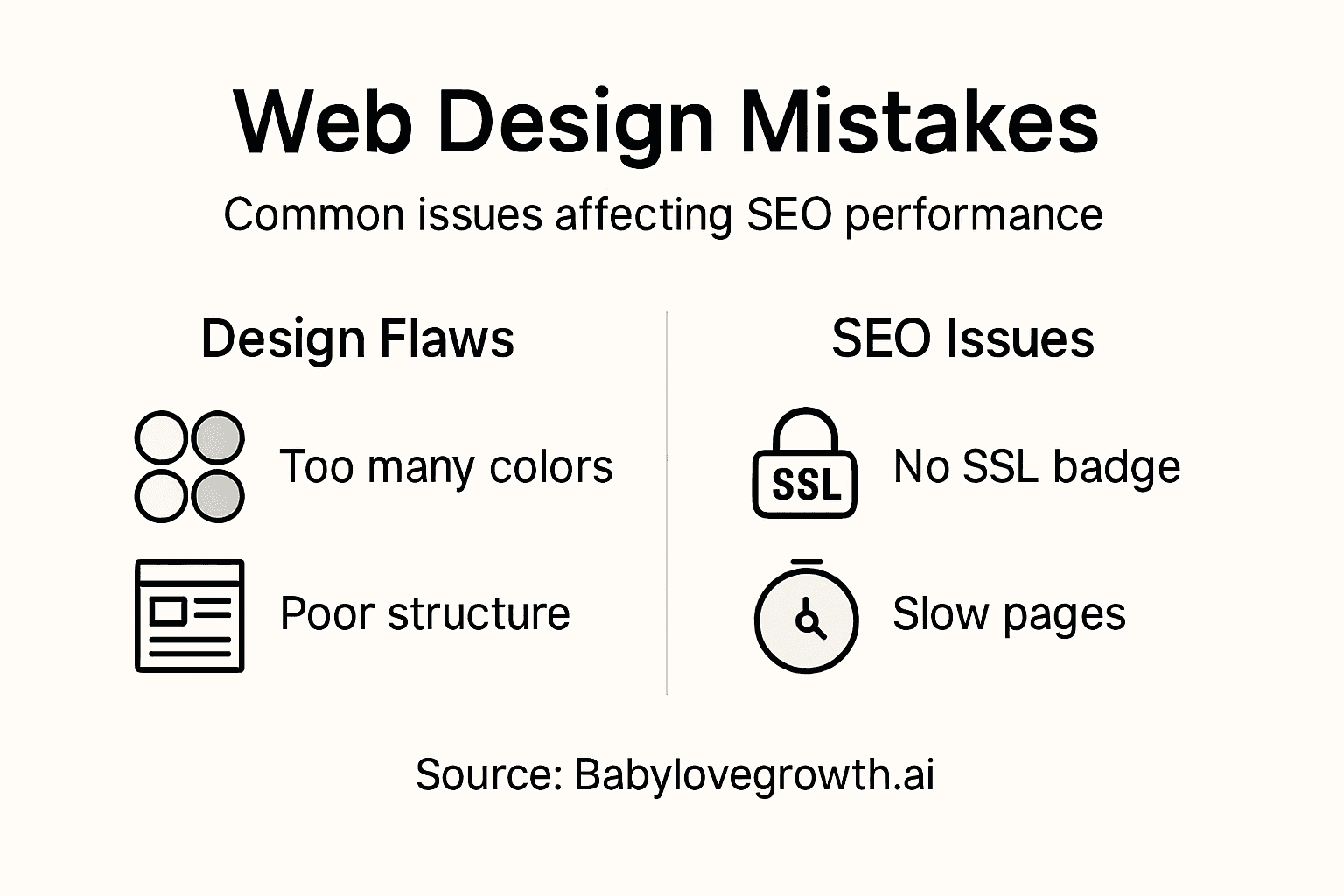
Missing security features are trust killers. SSL certificates and security badges should be visible to every visitor. One suspicious indicator, and potential customers vanish.
Ignoring accessibility guidelines excludes people with disabilities and hurts your SEO. Search engines reward sites that follow accessibility standards. It's a win-win that too many businesses ignore.
Excessive animations look flashy but slow down your site. Every animation adds load time, which increases bounce rate and damages rankings. Speed matters more than flash.
Lack of clear calls-to-action confuses visitors about what to do next. Every page should guide users toward a specific action: contact you, buy something, or sign up.
Poorly organized content and missing whitespace make sites feel cramped. Users need breathing room. Strategic whitespace improves readability and keeps visitors engaged longer.
Stale content signals neglect. Regular updates show that your business is active and current. Ignoring user feedback means you're missing valuable improvement opportunities.
Here's a quick comparison of common website design mistakes and their direct consequences:
| Mistake | User Impact | SEO Consequence |
|---|---|---|
| Cluttered Layout | Confuses and frustrates visitors | Makes crawling harder |
| Inconsistent Branding | Reduces professionalism and trust | Weakens brand authority |
| Neglecting Mobile Design | Alienates mobile users | Penalized in search rankings |
| Excessive Animation | Slows site response | Increases bounce rates |
| No Clear Calls-to-Action | Leaves users unsure what to do next | Fewer conversions |
The best design is invisible—users accomplish their goals without thinking about the interface itself. Any design that draws attention to itself instead of your message is failing.
Pro tip: Audit your website for at least three of these mistakes this week. Start with speed testing (use Google PageSpeed Insights), mobile responsiveness (resize your browser), and navigation clarity (can you reach any page in two clicks?).
Scaling Growth With Effective Website Design
Your website isn't static. As your business grows, your site needs to grow with you. Poor design locks you into corners. Smart design creates a foundation for scaling.
Think of your website as infrastructure. You wouldn't build a house on shifting sand, yet many businesses build growth strategies on rigid, inflexible websites. The right design adapts as you expand.
Here's what effective design for growth requires:
- Modular content structures: Add new products, services, or sections without redesigning your entire site
- Scalable infrastructure: Your site shouldn't slow down as traffic increases
- Clear user journeys: New visitors should understand your value within seconds, regardless of what you offer
- Strong brand consistency: As you grow, your brand identity strengthens customer retention and advocacy
- Flexible layouts: Design should accommodate new features without looking chaotic
Data-driven optimization separates growing businesses from stagnating ones. Continuous improvements aligned with business goals come from analyzing how visitors actually use your site.
Usability testing reveals friction points before they damage your growth. When you understand how real customers navigate your site, you can eliminate obstacles and improve conversions.
Analytics integration is non-negotiable. Track which pages convert, where visitors drop off, and what calls-to-action work best. This data guides every design decision and compounds your growth over time.
User-centered design drives engagement and retention. When your design prioritizes customer needs over aesthetics, people stay longer, buy more, and refer others. Growth becomes self-reinforcing.
Brand storytelling through design creates emotional connections. As you scale, consistency in how you tell your story builds loyalty. New customers should recognize your brand instantly, regardless of which page they land on.
Accessibility matters for scale. Responsive and accessible design ensures you reach everyone, including people with disabilities. Search engines reward this approach, expanding your potential audience.
Growth without a solid design foundation is like trying to build a skyscraper on a weak base. Eventually, everything cracks.
Pro tip: Map your growth roadmap for the next 18 months. Identify new products, services, or features you'll launch. Then audit your website: Can it accommodate these additions without major redesigns? If not, redesign now while traffic is lower.
Elevate Your Website Design to Boost SEO and Build Trust Today
The article highlights how crucial a well-designed website is for SEO success and user trust. Many business owners struggle with slow loading speeds, poor mobile responsiveness, and unclear navigation—issues that directly harm search rankings and drive visitors away. Your website needs to do more than look good. It must offer seamless user experiences, fast performance, and trustworthy design elements that keep people engaged and converting.
At Babylovegrowth.ai, we understand these challenges and provide an AI-powered platform that simplifies your SEO and content strategy while supporting responsive, user-centered design principles. Our automated content plans and backlink exchange system are designed to improve your Google and ChatGPT rankings with minimal effort while helping your site maintain the speed and clarity needed for optimal SEO performance.Ready to transform your website into a powerful growth engine?
Experience how AI-driven SEO can elevate your site’s design impact and organic traffic. Start your free trial now at Babylovegrowth.ai and unlock tailored content strategies that keep both users and search engines engaged.
Frequently Asked Questions
What are the key components of a well-designed website?
A well-designed website focuses on user experience, visual appeal, and mobile responsiveness. It ensures intuitive navigation, engaging graphics, and seamless functionality across devices.
How does website design impact SEO performance?
Website design affects SEO through user engagement metrics such as bounce rate and session duration. A well-structured, fast-loading, and mobile-friendly site encourages visitors to stay longer, which can improve search engine rankings.
Why is user trust important for a website?
User trust is crucial because it can transform casual visitors into paying customers. A professional design, clear navigation, and visible security features help establish credibility and trust with your audience.
What common mistakes should I avoid in web design?
Common web design mistakes include cluttered pages, inconsistent branding, poor navigation structure, slow loading speeds, and neglecting mobile responsiveness. Avoiding these errors will improve user experience and SEO outcomes.
Recommended
Smart SEO,
Faster Growth!
Most Read Articles
Generative Engine Optimization (GEO)
Learn how Generative Engine Optimization (GEO) helps your content rank in AI search engines like ChatGPT and Google AI. This comprehensive guide explains the differences between SEO and GEO, why it matters for your business, and practical steps to implement GEO strategies for better visibility in AI-generated responses.
DylenJan 18, 2025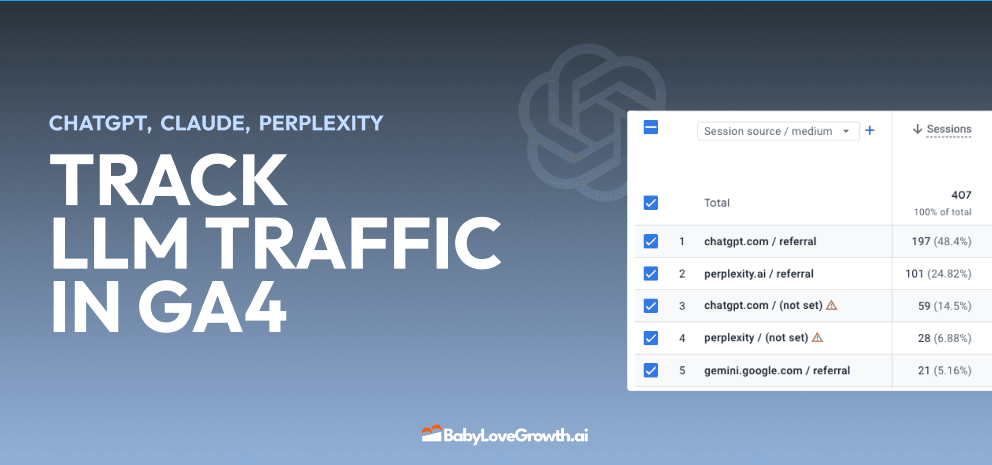
Track LLM Traffic in Google Analytics 4 (GA4)
Learn how to track and analyze traffic from AI sources like ChatGPT, Claude, Perplexity, and Google Gemini in Google Analytics 4. This step-by-step guide shows you how to set up custom filters to monitor AI-driven traffic and make data-driven decisions for your content strategy.
DylenMar 18, 2025
How to Humanize AI Text with Instructions
Learn practical techniques to make AI-generated content sound more natural and human. This guide covers active voice, direct addressing, concise writing, and other proven strategies to transform robotic text into engaging content.
DylenApril 7, 2025
Open AI Revenue and Statistics (2024)
Comprehensive analysis of OpenAI financial performance, user engagement, and market position in 2023. Discover key statistics including $20B valuation, $1B projected revenue, and 100M+ monthly active users.
DylenOctober 03, 2025