Web Accessibility: Boosting Inclusion and SEO Impact


Think optimizing your startup’s site for SEO is tough—try meeting everyone’s real-world accessibility needs at the same time. Despite the push for inclusion, 88 percent of websites still fall short of basic accessibility compliance according to recent research. For digital marketers and SEO professionals, this gap means overlooking both legal risks and valuable organic traffic. This guide reveals how practical web accessibility strategies can improve both ranking potential and user experience, all while protecting your brand.
Table of Contents
- What Web Accessibility Really Means Today
- Major Types of Web Accessibility Needs
- Core Principles and Features of Accessible Sites
- Legal Requirements and Compliance Standards (2026)
- Risks, Liabilities, and SEO Opportunities
Key Takeaways
| Point | Details |
|---|---|
| Web Accessibility is Essential | It is now a fundamental requirement for digital products, ensuring websites and apps are usable by everyone, regardless of abilities. |
| Accessibility Drives SEO Performance | Accessible design improves user experience, which positively affects search engine rankings and visibility. |
| Compliance is Legally Required | New regulations mandate WCAG 2.1 Level AA compliance, making accessibility a legal obligation for many organizations. |
| Proactive Investments Yield Benefits | Investing in accessibility not only reduces legal risks but also opens up untapped market segments and enhances customer engagement. |
What Web Accessibility Really Means Today
Web accessibility has moved beyond a nice-to-have feature into a fundamental requirement for digital products. It means building websites and applications that work equally well for everyone, regardless of their abilities or disabilities.
Here's what this really covers:
- Visual accessibility: Text alternatives for images, sufficient color contrast, readable fonts
- Hearing accessibility: Captions and transcripts for audio and video content
- Motor accessibility: Keyboard navigation, large click targets, voice control compatibility
- Cognitive accessibility: Clear language, logical page structure, predictable interactions
The gap between where we are and where we need to be remains significant. 88% of websites fail basic accessibility compliance, with the average website scoring just 60 out of 100 on accessibility metrics.
This isn't because accessibility is complicated. It's because organizations lack awareness, resources, or formal guidance on implementation. Many teams don't understand that accessibility directly impacts both user inclusion and search engine performance.
For startups, accessibility means several practical things:
- Your website must be navigable without a mouse
- Color alone cannot convey information
- Forms need clear labels and error messages
- Videos require captions and transcripts
- Content structure must be logical and semantic
True accessibility isn't about checking compliance boxes—it's about designing experiences that work for real people with real needs.
The skills gap compounds this challenge. Digital accessibility professionals are largely self-taught because formal education programs barely exist. Your team likely lacks training in these standards without external support or research.
What's changed recently? Accessibility is now intertwined with responsive design. A well-designed website automatically becomes more accessible when it prioritizes mobile usability, readable typography, and intuitive navigation.
For SEO professionals, the intersection matters. Google rewards accessible websites because they're easier to crawl, faster to load, and serve users better. It's not a separate concern anymore—it's core to modern web standards.
Pro tip: Start with the low-hanging fruit: add alt text to all images, ensure keyboard navigation works, and test your color contrast ratios using free online tools. These three changes improve both accessibility and SEO immediately without major development effort.
Major Types of Web Accessibility Needs
Accessibility isn't one-size-fits-all. Different users face different barriers online, and effective websites accommodate all of them. Understanding these distinct needs helps you build products that actually work for everyone.
The main categories of accessibility needs break down like this:
- Visual disabilities: Blindness, low vision, color blindness
- Hearing disabilities: Deafness, hearing loss
- Motor disabilities: Limited mobility, tremors, paralysis
- Cognitive disabilities: Dyslexia, autism, ADHD, intellectual disabilities
- Neurological disabilities: Epilepsy, migraines, vestibular disorders
- Speech disabilities: Difficulty speaking, muteness
Each group encounters specific web accessibility barriers that require different solutions. A blind user needs screen reader compatibility and logical heading structure. Someone with motor disabilities needs keyboard navigation without requiring precise clicks. A person with dyslexia needs adjustable text sizing and simple language.

The overlap matters too. Someone might have both hearing loss and motor limitations. Another person uses a screen reader because they have low vision, not blindness. Your design choices affect multiple groups in ways you might not anticipate.
Web accessibility guidelines address these diverse needs systematically. WCAG standards cover everything from color contrast ratios for low vision users to keyboard accessibility for motor disabilities to captions for hearing loss.Here's what this means practically for your startup:
- Test with keyboard navigation only—no mouse allowed
- Check color contrast against WCAG AA standards
- Add captions and transcripts to all video content
- Use semantic HTML so screen readers understand page structure
- Allow text sizing adjustments without breaking layouts
- Avoid auto-playing audio or rapid flashing
One person's accessibility feature often becomes everyone's preferred feature—captions help in noisy environments, keyboard shortcuts speed up power users, clear language benefits non-native speakers.
The intersection of these needs creates compound challenges. Someone with cognitive disabilities and motor limitations requires both simple navigation and large click targets. The answer isn't separate solutions for each group—it's inclusive design that accommodates everyone simultaneously.
Your SEO and accessibility goals align here. Search engines favor websites that serve all users effectively. Better keyboard navigation, faster load times from optimized captions, and semantic HTML structure all improve both ranking potential and user experience.
Pro tip: Create a testing checklist that includes one person from each disability category (or simulate their needs). Testing with real users catches problems that automated tools miss and reveals what actually matters to your audience.
Core Principles and Features of Accessible Sites
Accessible websites follow a proven framework that balances user needs across every dimension. The foundation rests on four core principles known as POUR: Perceivable, Operable, Understandable, and Robust.
These aren't abstract concepts. They translate directly into concrete features you build into your site.
Perceivable means users can actually sense your content. This covers:
- Text alternatives for images and graphics
- Captions and transcripts for video and audio
- Sufficient color contrast for readability
- Content that works across different display sizes
Operable ensures people can navigate and interact with your site. This includes:
- Full keyboard navigation without requiring a mouse
- Skip navigation links to bypass repetitive content
- Enough time to read and respond to content
- No auto-playing audio or rapid flashing that triggers seizures
Understandable makes your site logical and clear. Features include:
- Simple, plain language instead of jargon
- Consistent navigation across pages
- Clear labels on forms and error messages
- Predictable behavior—nothing surprising or confusing
Robust means your site works with current and future technology. This requires:
- Valid, semantic HTML markup
- Proper heading hierarchy
- Compatibility with screen readers and other assistive tools
The POUR framework guides accessible design across all disability types simultaneously. A site that's perceivable to someone using a screen reader is usually more perceivable to everyone.
Practically speaking, accessible sites integrate multiple integrated features that enhance usability far beyond compliance. You're building features that help mobile users, older adults, people in noisy environments, and non-native speakers—not just people with disabilities.
Here's what this looks like in your codebase:
- Use semantic HTML: "<nav>
,<main>,<article>,<button>instead of generic<div>` elements - Add alt text to every image describing its purpose or content
- Test keyboard navigation from top to bottom without using a mouse
- Ensure clear navigation structures guide users logically through content
- Check color contrast ratios with automated tools
- Write descriptive link text like "read our SEO guide" instead of "click here"
Accessible design isn't a feature you add at the end—it's a foundation you build from the start. Every decision about structure, color, and interaction affects accessibility.
The beauty of POUR principles is that they overlap with SEO and general usability. Search engines favor clear, structured content. Users appreciate fast-loading pages with readable text. These aren't competing goals—they're aligned.
One warning: accessibility isn't binary. You're aiming for WCAG AA compliance as a baseline, with AAA as the gold standard. Most startups should target AA compliance because it covers the vast majority of accessibility needs without unreasonable effort.
Pro tip: Use automated tools like axe DevTools or WAVE to catch obvious issues, then test manually with real users and keyboard-only navigation. Automated tools find maybe 30% of problems—the rest requires human testing.
Legal Requirements and Compliance Standards (2026)
Accessibility has moved from a nice-to-have into legally binding territory. If your startup serves government entities or operates in regulated industries, you need to understand what's coming.
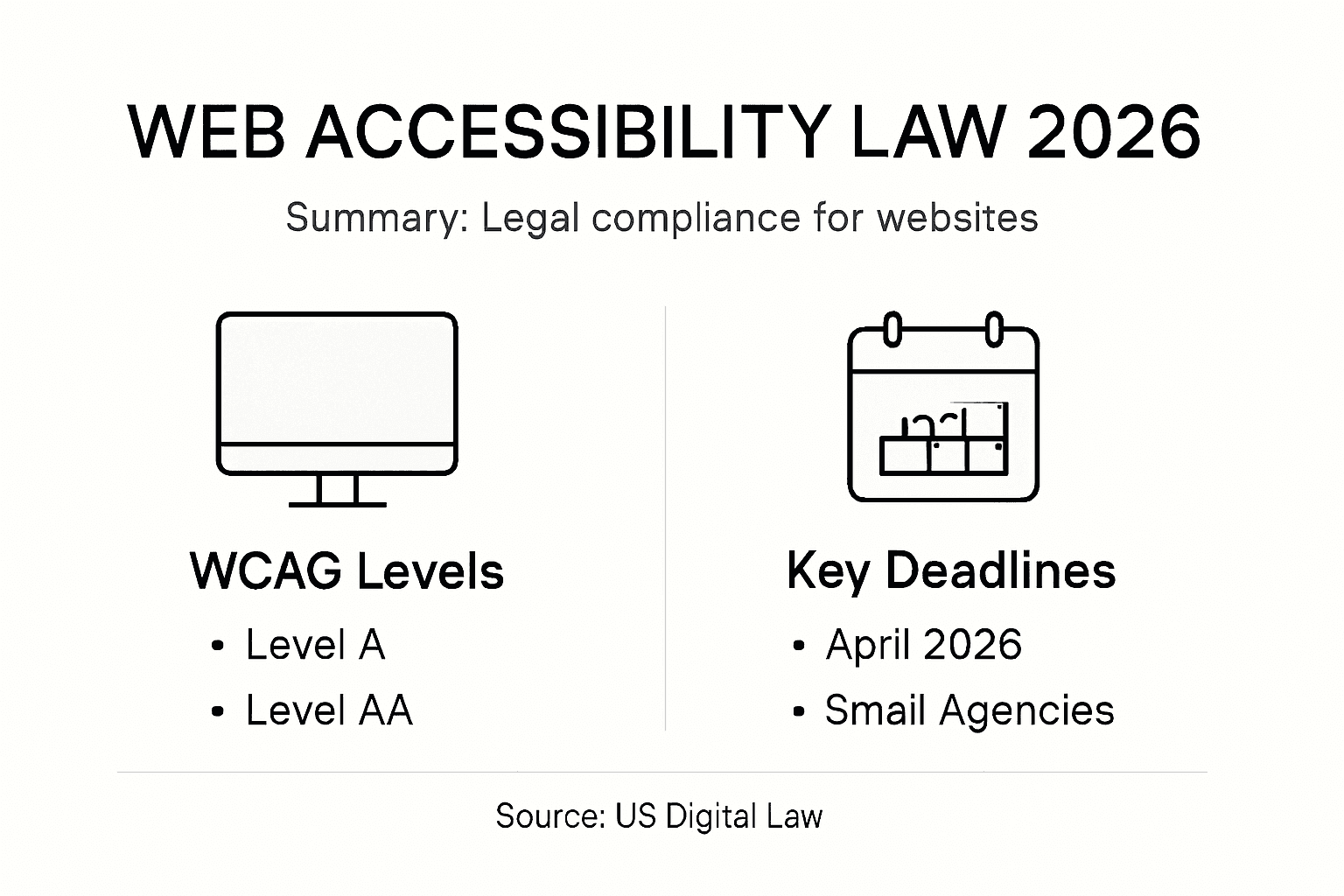
The U.S. Department of Justice finalized new regulations in 2026. Federal accessibility requirements now mandate WCAG 2.1 Level AA compliance for state and local government websites and digital resources. This is a massive shift from voluntary guidelines to enforceable law.
What does this mean practically? Government agencies must ensure:
- Accessible forms with proper labels and error handling
- Captions for all video content
- Full keyboard navigation throughout the site
- Sufficient color contrast ratios
- Compatible screen reader functionality
Compliance deadlines depend on organization size. Large government entities faced an April 24, 2026 deadline. Smaller agencies have until April 26, 2027 to achieve compliance. This staggered approach gave bigger organizations more time but still creates real urgency.
Why should your startup care? If you contract with government agencies, sell to them, or depend on their funding, accessibility requirements cascade down to you. Public sector compliance drives market expectations forward for everyone.
Beyond federal mandates, multiple legal frameworks already exist:
- Americans with Disabilities Act (ADA) applies to all businesses serving the public
- Section 508 requires federal technology accessibility
- State laws increasingly mirror or exceed federal standards
- International markets have their own accessibility requirements
The legal exposure is real. Lawsuits over inaccessible websites have become common, with settlements ranging from thousands to millions of dollars. Courts consistently rule that websites are "places of public accommodation" under the ADA.
However, compliance isn't just defensive. Organizations that meet accessibility standards earlier gain competitive advantages in government contracts, attract more users, and improve SEO performance simultaneously.
Here's the reality for your startup:
- Audit your current accessibility level against WCAG 2.1 AA
- Document gaps and prioritize high-impact fixes
- Budget for accessibility improvements in your roadmap
- Train your team on accessibility requirements
- Test regularly with assistive technologies
Legal compliance becomes the minimum baseline. Forward-thinking startups exceed it because accessibility drives user retention, market reach, and organic visibility.
One critical point: WCAG 2.1 Level AA is the legal target, but Level AAA (the highest level) sets the standard for exceptional accessibility. Most organizations should aim for AA compliance to meet legal requirements while allocating resources elsewhere.
Below is a quick reference comparing WCAG 2.1 Levels for startups:
| Compliance Level | Coverage Scope | Typical Use Case |
|---|---|---|
| Level A | Basic requirements | Minimal legal defense, rarely enough |
| Level AA | Most barriers removed | Standard for legal and public contracts |
| Level AAA | Maximum accessibility | Rare, enterprise or specialized audience |
Don't wait for enforcement actions to arrive. Proactive compliance now prevents lawsuits, reduces remediation costs, and positions your startup ahead of competitors still scrambling to catch up.
Pro tip: Document your accessibility compliance efforts—audits, remediation work, testing results—to demonstrate good faith if legal challenges arise. This documentation is invaluable evidence in settlement negotiations.
Risks, Liabilities, and SEO Opportunities
Accessibility isn't just an ethical imperative—it's a business decision with real financial consequences on both sides of the equation. Your startup faces genuine risks by ignoring it and genuine opportunities by embracing it.
The liability side is straightforward and costly. Legal exposure from inaccessible websites includes lawsuits, penalties, and reputational damage that can devastate startups. We're not talking about theoretical risk here. Actual settlements have reached millions of dollars, and litigation costs add up regardless of outcome.
Beyond lawsuits, accessibility failure excludes a massive market segment. The World Health Organization estimates over 1 billion people worldwide have disabilities. That's potential customers you're turning away with every inaccessible feature. For a startup trying to scale, this directly reduces addressable market and revenue potential.
Reputational damage compounds the problem. News coverage of inaccessible platforms damages brand trust. Customer reviews highlighting accessibility failures spread rapidly. Once your startup gets labeled as inaccessible, recovery is difficult and expensive.
Here's what the legal risks actually look like:
- Accessibility lawsuits average 18-24 months to resolve
- Settlement costs range from $5,000 to $5+ million depending on company size
- Remediation expenses after losing a case multiply the damage
- Insurance rarely covers intentional accessibility non-compliance
But there's the flip side. Accessible sites demonstrate measurably better SEO performance through improved semantic HTML, comprehensive alt text, and logical navigation structures. Search engines reward these technical foundations because they improve crawlability and user experience simultaneously.
The SEO gains are real and quantifiable:
- Better semantic HTML helps Google understand page structure
- Alt text on images enables image search visibility
- Keyboard navigation reduces bounce rates
- Fast-loading accessible pages improve Core Web Vitals scores
- Clear content hierarchy improves topic relevance signals
The best part: accessibility improvements that help people with disabilities also help SEO. They're not competing goals—they're perfectly aligned.
Your startup gains competitive advantages by moving first. Competitors still scrambling to achieve baseline compliance while you're already capturing accessibility-driven SEO gains. Users actively seek accessible platforms, especially in B2B sectors where procurement teams evaluate accessibility seriously.
Think about your user acquisition cost. Better SEO means lower CAC. Accessibility opens new market segments. Reduced bounce rates improve conversion metrics. Combined, these factors compound your growth trajectory while competitors face legal exposure and reputational damage.
Practically speaking, accessibility becomes a business lever, not just a compliance checkbox. SEO benefits from optimized content structure and mobile accessibility that accessibility requires anyway. You're building one thing that solves multiple problems.
The calculation is simple: invest in accessibility now and capture growth opportunities plus legal safety, or ignore it and face litigation, market exclusion, and reputation damage later. Forward-thinking startups choose the first path.
Here's how web accessibility improvements impact both legal risk and SEO outcomes:
| Accessibility Action | Reduces Legal Risk | Boosts SEO Performance |
|---|---|---|
| Adding image alt text | Meets WCAG requirements | Improves image search visibility |
| Keyboard navigation | Satisfies compliance laws | Lowers bounce rate |
| Color contrast checks | Prevents lawsuits | Enhances content readability |
| Captioned videos | Avoids discrimination claims | Increases video content reach |
| Semantic HTML structure | Supports audit documentation | Boosts Google crawlability |
Pro tip: Track your accessibility improvements alongside SEO metrics. Monitor how alt text additions impact image search traffic, how heading structure changes affect average time on page, and how keyboard navigation affects bounce rates. This data proves accessibility ROI to stakeholders.
Unlock Seamless Web Accessibility and Boost Your SEO Growth Today
Struggling to bridge the gap between web accessibility compliance and powerful SEO performance Discover how integrating accessibility principles like semantic HTML structure and keyboard navigation not only reduces legal risk but also enhances your site’s ranking potential Start leveraging technology designed for startups that need to solve these exact challenges
Take control of your digital presence with Babylovegrowth.ai, the AI-powered SEO platform that simplifies creating accessible, high-quality content optimized for both Google and ChatGPT Use automated workflows to generate SEO-friendly articles with clear structure and alt text support while benefiting from detailed business analysis and a personalized 30-day content plan Act now to secure your spot with a free trial and start turning accessibility into a competitive advantage Visit Babylovegrowth.ai and transform your organic growth strategy with scalable automation today
Frequently Asked Questions
What does web accessibility mean?
Web accessibility refers to designing websites and applications that are usable for everyone, including individuals with disabilities. It ensures that all users can navigate, interact with, and benefit from digital content.
How does web accessibility impact SEO?
Accessible websites are easier for search engines to crawl and index, resulting in better visibility in search results. Accessibility features, such as semantic HTML and alt text, enhance user experience and can improve SEO performance simultaneously.
What are some key principles of accessible web design?
The core principles of accessible web design are summarized by the acronym POUR: Perceivable, Operable, Understandable, and Robust. These principles ensure that content is available to all users in a way that is easy to navigate and understand.
What are common web accessibility features?
Common web accessibility features include text alternatives for images, captions for videos, keyboard navigation, clear form labels, sufficient color contrast, and logical content structure. Implementing these features helps accommodate users with various disabilities.