Marketing Automation Checklist: Step-by-Step Guide for SMBs


TL;DR:
- Successful marketing automation requires thorough pre-implementation planning and clean data hygiene.
- Ongoing monitoring, testing, and quarterly reviews are essential for maintaining high ROI.
- Over-complex workflows and poor data management are common causes of automation failure.
Marketing automation promises transformational ROI, but the implementation process trips up even experienced digital marketing managers. Choose the wrong tools, skip a data audit, or skip stakeholder buy-in, and you're looking at wasted budget and stalled lead pipelines. Studies show 544% average ROI is achievable, but only when you follow the right sequence. This guide gives you a precise, phased checklist covering pre-implementation planning, workflow setup, post-launch optimization, and common pitfalls to avoid. By the end, you'll have a clear roadmap to activate automation with confidence and measurable results.
Table of Contents
- Pre-implementation: Planning for automation success
- Implementation phase: Setting up automation workflows
- Post-implementation: Training, monitoring, and optimization
- Avoiding common pitfalls and edge cases
- Our perspective: What most automation checklists miss
- Take automation further with AI-powered marketing tools
- Frequently asked questions
Key Takeaways
| Point | Details |
|---|---|
| Start with data hygiene | Cleaning up data before integration prevents costly automation failures. |
| Pilot workflows in phases | A phased rollout and testing reduce integration mistakes and maximize ROI. |
| Automated emails drive revenue | Automated email workflows vastly outperform manual sends for lead conversion. |
| Regular reviews boost results | Quarterly workflow optimizations and team training ensure consistent, positive ROI. |
| Avoid over-complex automation | Simple, well-maintained workflows deliver more reliable growth than tangled setups. |
Pre-implementation: Planning for automation success
Most automation projects fail before a single workflow runs. The culprit is almost always poor planning. Before you touch a platform or write a single trigger rule, your team needs to work through a structured set of checklist items that prevent problems downstream.
Start with these core pre-launch steps, drawn from marketing automation best practices:
- Tech stack compatibility review: List every tool in your current stack (CRM, ESP, analytics, CMS) and confirm API integrations exist for your target automation platform.
- Stakeholder mapping: Identify every team or department that will interact with automated workflows, including sales, customer success, and content. Misaligned handoffs between sales and marketing are a leading cause of lead leakage.
- Data readiness audit: Scrub your contact lists for duplicate records, missing fields, and non-consented emails. Data hygiene failures are cited in 64% of failed automation projects.
- Consent and compliance check: Verify GDPR and CAN-SPAM compliance for every segment you plan to automate.
- 90-day pilot roadmap: Map out a phased rollout. Start with one or two workflows, measure performance, then expand.
The goal here is not perfection. It's reducing the number of surprises you encounter after launch. Think of this phase as building the foundation before adding floors. With AI-powered strategic planning, you can also layer in keyword and content intelligence at this early stage, which pays dividends when your automated content sequences go live.
Pro Tip: Run a data audit at least two weeks before integration. Even a quick deduplication pass on your CRM contacts can eliminate workflow errors that would otherwise take hours to troubleshoot mid-campaign.
If you're evaluating which tools to use before you start, reviewing SEO automation tools that complement marketing automation can help you build a future-proof stack from day one.
Implementation phase: Setting up automation workflows
With a clean dataset and a clear plan, it's time to activate automation through hands-on setup. This phase moves fast, but discipline matters. Rushing integrations or skipping permission settings creates security gaps and data silos that are painful to unwind later.
Follow this numbered setup sequence:
- Assign user permissions: Define role-based access for every team member who will manage or monitor workflows. Limit admin rights to two or three people maximum.
- Connect your CRM: Sync your CRM contacts and pipeline data to your automation platform. Map fields carefully so lead data flows accurately between systems. Workflow automation for lead nurturing depends entirely on clean CRM field mapping.
- Install tracking code: Deploy tracking scripts on your website to capture behavioral signals (page visits, form fills, content downloads) that feed into lead scoring.
- Configure lead scoring rules: Assign point values to actions. A contact downloading a case study should score higher than someone reading a blog post.
- Launch your first workflows: Start with three to five email flows before expanding.
Comparison of automated workflow types:
| Workflow Type | Trigger | Primary Goal |
|---|---|---|
| Welcome email series | New subscriber signup | Onboarding and brand introduction |
| Abandoned cart | Cart left without purchase | Revenue recovery |
| Lead nurturing drip | Content download or form fill | Move leads down the funnel |
| Lead alert | High lead score reached | Sales team notification |
| Re-engagement | 90 days of email inactivity | Win back dormant contacts |
"Automated email workflows generate 320% more revenue than batch-and-blast campaigns. The difference is behavioral relevance, not volume."
Pro Tip: Resist the urge to launch ten workflows simultaneously. Start with a welcome sequence and one nurture track. Test each with a small segment (10-15% of your list) before rolling out fully. This protects your sender reputation and gives you clean performance data.

For deeper coverage of lead nurturing strategies that work alongside automation, understanding behavioral triggers is essential. You should also explore the full range of email automation benefits to prioritize which flows deliver the fastest ROI for your specific audience. And if you're thinking about AI triggers for marketing, predictive scoring models can significantly sharpen your lead qualification.
Post-implementation: Training, monitoring, and optimization
With workflows running, the real work begins. Too many marketing teams treat launch as the finish line. It's actually the starting point for systematic improvement.
Your post-launch checklist should include:
- Team training: Every user who touches the platform needs hands-on training, not just a walkthrough video. Cover workflow logic, reporting dashboards, and escalation procedures for workflow failures.
- Baseline metric capture: Record your first 30 days of data before making changes. You need a reference point to measure improvements against.
- Weekly workflow health checks: Review delivery rates, open rates, click rates, and unsubscribes weekly during the first 90 days.
- Quarterly optimization reviews: Scheduled quarterly reviews and maintenance separate high performers from average ones. Only 8% of automation users reach peak ROI, and consistent review cycles are the differentiator.
- A/B testing cadence: Test one variable per workflow per month. Subject lines, send times, and CTA button copy are high-impact starting points.
Key metrics to monitor:
| Metric | What to track | Healthy benchmark |
|---|---|---|
| Leads generated | New contacts per workflow | Growing month over month |
| Email conversion rate | Clicks leading to desired action | 2-5% depending on industry |
| Workflow failure rate | Emails undelivered or bounced | Below 2% |
| Lead-to-opportunity rate | Qualified leads passed to sales | 10-15% for B2B |
| Unsubscribe rate | Contacts opting out | Below 0.5% per send |
Pro Tip: Use behavioral triggers, not just time-based triggers, for your optimization cycles. If a contact opens an email but doesn't click, that's a signal to test a stronger CTA, not to wait 7 days and resend the same message.
Tracking these numbers against marketing analytics benchmarks gives you the context to know whether a 3% conversion rate is a win or a warning sign for your specific industry.
Avoiding common pitfalls and edge cases
Even robust automation setups can stumble without vigilance. Here's how to bypass major risks before they cost you pipeline.
The most frequently cited automation failure causes include dirty data, over-complex workflow trees, and lifecycle stage misalignment. In fact, lifecycle misalignment is consistently the most common automation error marketing teams encounter.
Common pitfalls and quick remedies:
- Dirty data inputs: Contacts with missing job titles or incorrect lifecycle stages trigger the wrong workflows. Remedy: Run a field-completion audit before every major campaign.
- Over-complex workflow trees: Branching logic with 10+ conditions creates maintenance nightmares and causes up to 54% AI failure rates in sophisticated setups. Remedy: Limit each workflow to three decision branches maximum.
- Lifecycle stage misalignment: Sending a bottom-of-funnel offer to a top-of-funnel lead destroys trust. Remedy: Map every workflow trigger to a specific lifecycle stage before building.
- No fallback conditions: Contacts who don't meet trigger criteria fall out of workflows entirely. Remedy: Build a default nurture path for contacts that don't qualify for primary workflows.
- Ignoring suppression lists: Mailing unsubscribed or bounced contacts damages sender reputation fast. Remedy: Sync suppression lists between your ESP and CRM daily.
"64% of automation projects fail on data quality. Clean data is not a setup task. It's an ongoing operational discipline." — Logic.inc
For SMBs specifically, the temptation is to automate everything at once. Resist it. Using AI lead generation strategies alongside a clean, simple workflow structure produces far better results than a bloated system no one fully understands. Pair your automation with a well-structured marketing funnel optimization approach to ensure each automated touchpoint serves a clear conversion goal.
Our perspective: What most automation checklists miss
After working through hundreds of automation implementations, the pattern is unmistakable: the teams that fail are not using inferior tools. They're using too many tools, too fast, without a maintenance culture.
Most checklists hand you a launch sequence and stop there. But the uncomfortable reality is that launching automation is easy. Sustaining it is where results are built or lost. A phased 90-day rollout with pilots is not a workaround for cautious teams. It's the method that consistently outperforms all-in-one launches in real-world conditions.
Over-complexity is the silent killer of automation ROI. A five-email welcome sequence maintained religiously will outperform a 30-step behavioral tree that nobody audits. The agencies and managers who win long-term are those who schedule quarterly reviews the same way they schedule quarterly reporting: non-negotiable, calendared, and tied to specific improvement targets.
If you want to understand how real-world AI marketing strategies perform in practice, the consistent thread is simplicity paired with rigorous iteration, not sophistication for its own sake.
Take automation further with AI-powered marketing tools
Your checklist gives you the structure. Now you need the right tools to execute at scale.

Babylove Growth AI combines the automation discipline this checklist describes with AI-powered execution across SEO, content, and link building. Use AI keyword discovery to feed your automated content workflows with high-intent topics your audience is actively searching. Strengthen your domain authority with automated backlink building that runs in the background while your email sequences do the same for lead nurturing. And before you scale, run an AI SEO audit to catch technical issues that could suppress your organic reach. These tools make the checklist actionable, not just theoretical.
Frequently asked questions
What is the first step before implementing marketing automation?
Review your tech stack and run a data hygiene audit to ensure platform compatibility and clean contact inputs before any workflow is built.
How do automated emails improve revenue?
Automated email workflows can generate up to 320% more revenue compared to manual send campaigns, primarily because they respond to real-time behavioral signals instead of arbitrary send schedules.
What is a common reason for failure in marketing automation projects?
Dirty data and lifecycle stage misalignment together cause 42 to 64% of failures in automation projects, making data preparation the most critical pre-launch activity.
How important is ongoing optimization after launch?
Consistent workflow reviews and maintenance are what separate average results from peak performance. Only 8% of users achieve top automation ROI, and they share one habit: scheduled, recurring optimization cycles.
Recommended
Smart SEO,
Faster Growth!
Most Read Articles
Generative Engine Optimization (GEO)
Learn how Generative Engine Optimization (GEO) helps your content rank in AI search engines like ChatGPT and Google AI. This comprehensive guide explains the differences between SEO and GEO, why it matters for your business, and practical steps to implement GEO strategies for better visibility in AI-generated responses.
DylenJan 18, 2025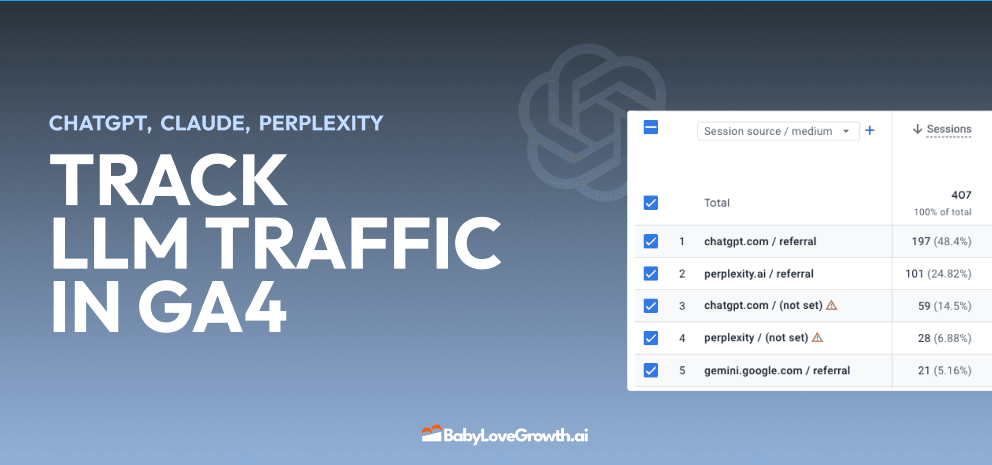
Track LLM Traffic in Google Analytics 4 (GA4)
Learn how to track and analyze traffic from AI sources like ChatGPT, Claude, Perplexity, and Google Gemini in Google Analytics 4. This step-by-step guide shows you how to set up custom filters to monitor AI-driven traffic and make data-driven decisions for your content strategy.
DylenMar 18, 2025
How to Humanize AI Text with Instructions
Learn practical techniques to make AI-generated content sound more natural and human. This guide covers active voice, direct addressing, concise writing, and other proven strategies to transform robotic text into engaging content.
DylenApril 7, 2025
Open AI Revenue and Statistics (2024)
Comprehensive analysis of OpenAI financial performance, user engagement, and market position in 2023. Discover key statistics including $20B valuation, $1B projected revenue, and 100M+ monthly active users.
DylenOctober 03, 2025
"Search Google or Type a URL": What It Means & What to Do
Learn what "Search Google or type a URL" actually means, how your browser decides whether to search or navigate, and what to do if your address bar starts behaving unexpectedly. Includes browser settings guides for Chrome, Firefox, Edge, and Safari.
DylenApr 21, 2026