Internal linking how-to: boost your SEO with proven strategies


TL;DR:
- Internal linking can increase organic traffic by up to 43% without adding new content.
- Auditing and fixing orphaned, broken, or deep pages improves site visibility and SEO performance.
- Prioritizing contextual, keyword-rich internal links supports site structure, authority flow, and ranking gains.
Most SEO teams pour budget into new content while their existing pages quietly starve for traffic. The fix is often sitting right inside the site. A focused internal linking strategy can deliver a 43% organic traffic increase without publishing a single new article. Yet orphaned pages, broken links, and shallow link structures remain among the most overlooked technical issues across the industry. This guide walks you through the fundamentals, a practical audit process, execution tactics, and a monitoring framework so you can turn internal linking into one of your highest-ROI SEO activities.
Table of Contents
- Understand the fundamentals of internal linking
- Preparation: Audit your current internal link structure
- Execution: Implement strategic internal linking for SEO
- Verification: Monitor, test, and refine internal links for lasting impact
- Our take: Why internal linking wins more traffic than adding new content
- Unlock peak SEO with pro tools for internal links
- Frequently asked questions
Key Takeaways
| Point | Details |
|---|---|
| Strategic internal links matter | Well-placed internal links boost SEO and user navigation far more than ad hoc linking. |
| Audit uncovers fast wins | Addressing orphaned pages and crawl bottlenecks often unlocks quick traffic gains. |
| Cluster structure drives authority | Organizing links around pillar and cluster topics amplifies ranking for both main and subtopics. |
| Diverse anchor text is critical | Descriptive, varied anchor text prevents penalties and maximizes contextual relevance. |
| Continuous improvement pays off | Regularly auditing and refining internal links ensures ongoing SEO growth year after year. |
Understand the fundamentals of internal linking
Before you restructure anything, you need a clear picture of what internal links actually do. Internal links connect pages within a single domain, serving two masters at once: search engine crawlers and real users. For crawlers, they create pathways that allow Googlebot to discover and index pages it might otherwise miss. For users, they reduce friction and guide visitors toward the content that matters most to your business.
From an SEO standpoint, internal links pass what practitioners call "link equity" (sometimes called PageRank or link juice). When a high-authority page links to a lower-visibility page, it shares some of its ranking power. This is why your homepage and top-performing blog posts are valuable distribution hubs, not just traffic destinations.
There are three main types of internal links you need to understand:
- Navigational links: Found in menus, headers, and breadcrumbs. They define site structure and are crawled on every page.
- Contextual links: Embedded within body content. Contextual links carry the most SEO weight because they appear in relevant, topically related content and carry descriptive anchor text.
- Footer and sidebar links: Useful for site-wide linking to key pages, but they carry less individual weight because they appear on every page without topical context.
Here is a quick comparison of link types by SEO impact:
| Link type | SEO equity passed | Anchor text control | Topical relevance |
|---|---|---|---|
| Contextual (in-body) | High | Full control | Strongest |
| Navigational | Medium | Limited | Moderate |
| Footer/sidebar | Low | Limited | Weak |
Understanding these differences matters because it changes where you invest your linking effort. Contextual links inside well-written content are your primary lever. Navigation and footer links support structure but should not be your main strategy. For context on how this differs from building links off your domain, the external link building differences are worth reviewing before you map your full link strategy.
"Internal links are one of the most powerful and underutilized tools in an SEO's toolkit. They shape how search engines understand your site's hierarchy and topical authority."
Preparation: Audit your current internal link structure
You cannot fix what you have not measured. An internal link audit gives you a baseline that reveals where equity is leaking, which pages are invisible to crawlers, and where users are hitting dead ends.
Start by identifying these four problem categories:
- Orphaned pages: Pages with zero internal links pointing to them. Orphan pages plague 15-40% of sites and resolving them can drive 20-40% traffic gains on its own.
- Excessive crawl depth: Pages buried more than three clicks from the homepage are rarely crawled or ranked well.
- Broken internal links: 404 errors that waste crawl budget and frustrate users.
- Overlinking: Stuffing a single page with dozens of internal links dilutes the equity passed to each destination.
The tools that make this audit practical are Semrush Site Audit, Ahrefs Site Explorer, and Screaming Frog SEO Spider. Each has strengths. Audit regularly for orphans, broken links, and crawl depth issues using these platforms to catch problems before they compound.
Here is how the major tools compare for internal link auditing:
| Tool | Orphan detection | Crawl depth map | Broken link scan | Cost tier |
|---|---|---|---|---|
| Semrush Site Audit | Yes | Yes | Yes | Paid |
| Ahrefs Site Explorer | Yes | Partial | Yes | Paid |
| Screaming Frog | Yes | Yes | Yes | Free/Paid |
For a medium-sized site (500-5,000 pages), follow these steps:
- Crawl the full site with Screaming Frog or Semrush.
- Export the internal links report and filter for pages with zero inbound internal links.
- Map crawl depth by sorting pages by click distance from the homepage.
- Flag broken links (status 404) and redirect chains.
- Identify your top 20 pages by organic traffic and check how many internal links point to each.
Pro Tip: Cross-reference your orphan page list with your top-converting landing pages. It is surprisingly common to find high-value product or service pages that have been accidentally cut off from the internal link graph after a site redesign.
If you want a broader framework for evaluating existing content alongside your link audit, how to conduct a content audit covers the full process. Pairing that with backlink analysis for site optimization gives you a complete picture of both internal and external link health.
Execution: Implement strategic internal linking for SEO
With a clean audit in hand, you can now build a linking structure that actively supports your SEO goals rather than just existing by accident.

The most effective framework is the topic cluster model. You create one authoritative pillar page for a broad topic and then link a set of cluster pages (covering subtopics) back to it and to each other. This signals topical authority to Google and keeps link equity circulating within related content. Build your strategy on topic clusters with pillar pages sitting no more than three clicks from the homepage.
Here is how to prioritize which pages get the most internal links:
- Money pages first: Product pages, service pages, and high-converting landing pages need the most equity. Make sure multiple relevant content pages link to them.
- Pillar pages second: Your cornerstone content should be linked from every relevant cluster article.
- High-potential pages third: Pages ranking on page two for target keywords can often be pushed to page one with a few well-placed internal links from stronger pages.
For anchor text, use descriptive, keyword-relevant phrases but vary them. Repeating the exact same anchor text across dozens of links can trigger over-optimization signals. Use synonyms, partial matches, and natural phrasing.
Key rules for anchor text:
- Match the anchor to the destination page's primary topic
- Avoid generic anchors like "click here" or "read more"
- Vary phrasing across multiple links pointing to the same page
- Keep anchors concise (two to five words is ideal)
Pro Tip: When you publish a new article, immediately search your existing content for relevant pages that should link to it. Adding links from established, high-authority pages to new content accelerates indexing and early ranking gains significantly.
For a deeper look at building this kind of structure systematically, the content cluster strategy guide covers the full model with practical examples.
Verification: Monitor, test, and refine internal links for lasting impact
Internal linking is not a one-time project. It is an ongoing practice that compounds over time when you measure results and iterate based on real data.
Start tracking immediately after implementation. The key metrics to watch are:
- Organic impressions and clicks via Google Search Console (GSC)
- Crawl coverage: Check that previously orphaned pages are now being indexed
- Ranking movement for target pages using Ahrefs or Semrush rank tracking
- Crawl errors: Monitor for new broken links introduced during updates
The empirical benchmarks from sites that have executed focused internal linking programs are striking: 43% organic traffic increases, 83% rank gains for previously orphaned pages, and up to 40% total traffic lift from resolving structural issues alone.
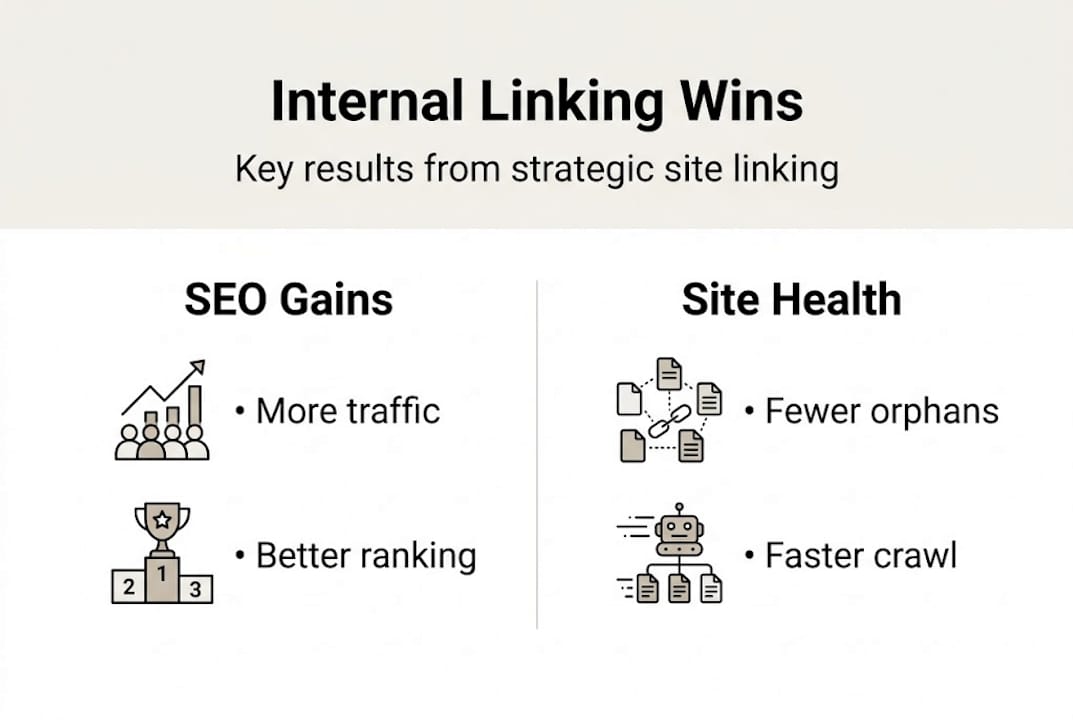
Here is a simple tracking table to monitor your internal linking program:
| Metric | Baseline | 30-day check | 90-day check |
|---|---|---|---|
| Orphan pages | Count at audit | Reduced by X% | Target: 0 |
| Pages indexed | Current total | Change after fix | Growth trend |
| Target page rankings | Pre-linking rank | Position change | Sustained gain |
| Organic traffic | Monthly sessions | Month-over-month | Quarter gain |
Signs that you are underlinking: pages with strong content but stagnant rankings, new pages taking more than two weeks to get indexed, and pillar pages with fewer than ten inbound internal links. Signs of overlinking: thin pages with 50-plus internal links, anchor text that looks repetitive across your site, or pages where the link density disrupts reading flow.
"The brands that treat internal linking as a living system rather than a setup task consistently outperform those that treat it as a checkbox."
For a broader optimization workflow, the content marketing optimization checklist integrates internal linking into your full content process. If you want to scale efficiently, streamline link building workflow covers how to reduce manual effort without losing quality.
Our take: Why internal linking wins more traffic than adding new content
Here is something most content teams resist hearing: publishing more articles is often the wrong first move. When 15-40% of site pages are orphaned and your top-converting pages are buried four clicks deep, adding new content just creates more orphans.
We have seen online brands double their indexed page count through content sprints and still watch organic traffic plateau. The problem was not content volume. It was that the new pages had no internal link equity flowing to them and no structural relationship to the site's authority hubs.
Fixing your internal link graph is faster, cheaper, and often more impactful than a content production push. You are working with pages that already have some authority and history. A few well-placed contextual links can move a page from position 15 to position 6 in weeks, not months.
The automation angle matters here too. AI-powered tools can now scan your content library, identify linking gaps, and suggest contextually relevant connections at a scale no human editor can match. That means effective content clustering and internal linking can run as a continuous background process rather than a quarterly project. Brands that build this into their workflow as a system, not a task, are the ones compounding organic growth month over month.
Unlock peak SEO with pro tools for internal links
Executing everything in this guide manually across hundreds of pages is slow and error-prone. That is where Babylovegrowth.ai changes the equation.

The platform's AI keyword discovery tool surfaces the exact topics and gaps your internal linking structure should target, so you are never guessing which pages deserve more equity. The keyword clustering tool then organizes those opportunities into actionable topic clusters, making it straightforward to build pillar and cluster relationships at scale. From audit to execution to ongoing monitoring, Babylovegrowth.ai automates the repetitive work so your team can focus on strategy and results.
Frequently asked questions
What is the ideal number of internal links per page for SEO?
Aim for 2-5 contextual links per 1,000 words of content, or roughly 3-10 per post, with priority given to links pointing toward your highest-value target pages.
How do I find and fix orphan pages on my site?
Run a full site crawl with Semrush, Ahrefs, or Screaming Frog to export pages with zero inbound internal links, then link them in from topically relevant, high-authority pages. Orphan pages affect 15-40% of sites, so this fix alone can deliver significant ranking gains.
What kind of anchor text works best for internal links?
Use descriptive, keyword-relevant anchor text that matches the destination page's topic, and vary your phrasing across multiple links to the same page to avoid over-optimization signals. Anchor diversity is crucial for maintaining natural link profiles.
How do I measure the impact of internal linking improvements?
Track organic impressions, rankings, and crawl coverage in Google Search Console and Ahrefs after each round of changes. Sites that execute focused programs see traffic lifts up to 43% within a few months of consistent implementation.
Recommended
Smart SEO,
Faster Growth!
Most Read Articles
Generative Engine Optimization (GEO)
Learn how Generative Engine Optimization (GEO) helps your content rank in AI search engines like ChatGPT and Google AI. This comprehensive guide explains the differences between SEO and GEO, why it matters for your business, and practical steps to implement GEO strategies for better visibility in AI-generated responses.
DylenJan 18, 2025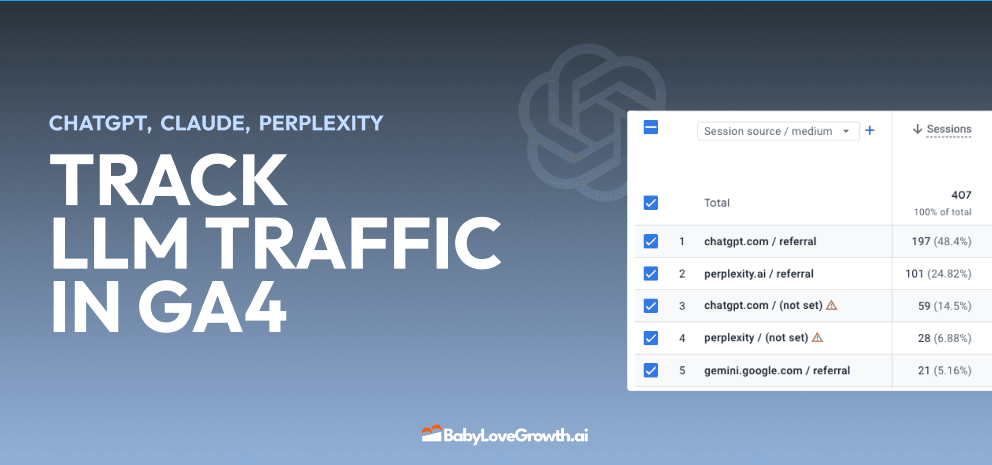
Track LLM Traffic in Google Analytics 4 (GA4)
Learn how to track and analyze traffic from AI sources like ChatGPT, Claude, Perplexity, and Google Gemini in Google Analytics 4. This step-by-step guide shows you how to set up custom filters to monitor AI-driven traffic and make data-driven decisions for your content strategy.
DylenMar 18, 2025
How to Humanize AI Text with Instructions
Learn practical techniques to make AI-generated content sound more natural and human. This guide covers active voice, direct addressing, concise writing, and other proven strategies to transform robotic text into engaging content.
DylenApril 7, 2025
Open AI Revenue and Statistics (2024)
Comprehensive analysis of OpenAI financial performance, user engagement, and market position in 2023. Discover key statistics including $20B valuation, $1B projected revenue, and 100M+ monthly active users.
DylenOctober 03, 2025