How to build a website that drives SEO and traffic


TL;DR:
- Effective SEO requires clear goals, target audience analysis, and technical planning before building the site.
- Automating content creation, metadata, schema markup, and monitoring with AI tools is crucial for scaling organic growth.
- Continuous monitoring and iterative improvements using analytics ensure sustained and improved organic traffic over time.
Most business owners launch a website expecting organic traffic to follow naturally. It rarely does. A beautiful site with no SEO foundation is just an expensive digital brochure, and the gap between "live on the internet" and "ranking on Google" is wider than most people realize. This guide walks you through four practical stages: setting clear goals, choosing the right platform, automating content and SEO tasks, and monitoring results over time. At each stage, AI-driven automation plays a role that most traditional guides completely skip over.
Table of Contents
- Analyze your needs and set clear goals
- Choose the right platform and set up your site structure
- Automate content creation and on-page SEO
- Test, monitor, and improve with analytics
- What most website guides miss: The real value of automation
- Connect your strategy with modern automation tools
- Frequently asked questions
Key Takeaways
| Point | Details |
|---|---|
| Set clear business goals | Start by defining what you want your website and SEO strategy to achieve. |
| Choose platforms built for automation | Opt for CMS and tools that streamline site structure and automate core SEO tasks. |
| Leverage AI for content and SEO | Automate scalable content creation, meta tags, and technical optimization to save time and reduce errors. |
| Verify and iterate with analytics | Use analytics and AI insights to identify issues and continuously improve organic traffic results. |
Analyze your needs and set clear goals
Before you write a single word of copy or pick a color scheme, you need to know exactly what you want your website to accomplish. This sounds obvious, but most teams skip straight to design and wonder later why traffic never arrives.
Start by defining your core business goal. Are you selling products directly? Generating leads for a service? Building authority in a niche? Each goal leads to a completely different site structure, content strategy, and keyword focus. A service business targeting local clients needs a very different architecture than a SaaS company targeting national search traffic.
Once you have your business goal pinned down, map out your target audience in detail. Not just demographics, but search intent profiles: what problems are they trying to solve, what keywords do they type into Google, and what stage of the buying journey are they in when they land on your site? This exercise directly shapes what pages you build and what content goes on them.
Your SEO outcomes should be specific and measurable. Think in terms of:
- Organic traffic volume: How many monthly visitors do you realistically want in six months?
- Lead generation: How many form fills, calls, or sign-ups per week?
- Keyword rankings: Which 10 to 20 keywords represent real business value?
- Conversion rate: What percentage of organic visitors should take action?
Setting these numbers early gives you a benchmark. Without them, you are just guessing whether your site is working.
Here is a simple goal-setting framework to apply before you build:
| Goal type | Example target | Measurement tool |
|---|---|---|
| Organic traffic | 5,000 monthly visitors | Google Analytics |
| Keyword rankings | Top 5 for 10 target keywords | Google Search Console |
| Lead generation | 50 qualified leads per month | CRM or contact forms |
| Conversion rate | 3% of organic visitors convert | Analytics goals/events |
On the technical side, planning ahead saves enormous headaches later. Understanding site architecture best practices early shapes every decision you make about how pages connect and how crawlers navigate your site. You also want to consider how your site will support SEO lead generation funnels from day one, rather than retrofitting them afterward.

A key thing to plan for is technical edge cases. According to the Full Technical SEO Checklist, JS-heavy single-page applications (SPAs) can cause rendering and indexing delays, faceted filters and parameter URLs can waste crawl budget, and duplicate or low-value pages can hurt your index budget overall. Planning your crawl and index controls from the start, using tools like robots.txt, meta robots tags, and canonical tags, is not optional. It is foundational.
Choose the right platform and set up your site structure
Once your goals are clear, the next decision centers on technology and structure. This is where many business owners make costly mistakes by choosing platforms that look great in demos but create SEO nightmares under the hood.
The big choice is between open-source platforms like WordPress or Drupal and hosted solutions like Shopify, Webflow, or Squarespace. Each has genuine trade-offs:
| Platform type | SEO flexibility | Automation support | Technical complexity |
|---|---|---|---|
| WordPress (open-source) | Very high | High (plugins, APIs) | Moderate to high |
| Webflow (hosted) | High | Moderate | Low to moderate |
| Shopify (hosted) | Moderate | Moderate (apps) | Low |
| Custom build | Maximum | Maximum | Very high |
| Squarespace (hosted) | Low to moderate | Low | Very low |
For most business owners focused on organic growth, WordPress remains the most flexible option because of its plugin ecosystem and the ability to integrate automation tools at the server level. That said, the best platform is the one your team can actually maintain and scale.
Site structure is arguably more important than the platform itself. Google crawls your site by following links, and a flat, shallow structure where important pages are reachable within two or three clicks from the homepage performs dramatically better than deep, nested architectures. Think of your site structure like a clean org chart: homepage at the top, main category pages one level down, individual content pages one level below that.
Following site structure tips during the build phase prevents the kind of crawl waste that costs rankings later. If you serve multiple industries or locations, look at how SEO strategies for agencies handle multi-branch site architectures for inspiration.
One of the most overlooked technical priorities is controlling what Google indexes. Not every page on your site deserves to be in Google's index. Thin pages, parameter-based filter URLs, and auto-generated tag archives dilute your site's overall authority and waste crawl budget. The Full Technical SEO Checklist flags that faceted filter URLs are a major source of crawl budget waste for e-commerce and content-heavy sites. Use noindex tags, canonical URLs, and robots.txt directives proactively.
Pro Tip: Before you publish a single page, map your full URL structure in a spreadsheet. Label each URL as "index," "noindex," or "canonical to X." This one exercise will save you months of cleanup work down the road.
Automate content creation and on-page SEO
With your infrastructure ready, the next step is building automation workflows that handle content and SEO details at scale. This is where AI tools genuinely change the game for small and medium-sized businesses.
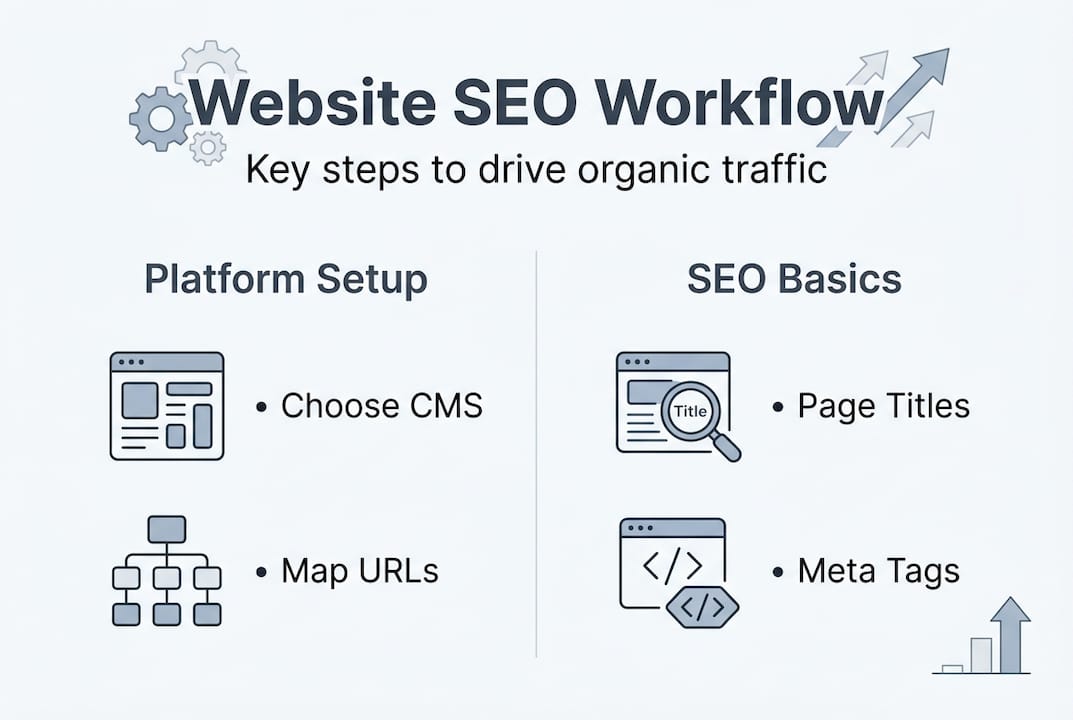
Manual SEO is a time trap. Writing meta titles and descriptions for 500 product pages, adding schema markup to every article, and auditing internal links across a growing site takes hundreds of hours. Automation handles the routine work so you can focus on strategy.
Here is a practical step-by-step workflow for setting up AI-driven content and SEO automation:
- Define your content templates. Create structured templates for each page type: blog posts, landing pages, product pages, and service pages. Each template should include required fields for meta title, meta description, H1, target keyword, and schema type.
- Set up an AI content pipeline. Use an AI writing tool to draft content based on your templates and keyword targets. Feed it your audience profiles and intent data so outputs match real user queries, not just keyword matches.
- Automate metadata generation. Connect your AI tool to your CMS so that meta titles and descriptions are auto-generated from page content and keyword data. Set character limit rules (50 to 60 characters for titles, 150 to 160 for descriptions) and flag pages that fall outside the range.
- Implement schema markup by default. Add structured data (JSON-LD schema) to every relevant page type automatically. Use Article schema for blog posts, Product schema for products, LocalBusiness schema for service businesses, and FAQ schema for Q&A content.
- Build an internal linking automation rule. Set up keyword-based rules that automatically suggest or insert internal links when new content is published, keeping your link graph dense and relevant.
- Schedule regular content audits. Automate a monthly report that flags thin content (under 300 words), missing metadata, broken internal links, and pages without schema.
The way AI SEO lead generation tools work is by combining content signals with behavioral data to continuously improve page performance. If you are new to this area, a solid lead generation guide will help you connect your automation strategy to actual revenue outcomes.
One critical edge case to handle: if your site uses JavaScript-heavy components or dynamic rendering, rendering and indexing delays can prevent Googlebot from seeing your automated SEO changes at all. Prioritize server-side rendering or static generation for SEO-critical pages.
Pro Tip: Always review a random sample of AI-generated content before it goes live. Set a weekly 30-minute review session to check 10 to 15 pages for accuracy, tone, and keyword relevance. Automation sets the floor; human review raises the ceiling.
Test, monitor, and improve with analytics
With the site live, verification and improvement become critical for sustained growth. Launching without a monitoring plan is like opening a store and never checking whether customers are actually buying anything.
Start with a technical verification checklist immediately after launch:
- Crawlability check: Use Google Search Console to submit your sitemap and confirm Google can access all key pages without errors.
- Index status audit: Check which pages are indexed versus excluded. Investigate any unexpected exclusions right away.
- Page speed test: Run Google PageSpeed Insights or Core Web Vitals tests on your top 10 most important pages. Aim for a score above 90 on mobile.
- Mobile usability review: Search Console flags mobile usability errors. Fix them before they affect rankings.
- Schema validation: Use Google's Rich Results Test to confirm structured data is reading correctly on key pages.
- Canonical tag audit: Verify that self-referencing canonicals are in place and that no pages accidentally canonicalize to the wrong URL.
The Full Technical SEO Checklist emphasizes that crawl and index controls need regular auditing, not just a one-time setup. Sites grow, new pages are added, and technical debt accumulates faster than most teams expect.
AI monitoring tools add a layer of intelligence that manual audits miss. They track ranking fluctuations across hundreds of keywords simultaneously, flag pages that are losing traffic, and correlate technical issues with ranking drops. Instead of finding out three months later that a site migration broke your canonical tags, AI tools surface the problem within days.
Here is the core analytics dashboard you should build from day one:
| Metric | Tool | Review frequency | Action threshold |
|---|---|---|---|
| Organic sessions | Google Analytics | Weekly | Drop of 10%+ triggers audit |
| Keyword rankings | Search Console | Weekly | Page 2 keywords get content refresh |
| Core Web Vitals | PageSpeed Insights | Monthly | Score below 75 triggers technical review |
| Crawl errors | Search Console | Weekly | Any new 404s get redirects within 48 hours |
| Index coverage | Search Console | Monthly | Unexpected exclusions trigger canonicals review |
| Backlink profile | Ahrefs or similar | Monthly | Toxic links get disavowed |
The iterative cycle is simple but powerful: monitor, identify what is underperforming, make targeted changes, and measure the impact. Applying solid site architecture best practices at the start reduces how often you need emergency fixes later, but no site is ever truly "done."
What most website guides miss: The real value of automation
Most website-building guides focus on the launch moment. Pick a platform, add some pages, publish some content, done. But organic traffic is not a launch event. It is a compounding process that rewards consistency, technical precision, and continuous improvement over months and years.
The guides that skip automation are also skipping the most practical solution for small teams. No five-person marketing team can manually optimize 2,000 pages, monitor 500 keywords, and produce fresh content every week without burning out. AI automation is not a shortcut. It is the only realistic path to scale.
There is also a deeper issue most guides miss: the technical edge cases that silently kill organic growth. The Full Technical SEO Checklist points out that duplicate and low-value pages can consume index budget without producing any ranking benefit. These problems accumulate invisibly while business owners focus on content and design.
The business owners who win at organic traffic treat their website like a marketing funnel for SEO rather than a static brochure. They invest in platforms that combine AI content generation, automated SEO monitoring, and structural controls in one workflow. That integration is what separates growing sites from stagnant ones.
Connect your strategy with modern automation tools
Understanding the steps is only half the equation. Executing them consistently, at scale, without a large team, is where most businesses struggle.
That is exactly the problem Babylovegrowth.ai was built to solve. The platform combines AI-driven content creation, automated on-page SEO, and a backlinks exchange ecosystem into one streamlined workflow. Whether you are building on WordPress, Webflow, or a custom CMS, the SEO automation platform handles the technical and content layers so you can focus on growing your business. Pair that with the organic traffic tool to monitor rankings, flag issues, and compound results over time. The free trial gives you a 30-day personalized content plan to see real results before you commit.
Frequently asked questions
What is the best platform for SEO-focused website builds?
The best platform balances automation capabilities with structural flexibility. Prioritize platforms that support clean site structures, crawl controls, and third-party integrations, since JS-heavy SPAs can delay indexing and hurt organic rankings.
How can AI help automate SEO during website building?
AI can generate metadata, add schema markup, and draft content at scale while flagging technical issues like duplicate and low-value pages that waste crawl budget and suppress rankings.
What common SEO mistakes should business owners avoid when building a website?
Avoid creating thin or duplicate pages, neglecting robots.txt and canonical tag controls, and building deep site architectures where key pages are buried more than three clicks from the homepage. These issues are flagged directly in the Full Technical SEO Checklist.
How do analytics help optimize a new website for organic traffic?
Analytics identify exactly which pages drive traffic, which keywords are slipping from page one, and which technical barriers like crawl errors are blocking visibility, giving you a precise roadmap for iterative improvements.
Recommended
Smart SEO,
Faster Growth!
Most Read Articles
Generative Engine Optimization (GEO)
Learn how Generative Engine Optimization (GEO) helps your content rank in AI search engines like ChatGPT and Google AI. This comprehensive guide explains the differences between SEO and GEO, why it matters for your business, and practical steps to implement GEO strategies for better visibility in AI-generated responses.
DylenJan 18, 2025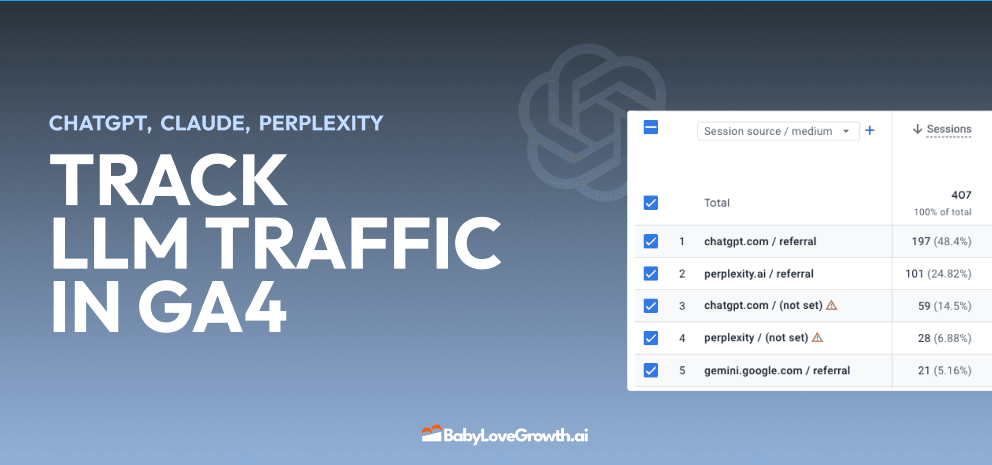
Track LLM Traffic in Google Analytics 4 (GA4)
Learn how to track and analyze traffic from AI sources like ChatGPT, Claude, Perplexity, and Google Gemini in Google Analytics 4. This step-by-step guide shows you how to set up custom filters to monitor AI-driven traffic and make data-driven decisions for your content strategy.
DylenMar 18, 2025
How to Humanize AI Text with Instructions
Learn practical techniques to make AI-generated content sound more natural and human. This guide covers active voice, direct addressing, concise writing, and other proven strategies to transform robotic text into engaging content.
DylenApril 7, 2025
Moz DA vs Ahrefs DR: Which Metric Should You Actually Use?
Moz Domain Authority and Ahrefs Domain Rating look similar but measure very different things. Learn what each score actually tells you, when to use each one, and what to track instead for real SEO results in 2026.
DylenApr 23, 2026
Open AI Revenue and Statistics (2024)
Comprehensive analysis of OpenAI financial performance, user engagement, and market position in 2023. Discover key statistics including $20B valuation, $1B projected revenue, and 100M+ monthly active users.
DylenOctober 03, 2025
"Search Google or Type a URL": What It Means & What to Do
Learn what "Search Google or type a URL" actually means, how your browser decides whether to search or navigate, and what to do if your address bar starts behaving unexpectedly. Includes browser settings guides for Chrome, Firefox, Edge, and Safari.
DylenApr 21, 2026