Google Sites: What It Means for Small Business Owners


Over forty percent of American small businesses cite website simplicity as a top priority when building their online presence. The right platform can mean the difference between standing out to customers and getting lost among competitors. If you want a professional site without advanced coding, understanding how Google Sites works and its key benefits could help you make confident digital choices for your business.
Table of Contents
- Defining Google Sites And Core Concepts
- Types And History Of Google Site Platforms
- How Google Sites Works Step‑By‑Step
- SEO Implications Of Using Google Sites
- Custom Domain Mapping Process
- Alternatives And When To Choose Them
Key Takeaways
| Point | Details |
|---|---|
| User-Friendly Website Creation | Google Sites offers a simple drag-and-drop interface, allowing users with minimal technical skills to create professional websites quickly. |
| Cost-Effective Solution | The platform is free to use, making it an ideal choice for small businesses looking to establish an online presence without upfront development costs. |
| Integration with Google Workspace | Google Sites seamlessly integrates with Google tools, enhancing collaborative work and content management for small business owners. |
| Limited SEO Capabilities | While suitable for basic online presence, Google Sites has significant limitations in terms of advanced SEO features, which may affect visibility and growth potential. |
Defining Google Sites and Core Concepts
Small business owners seeking an accessible website creation tool have a powerful ally in Google Sites. Creating websites without complex coding skills has become remarkably straightforward with this free web platform. Google Sites enables entrepreneurs to build professional online presences quickly and intuitively, transforming digital visibility for small businesses.
At its core, Google Sites functions as a structured web page creation tool integrated within the Google Docs Editors suite. Unlike traditional website builders that require extensive technical knowledge, this platform democratizes web design by offering drag-and-drop interfaces and seamless integration with other Google services. Business owners can now develop collaborative online resources and share information without wrestling with complicated HTML or design constraints.
The platform's key advantages for small business owners include:
- Zero upfront web development costs
- User-friendly drag-and-drop interface
- Seamless integration with Google Workspace
- Professional template options
- Mobile-responsive design capabilities
- Easy content management and updating
Whether you're a startup founder, freelancer, or local business owner, Google Sites provides an accessible pathway to establishing a digital footprint without significant technical barriers. The platform transforms website creation from a complex technical challenge into a straightforward, user-friendly experience that empowers entrepreneurs to showcase their brand online.
Types and History of Google Site Platforms
Google Sites represents a fascinating evolution in web platform development, originating from an unexpected technological journey. The platform traces its roots back to JotSpot, an enterprise social software company acquired by Google in 2006, marking the beginning of a transformative web creation tool for small businesses and individual users alike.
Google strategically integrated Sites into its Workspace ecosystem, creating a seamless platform that connects with other critical productivity tools like Drive, Docs, and Calendar. This integration offers small business owners a comprehensive digital workspace where website creation becomes an intuitive extension of their existing workflow.The platform's historical development can be categorized into three primary phases:
- Early Phase (2006-2008): Initial acquisition of JotSpot
- Transition Phase (2008-2013): Initial Google Sites launch and basic feature development
- Modern Phase (2013-Present): Advanced integration with Google Workspace
Through its evolutionary journey, Google Sites has transformed from a simple website builder into a robust, user-friendly platform that empowers entrepreneurs to establish professional online presences without requiring extensive technical expertise. The platform's commitment to accessibility and integration continues to make it an attractive option for small business owners seeking efficient digital solutions.
How Google Sites Works Step‑by‑Step
Building a website with Google Sites begins with an intuitive process designed for users with minimal technical experience. Users start by signing into their Google account and selecting either a pre-designed template or a blank page, allowing entrepreneurs to quickly establish their online presence with maximum flexibility.

The platform provides a drag-and-drop interface that enables seamless content integration, empowering small business owners to create professional websites without advanced coding knowledge. This user-friendly approach means anyone can add text, images, embedded documents, and other multimedia elements with simple point-and-click interactions.
Detailed Step-by-Step Website Creation Process:
- Sign into Google account
- Navigate to Google Sites
- Choose a template or blank page
- Customize page layout
- Add content elements
- Text blocks
- Images
- Embedded Google Workspace tools
- Configure page design and branding
- Publish website
The entire Google Sites ecosystem is designed to reduce technical barriers, transforming website creation from a complex task into an accessible, streamlined experience. Small business owners can now rapidly develop professional online platforms that reflect their brand identity, all without requiring extensive design or programming skills.
SEO Implications of Using Google Sites
Small business owners must carefully evaluate the SEO landscape when considering Google Sites as their primary web platform. The platform presents notable limitations in search engine optimization capabilities, particularly regarding advanced technical customization that more sophisticated website builders typically offer.
Google Sites is fundamentally designed for simplicity and collaboration rather than advanced SEO performance, which means entrepreneurs need to understand its inherent constraints. The platform restricts critical SEO elements like custom meta descriptions, complex URL structures, and granular technical optimization options that professional marketers typically leverage.
Key SEO Limitations of Google Sites:
- Limited control over meta tags
- Restricted URL customization
- Basic header tag management
- Minimal schema markup capabilities
- Simplified site structure
- Reduced page speed optimization options
Despite these constraints, Google Sites remains a viable option for businesses prioritizing quick, straightforward online presence over advanced SEO strategies. Entrepreneurs should view the platform as a starting point, understanding that future growth might necessitate migrating to more robust website platforms with comprehensive search engine optimization capabilities.
Custom Domain Mapping Process
Custom domain mapping transforms a generic Google Sites web address into a professional, branded online destination for small businesses. The process involves configuring specific DNS records through your domain registrar to connect your custom domain with your Google Sites website, enabling entrepreneurs to establish a more credible and memorable online presence.
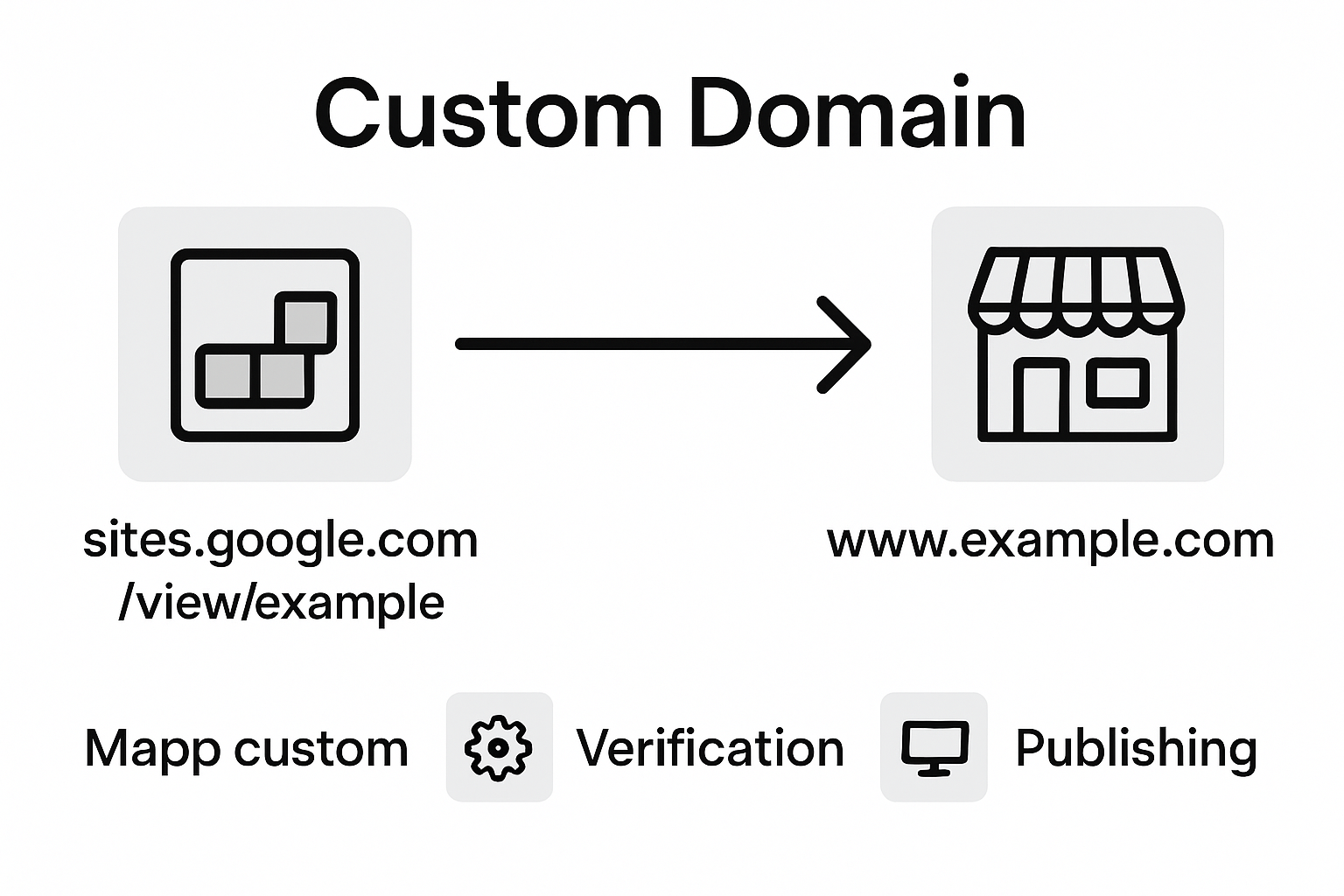
The domain mapping journey requires several strategic steps that demand precision and careful configuration. Business owners must first verify domain ownership, acquire the necessary Google Workspace subscription tier, and navigate through technical DNS settings to successfully link their chosen domain name with their Google Sites platform.
Detailed Custom Domain Mapping Steps:
- Purchase custom domain from registrar
- Verify domain ownership
- Upgrade to Google Workspace account
- Access Google Sites domain settings
- Obtain specific DNS configuration records
- Update DNS settings with domain registrar
- Add CNAME records
- Configure A records
- Verify domain connectivity
- Confirm domain mapping completion
While the technical aspects might seem complex, Google has designed the process to be relatively straightforward for users with basic technical understanding. Small business owners should approach domain mapping systematically, potentially seeking technical support if they encounter challenges during configuration.
Alternatives and When to Choose Them
Small business owners navigating website creation face a critical decision when selecting their digital platform. Alternative platforms like WordPress and Wix offer more advanced customization options that might better serve specific business needs, providing entrepreneurs with expanded design and functional capabilities beyond Google Sites' basic framework.
For businesses requiring sophisticated website features, exploring alternative platforms becomes essential, particularly when growth and complex digital marketing strategies are paramount. The selection process demands careful evaluation of each platform's strengths and limitations.
Website Platform Comparison:
-
Google Sites
- Best for: Simple, quick websites
- Ideal users: Startups, small teams
- Pros: Free, easy integration
- Cons: Limited customization
-
WordPress
- Best for: Complex, scalable websites
- Ideal users: Growing businesses
- Pros: Extensive plugins, design flexibility
- Cons: Steeper learning curve
-
Wix
- Best for: Creative professionals
- Ideal users: Designers, artists
- Pros: Drag-and-drop design
- Cons: Higher ongoing costs
Ultimately, the right platform depends on specific business requirements, technical comfort level, budget constraints, and long-term digital strategy. Entrepreneurs should conduct thorough research and potentially test multiple platforms before making a final commitment.
Take Control of Your Small Business Online Growth with AI-Powered SEO Solutions
Building a website with Google Sites offers simplicity and fast setup but also presents challenges when aiming for strong search engine performance and advanced customization. If you are a small business owner eager to overcome SEO limitations such as restricted meta tag control and basic site structures, you need a smarter, more automated way to grow organic traffic and build lasting online visibility.
Babylovegrowth.ai specializes in transforming these exact challenges into opportunities by delivering AI-driven content and backlink strategies designed specifically for businesses looking to rank higher on Google and ChatGPT. Our platform creates high-quality optimized articles and provides a 30-day personalized content plan that helps propel your small business beyond the basic website setup with effective, scalable SEO on autopilot.
Experience the difference with proven AI-powered methods that integrate seamlessly with your existing digital presence. Discover more at Babylovegrowth.ai and start accelerating your organic growth with minimal effort today.
Ready to move past Google Sites SEO limits and maximize your business visibility? Visit Babylovegrowth.ai now to unlock automated AI SEO solutions and begin your journey toward sustained online success.
Frequently Asked Questions
What is Google Sites and how can it benefit small business owners?
Google Sites is a free web platform that allows small business owners to create websites without complex coding skills. Its user-friendly drag-and-drop interface and integration with Google Workspace make it accessible for entrepreneurs to establish a professional online presence quickly.
Can I customize my website's SEO settings in Google Sites?
Google Sites has limitations in SEO customization, including restricted control over meta tags, basic header tag management, and limited URL customization. As a result, advanced SEO strategies may be challenging to implement on this platform.
What steps do I need to follow to create a website with Google Sites?
To create a website with Google Sites, sign into your Google account, choose a template or blank page, customize the layout, add content elements like text and images, configure the design, and finally publish your website.
How do I map a custom domain to my Google Sites website?
To map a custom domain, purchase a domain, verify ownership, upgrade to a Google Workspace account, access domain settings in Google Sites, obtain DNS configuration records, update DNS settings with your domain registrar, and confirm the domain mapping completion.
Recommended
- Effective SEO Strategies for Small Businesses in 2025
- Understanding SEO Best Practices for Your Business – My Blog
- Top Benefits of SEO for Small Businesses in 2025
- SEO for Small Businesses in 2025: Proven Strategies for Growth
- Why Invest in Google Ads: Complete SMB Guide - Ads Daddy. Advertise on All Plattforms.
Smart SEO,
Faster Growth!
Most Read Articles
Generative Engine Optimization (GEO)
Learn how Generative Engine Optimization (GEO) helps your content rank in AI search engines like ChatGPT and Google AI. This comprehensive guide explains the differences between SEO and GEO, why it matters for your business, and practical steps to implement GEO strategies for better visibility in AI-generated responses.
DylenJan 18, 2025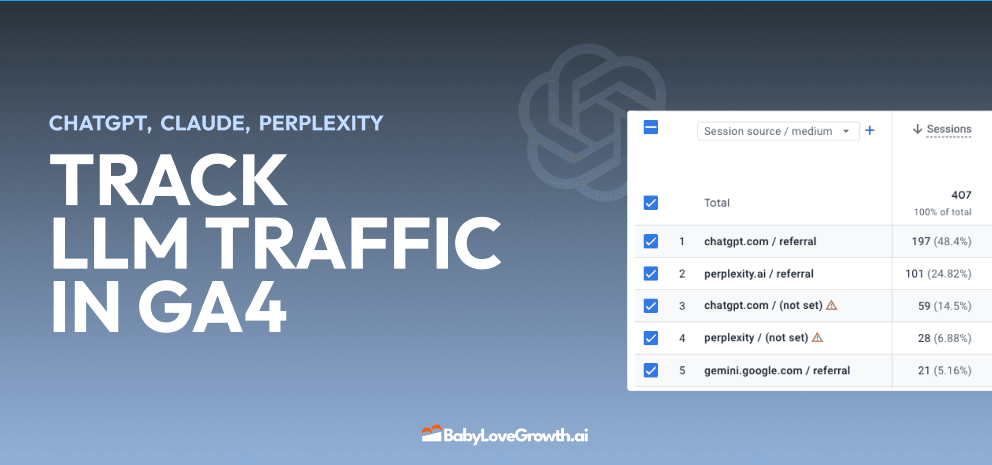
Track LLM Traffic in Google Analytics 4 (GA4)
Learn how to track and analyze traffic from AI sources like ChatGPT, Claude, Perplexity, and Google Gemini in Google Analytics 4. This step-by-step guide shows you how to set up custom filters to monitor AI-driven traffic and make data-driven decisions for your content strategy.
DylenMar 18, 2025
How to Humanize AI Text with Instructions
Learn practical techniques to make AI-generated content sound more natural and human. This guide covers active voice, direct addressing, concise writing, and other proven strategies to transform robotic text into engaging content.
DylenApril 7, 2025
Open AI Revenue and Statistics (2024)
Comprehensive analysis of OpenAI financial performance, user engagement, and market position in 2023. Discover key statistics including $20B valuation, $1B projected revenue, and 100M+ monthly active users.
DylenOctober 03, 2025