Check Keyword Rankings Free with Google API (2026)

If you've been searching for how to check keyword rankings free with Google API, you probably fall into one of a few camps. You want to track where your own site stands without paying for yet another tool. You want to pipe that data into a spreadsheet or a script and have it run on autopilot. Or you're just looking for a plain answer to a surprisingly murky question: does Google actually give you a working rank-tracking API for free, or not?
This guide gives you the straight answer, the correct API, the real limitations, and a working setup you can have running by the end of the day.
Does Google Have a Free Ranking API? (The Real Answer)
Yes — with conditions. Here's what's actually available.
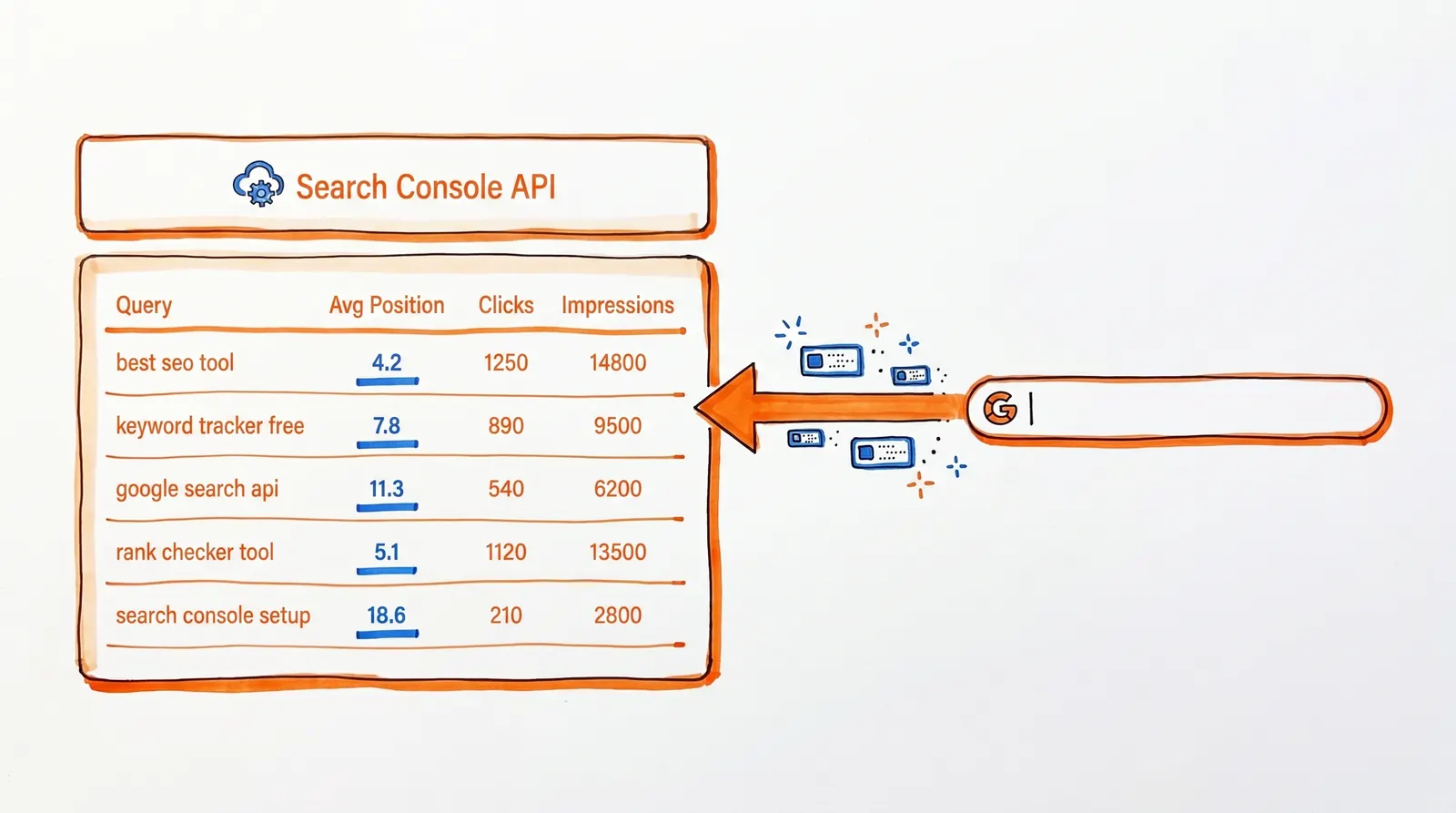
If you want ranking data for a site you own and verify, the Search Console API is free. It returns queries, clicks, impressions, CTR, and average position for any property you've added to Google Search Console. OAuth 2.0 authentication is required, as is verified access to the property. Google's pricing page for the Search Console API makes it clear: there's no charge regardless of usage volume.
If you want to pull rankings for any domain on the public SERP, that's not available through Google. The API people typically stumble onto instead is the Custom Search JSON API — but that runs against a Programmable Search Engine, not Google's organic index. It's also being shut down for new users, and existing users must migrate off it by January 1, 2027.
Search Console "position" and the rank you see in a browser are two different things. Google calculates position as the average topmost placement your site held across all impressions for a query. Google explicitly notes that live results shift with time, device, location, and search history — so a manual lookup and a Search Console number will often disagree, and that's by design.
One change in 2026 worth flagging. Google now includes AI surfaces in Search Console metrics. AI Mode position follows the same methodology as standard Search. AI Overviews are assigned a single position, and every link inside that overview shares it. Google's documentation covers this directly.
Those four points are the foundation. Everything that follows is about using them well.
What "Ranking" Actually Means (And Why Most People Get It Wrong)
When someone says "we rank #6 for that keyword," they're describing one data point from a much messier reality.
Google doesn't assign a single fixed position to a page. What shows up — and where — varies constantly depending on:
- Devices (desktop, mobile, tablet)
- Locations (country, state, city)
- Times of day
- Result types and SERP features (AI Overviews, carousels, image blocks, news blocks)
- Personalization and search history
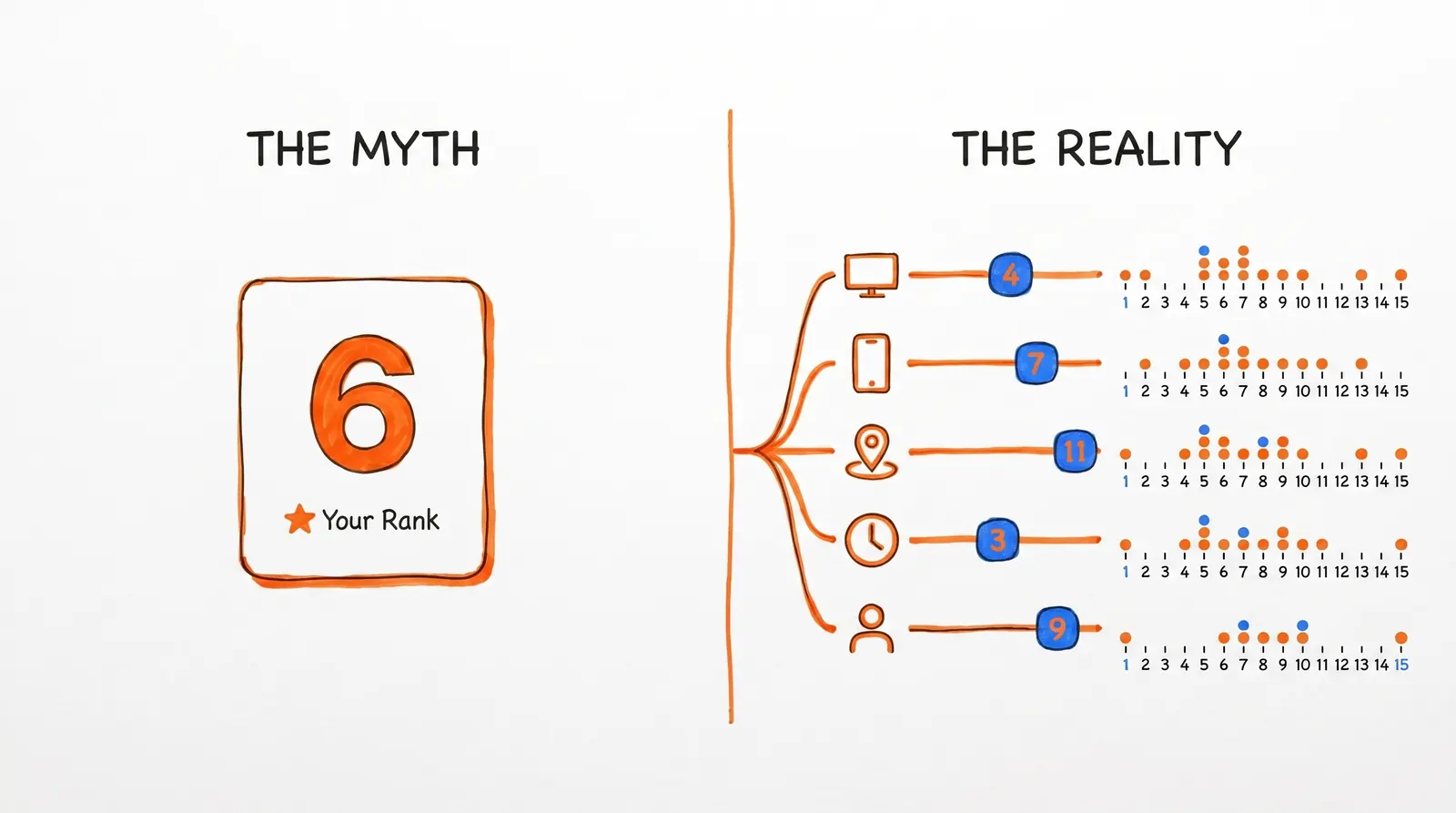
There are really two different things people mean when they say "ranking":
1. A live SERP snapshot. What you get from typing a keyword into a browser at this moment. One device, one location, one point in time — not representative of anything broader.
2. An aggregated performance signal. What Search Console gives you: position, impressions, clicks, and CTR averaged across thousands of real searches over time.
For any decision that actually affects your SEO, the second one is what matters. A single manual check is an anecdote. Search Console is evidence. Google even warns that manually repeating a search may not show your site at all, because results shift based on time, location, device, and history.
Treating rank as a distribution instead of a fixed number is what makes the data actually useful.
What Google's Free Ranking Data Can and Can't Do
It's worth being honest about the edges before you build anything on top of this.
What the Search Console API Gives You
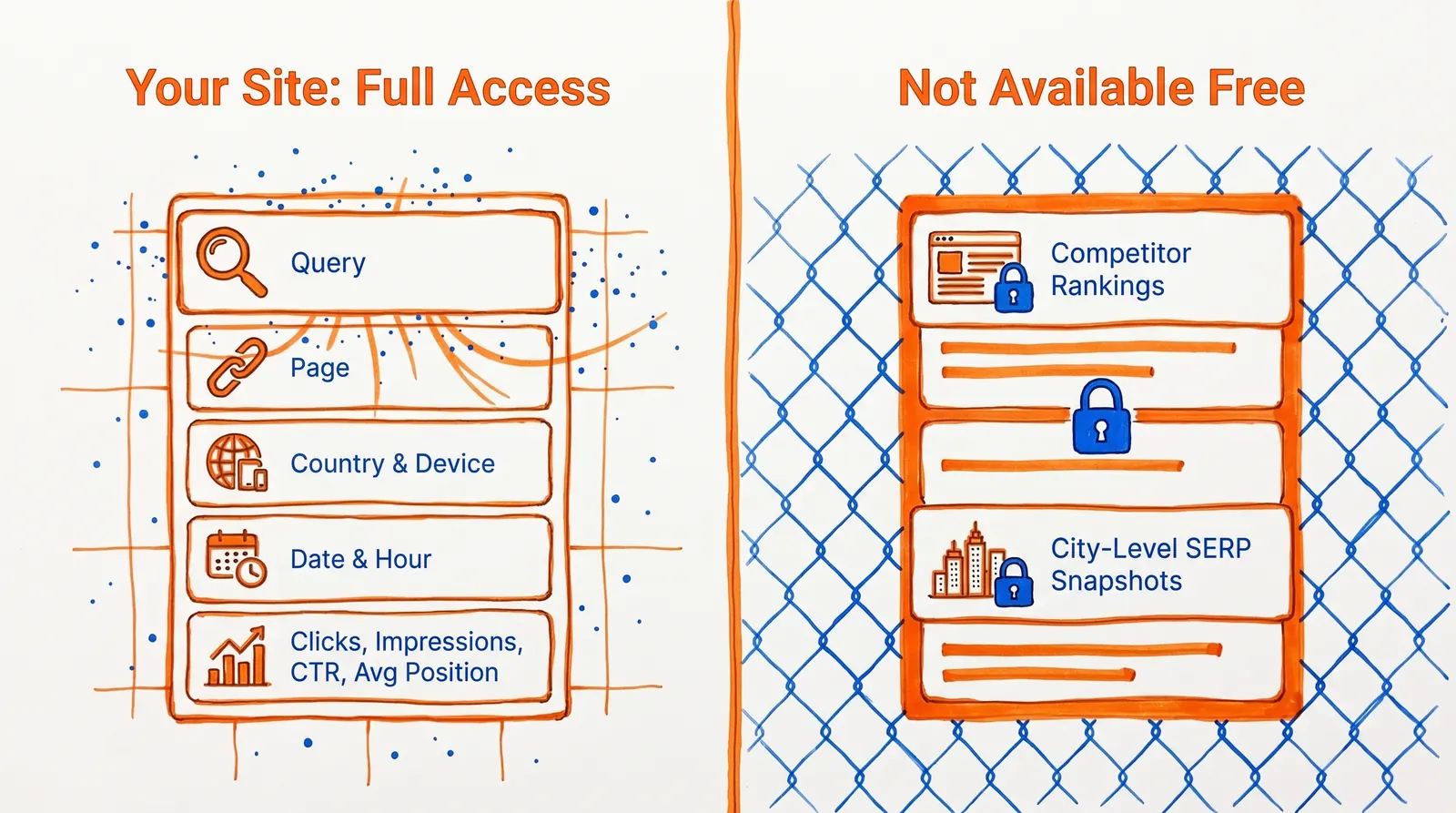
Using the Search Analytics query method, you can pull:
- Query (what people searched)
- Page (which URL appeared)
- Country and device
- Date and hour (hourly data is new in 2026)
- Clicks, impressions, CTR, and average position
You can filter by search type: web, image, video, news, Discover, and Google News. You can filter queries with operators like equals, contains, notContains, includingRegex, and excludingRegex. Google documents a rowLimit up to 25,000 per request and startRow for pagination.
What the Search Console API Can't Do
It won't serve as a rank checker for:
- Competitors you don't control
- Arbitrary domains you have no access to
- Exact city-level or incognito-style SERP snapshots
- Every single query Google knows about
Two reasons. First, the API only works for properties you've verified — Google requires Search Console permission on the property. Second, certain queries are deliberately anonymized for privacy, and not all rows are returned when query/page combinations get very large.
| Capability | Free Google Method | Paid Rank Tracker |
| Track your own site's keywords | Yes | Yes |
| Track competitor rankings | No | Yes |
| City-level SERP snapshots | No | Yes |
| Real clicks and impressions | Yes | No (estimated) |
| AI Overviews position data | Yes | Varies |
| Cost | Free | $500+/month |
| Data source | Google's own data | Third-party scraping |
If your goal is tracking your own site with official Google data at no cost, this is the right path.
If you need to monitor competitor rankings on the public SERP, you'll need a third-party tool built specifically for that.
How Search Console Calculates Average Position
Average position is one of the most misunderstood numbers in Search Console. Getting it right matters.
Google's definition: the topmost position your site held for a given query, averaged across all impressions where your site appeared. Google's documentation lays this out clearly.
In practice that means:
- Appearing at #3 in some searches and #8 in others could give you an average around 5.4
- When more than one of your pages shows up for the same query, Google uses the highest-ranked one for the calculation
- The position number reflects how Google counts result elements, which doesn't always match how a person would visually scan a modern SERP
With AI features now part of search results, 2026 adds a few more wrinkles:
- AI Mode follows the same position methodology as regular Search results
- AI Overviews take up a single position, and every link inside that overview is assigned that same position number
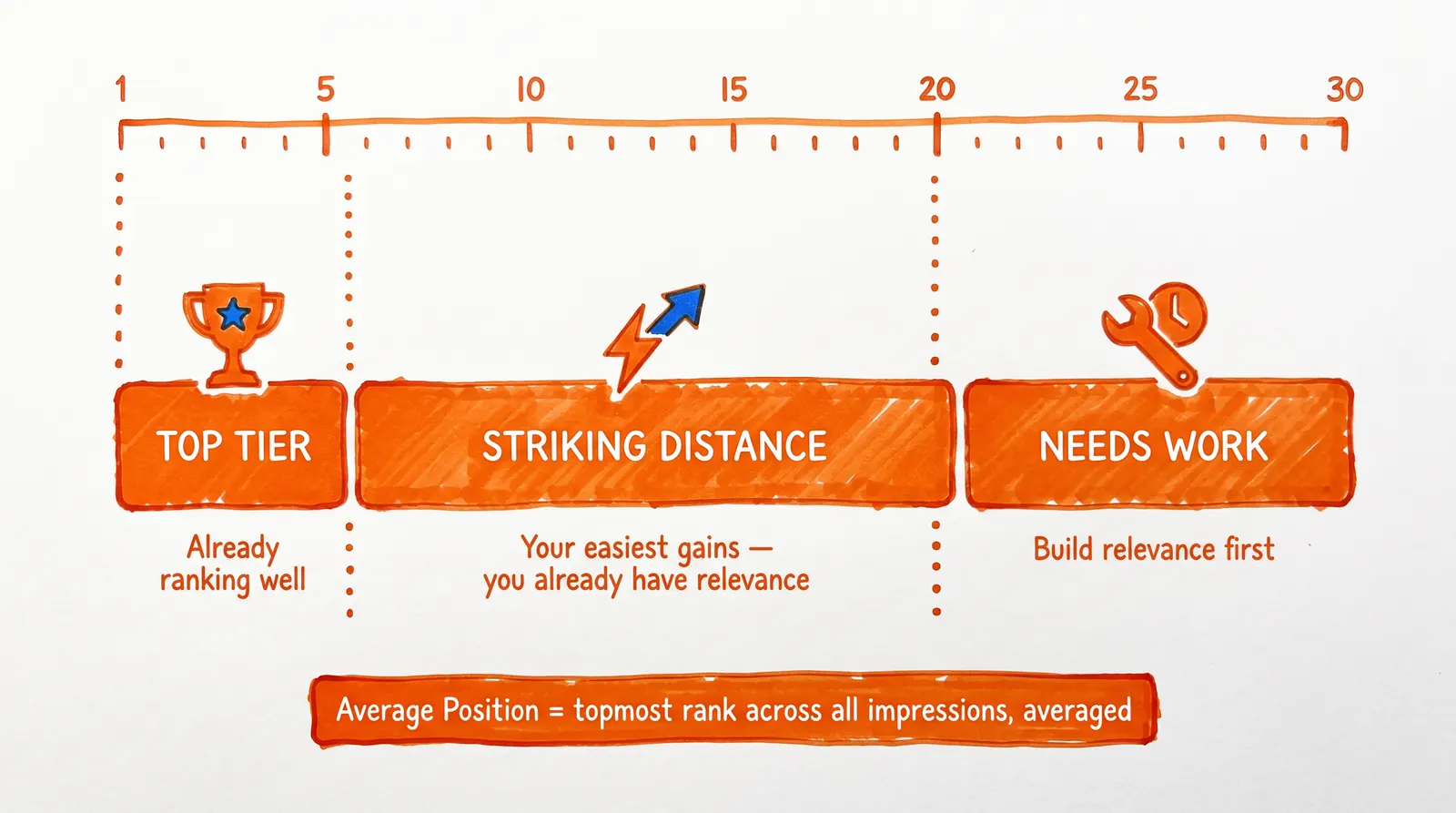
Keywords where you're already getting impressions but not clicks are often the quickest wins on the board — much faster to move than building new rankings from scratch.
How to Check Rankings Without Writing Any Code
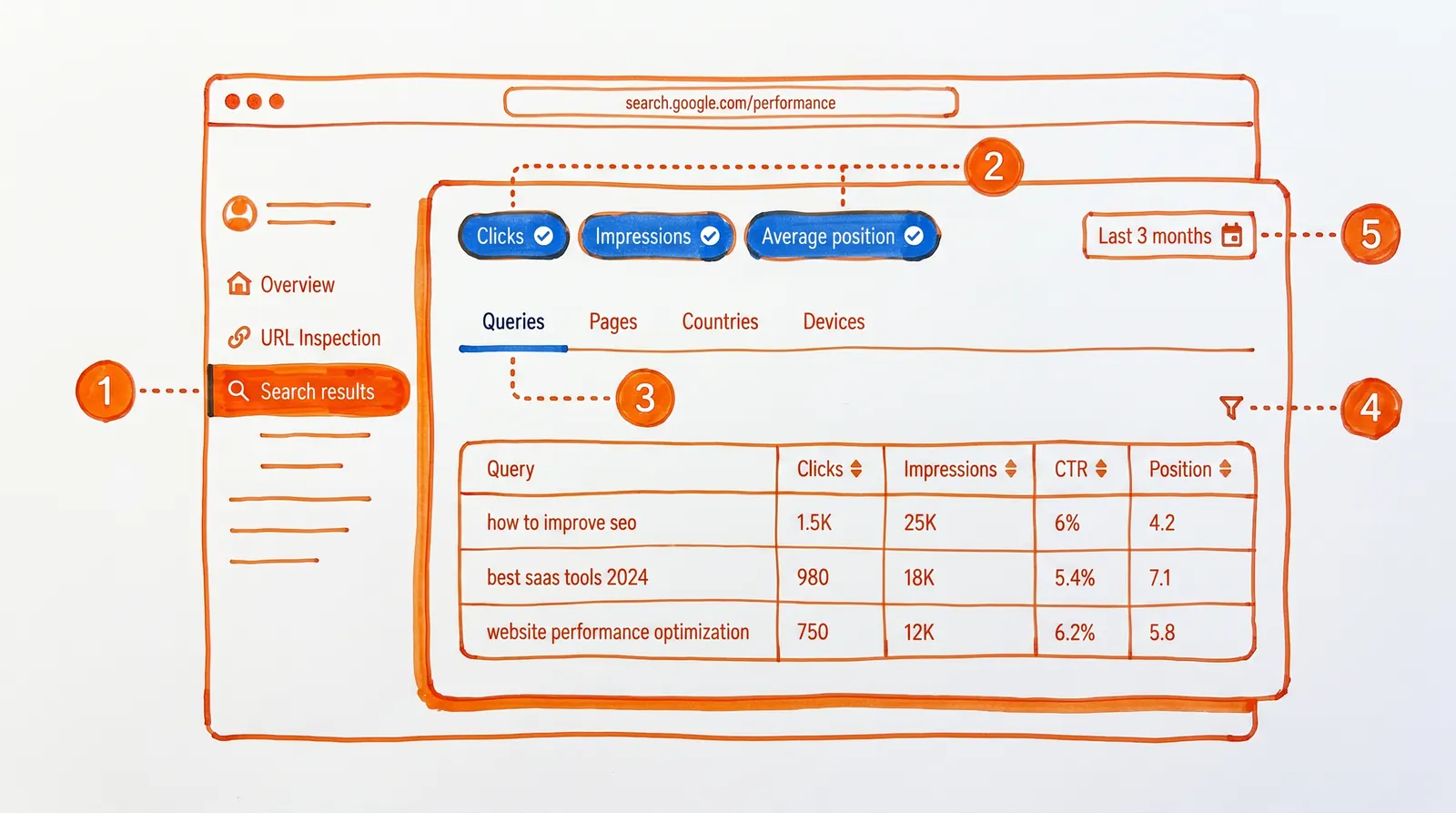
Before reaching for the API, start with what's already there. Google Search Console's Performance report gives you ranking data in the browser with nothing to install or configure. Here's what the Google Search Console homepage looks like when you navigate there:
For a fast read on how your site is performing, it's hard to beat:
① Open Search results in Search Console
② Enable Average position, Impressions, and Clicks with the toggles at the top
③ Switch to the Queries tab
④ Apply filters by page, country, device, or query as needed
⑤ Use date range comparison to see how rankings have shifted
Two things worth knowing before you rely on it. The query table caps at 1,000 rows and drops anonymized queries for privacy reasons. The default window is the last 3 months — if you're looking for something recent, set the date range manually.
If a quick scan is all you need, the UI does the job. For automated historical tracking, read on.
Free Keyword Ranking Setup: Google Sheets + Apps Script
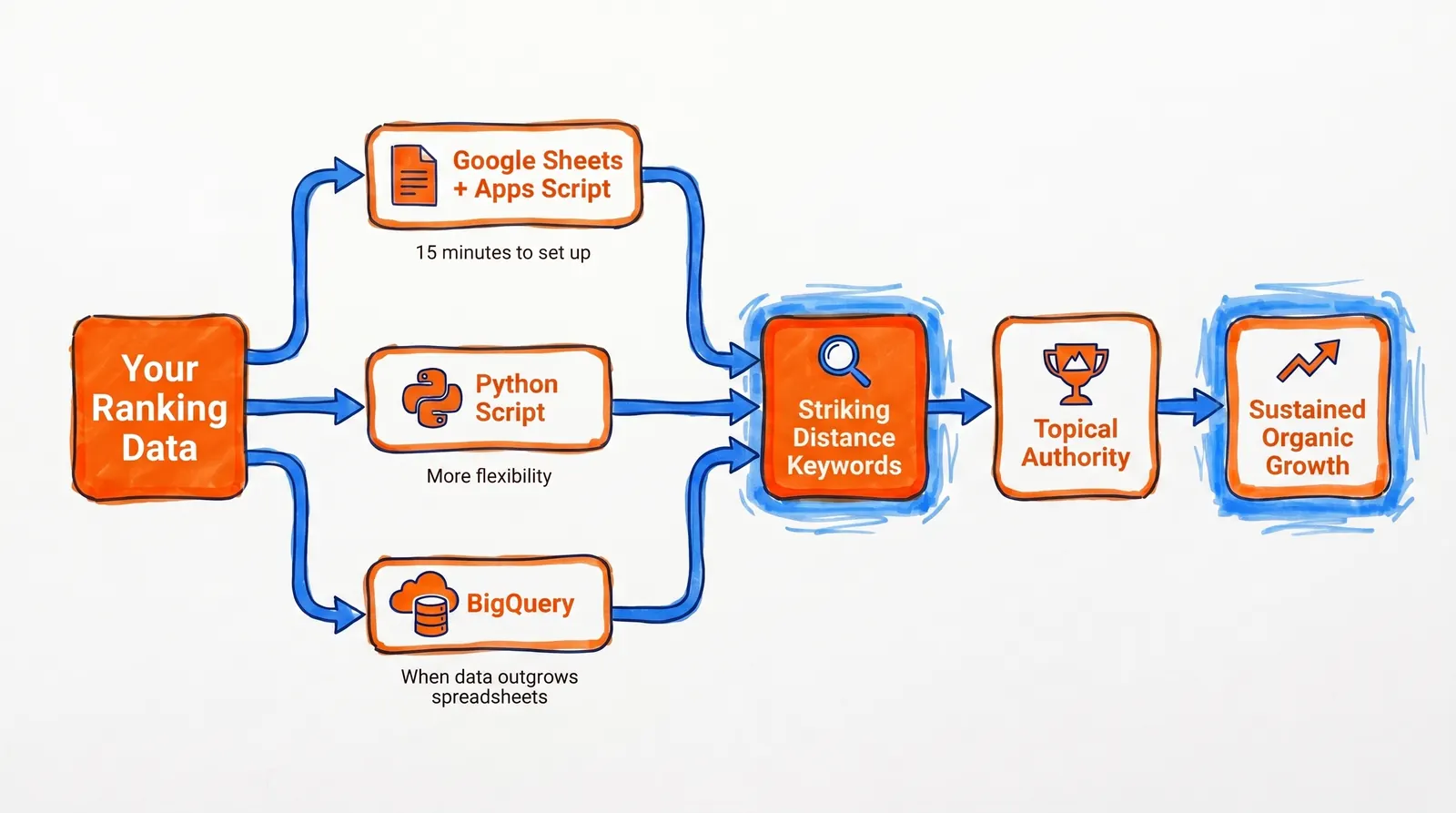
For most people, Google Sheets combined with Apps Script is the right solution for checking keyword rankings free with Google API.
It checks every box that matters:
- Free (no subscriptions, no API costs)
- Easy to share (it's a Google Sheet anyone on your team can open)
- Easy to schedule (Apps Script triggers run daily without any manual work)
- Sufficient for most sites (pulls up to 25,000 queries per request)
- Built on Google's official data (not scraped, not estimated)
Google's own recommendation is to pull data one day at a time on a daily cadence, accounting for the fact that data is typically ready after 2 to 3 days. The setup below is designed exactly around that.
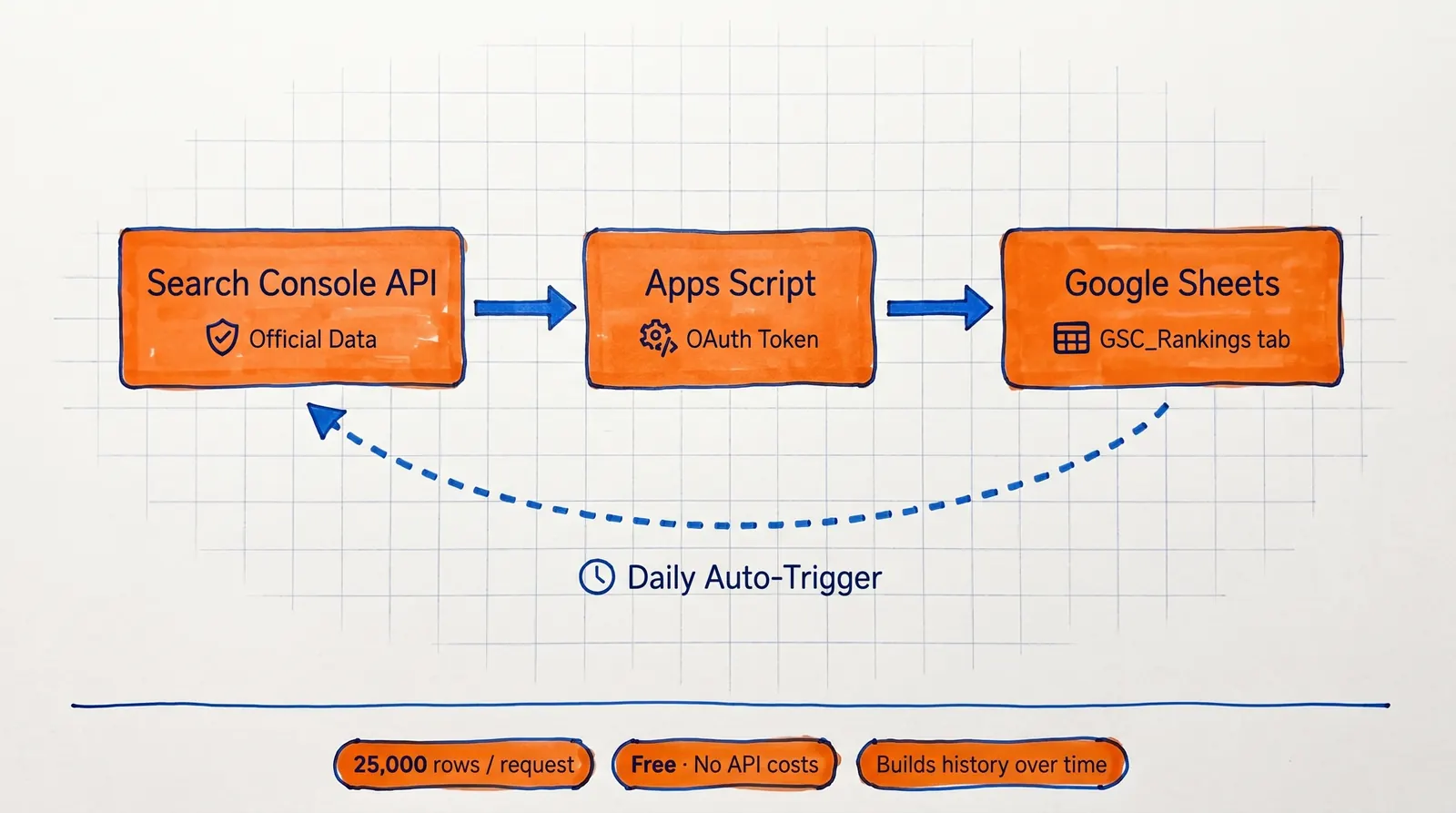
What This Script Does
The Apps Script below:
- Pulls one day of Search Console query data
- Appends it to a Google Sheet
- Stores query, clicks, impressions, CTR, and average position
- Can be triggered on a daily schedule
- Builds a free keyword ranking history over time
What You Need Before Running It
→ A Google account with access to the site in Search Console
→ A property identifier like sc-domain:example.com or https://www.example.com/
→ Apps Script permission to use Sheets, external requests, and Search Console read-only scope
The Apps Script Code
function appendDailyKeywordRankings() {
  const siteUrl = 'sc-domain:example.com'; // Or: https://www.example.com/
  const searchType = 'web';
  const rowLimit = 25000;
  const tz = 'America/Los_Angeles';

  // Google says Search Console data is usually available after 2-3 days.
  // Pulling 3 days back avoids most incomplete-data headaches.
  const targetDateObj = new Date();
  targetDateObj.setDate(targetDateObj.getDate() - 3);
  const targetDate = Utilities.formatDate(targetDateObj, tz, 'yyyy-MM-dd');

  const ss = SpreadsheetApp.getActiveSpreadsheet();
  const sheetName = 'GSC_Rankings';
  const sheet = ss.getSheetByName(sheetName) || ss.insertSheet(sheetName);

  if (sheet.getLastRow() === 0) {
    sheet.appendRow([
      'date',
      'search_type',
      'query',
      'clicks',
      'impressions',
      'ctr',
      'avg_position'
    ]);
  }

  const endpoint =
    'https://www.googleapis.com/webmasters/v3/sites/' +
    encodeURIComponent(siteUrl) +
    '/searchAnalytics/query';

  const token = ScriptApp.getOAuthToken();
  let startRow = 0;

  while (true) {
    const payload = {
      startDate: targetDate,
      endDate: targetDate,
      dimensions: ['query'],
      type: searchType,
      rowLimit: rowLimit,
      startRow: startRow
    };

    const response = UrlFetchApp.fetch(endpoint, {
      method: 'post',
      contentType: 'application/json',
      headers: {
        Authorization: 'Bearer ' + token
      },
      payload: JSON.stringify(payload),
      muteHttpExceptions: true
    });

    if (response.getResponseCode() !== 200) {
      throw new Error(response.getContentText());
    }

    const data = JSON.parse(response.getContentText());
    const rows = data.rows || [];

    if (!rows.length) break;

    const values = rows.map(row => [
      targetDate,
      searchType,
      row.keys[0],
      row.clicks,
      row.impressions,
      row.ctr,
      row.position
    ]);

    sheet
      .getRange(sheet.getLastRow() + 1, 1, values.length, values[0].length)
      .setValues(values);

    if (rows.length < rowLimit) break;

    startRow += rowLimit;

    // Search Console API can page up to the practical daily cap.
    if (startRow >= 50000) break;
  }
}
Manifest Scopes
If you use explicit scopes in appsscript.json, include these:
{
  "oauthScopes": [
    "https://www.googleapis.com/auth/spreadsheets",
    "https://www.googleapis.com/auth/script.external_request",
    "https://www.googleapis.com/auth/webmasters.readonly"
  ]
}
This works because Apps Script can call external APIs with UrlFetchApp, and ScriptApp.getOAuthToken() provides the current user's OAuth token for Google API calls. The external request scope is required for UrlFetchApp.
How to Set It Up (6 Steps)
① Create a new Google Sheet
② Open Extensions then Apps Script
③ Paste the code above
④ Replace sc-domain:example.com with your actual property identifier
⑤ Run it once and authorize when prompted
⑥ Add a daily time trigger (under Triggers in Apps Script) to automate it
After that, your ranking history builds itself — one new day of data added automatically each morning.
Why This Beats Manual Rank Checking
Manual checks give you a single snapshot with no context. This script builds an actual record. It follows Google's recommended approach — daily pulls, one day at a time — drawing from real Search Console data rather than browser-based checks that change based on who's doing the searching.
How to Track a Single Keyword with a Query Filter
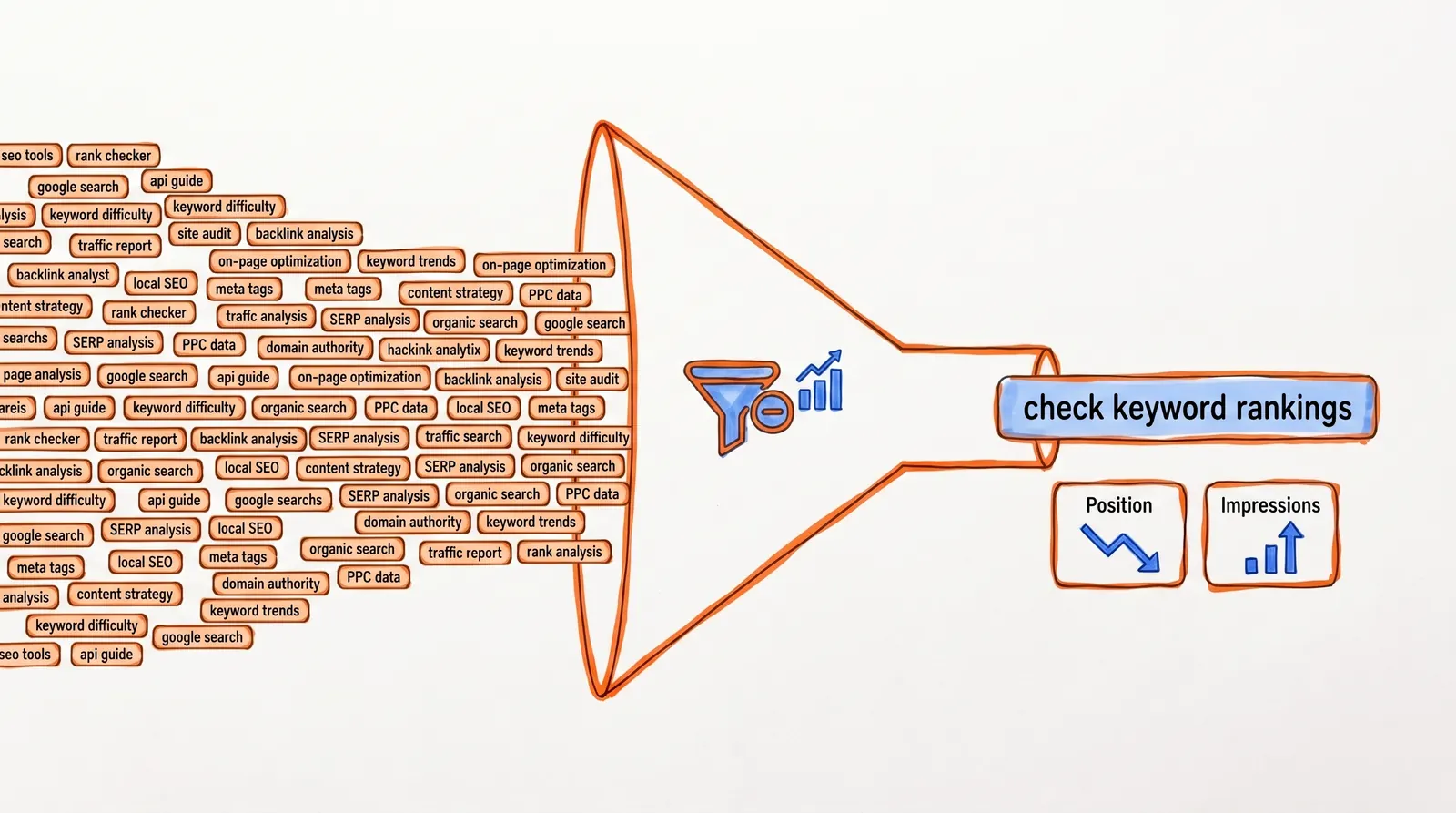
When you only need to monitor one specific keyword — say, after publishing a post you're trying to rank for — you can narrow the request down with a filter on the query dimension. Here's the request body:
{
  "startDate": "2026-03-01",
  "endDate": "2026-03-28",
  "dimensions": ["date"],
  "type": "web",
  "dimensionFilterGroups": [
    {
      "groupType": "and",
      "filters": [
        {
          "dimension": "query",
          "operator": "equals",
          "expression": "check keyword rankings"
        }
      ]
    }
  ]
}
Google supports filter operators like equals, contains, notContains, notEquals, includingRegex, and excludingRegex. The full Search Analytics query reference documents all available options.
Scoping to one keyword makes it easy to chart that term's position trend and impression volume across any date range.
Python Alternative: Pull Keyword Rankings Programmatically
If you'd rather work in Python than Apps Script, Google's Search Console quickstart has the setup documented:
- Service name:
searchconsole - Version:
v1 - Scope:
https://www.googleapis.com/auth/webmasters.readonly
The script below connects to the API, pulls 28 days of finalized query data, and filters it down to keywords in the striking-distance range — high impressions, but not yet ranking in the top positions:
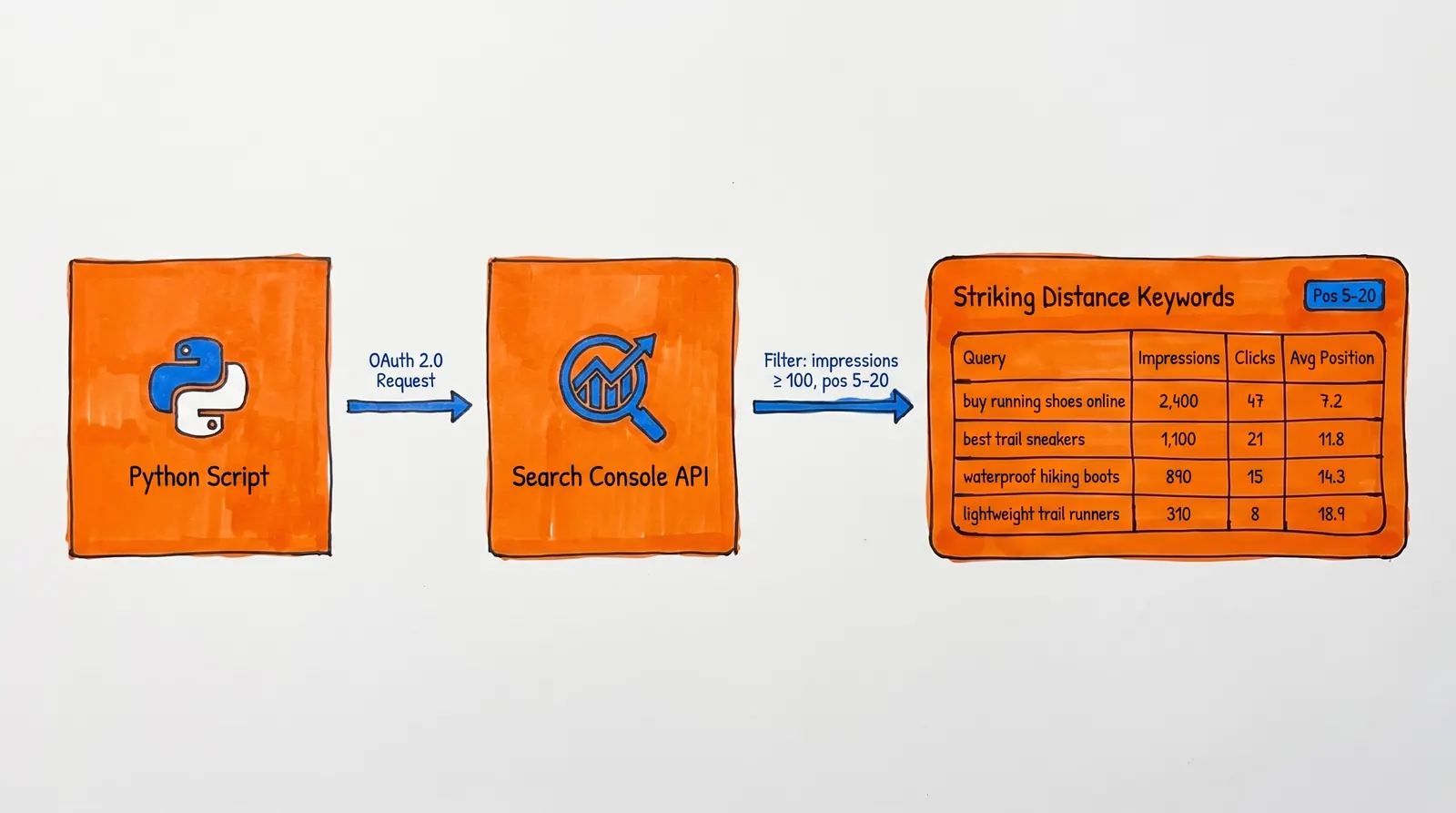
from datetime import date, timedelta
from google_auth_oauthlib.flow import InstalledAppFlow
from googleapiclient.discovery import build

SCOPES = ["https://www.googleapis.com/auth/webmasters.readonly"]
SITE_URL = "sc-domain:example.com"  # Or https://www.example.com/

def get_service():
    flow = InstalledAppFlow.from_client_secrets_file("credentials.json", SCOPES)
    creds = flow.run_local_server(port=0)
    return build("searchconsole", "v1", credentials=creds)

def fetch_queries(service, site_url):
    end_date = date.today() - timedelta(days=3)
    start_date = end_date - timedelta(days=27)

    request = {
        "startDate": start_date.isoformat(),
        "endDate": end_date.isoformat(),
        "dimensions": ["query"],
        "type": "web",
        "rowLimit": 25000,
        "startRow": 0
    }

    all_rows = []

    while True:
        response = service.searchanalytics().query(
            siteUrl=site_url,
            body=request
        ).execute()

        rows = response.get("rows", [])
        if not rows:
            break

        all_rows.extend(rows)

        if len(rows) < request["rowLimit"]:
            break

        request["startRow"] += request["rowLimit"]

        if request["startRow"] >= 50000:
            break

    return all_rows

def main():
    service = get_service()
    rows = fetch_queries(service, SITE_URL)

    print("query\timpressions\tclicks\tctr\tavg_position")
    for row in rows:
        query = row["keys"][0]
        impressions = row["impressions"]
        clicks = row["clicks"]
        ctr = row["ctr"]
        position = row["position"]

        # Meaningful impressions, but not yet top 3
        if impressions >= 100 and 5 <= position <= 20:
            print(f"{query}\t{int(impressions)}\t{int(clicks)}\t{ctr:.2%}\t{position:.2f}")

if __name__ == "__main__":
    main()
The auth flow follows the standard pattern from Google's Python quickstart guide — nothing custom or brittle.
The 2026 Feature Most People Miss: Hourly Ranking Data
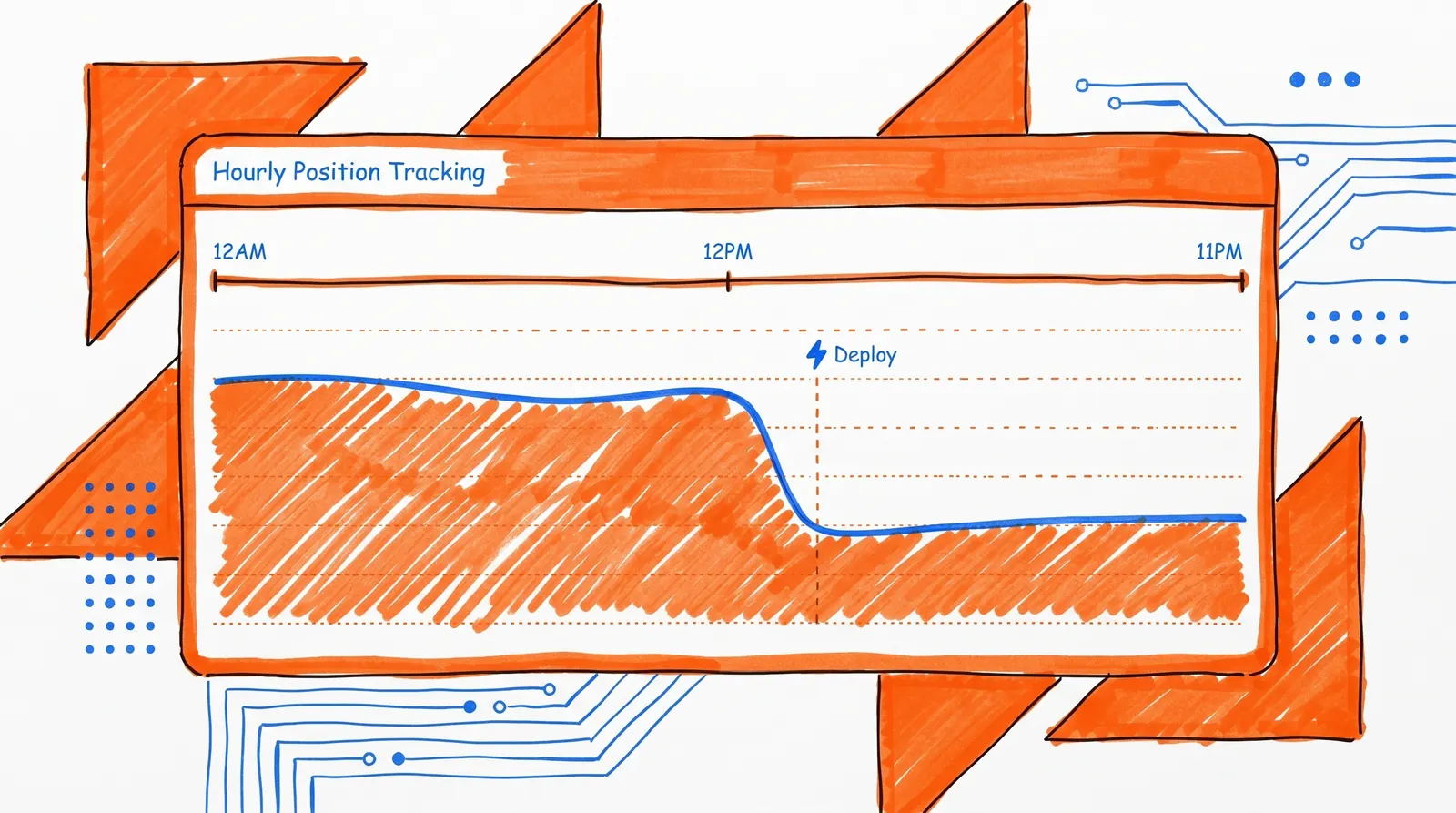
Google added hourly data to the Search Analytics API back in April 2025, and most teams still haven't touched it.
The API now supports up to 10 days of data broken down by the hour — a wider window than what the Search Console product UI exposes. Google introduced a new HOUR dimension and a HOURLY_ALL data state to support this. Google's announcement post covers the full details.
Practical uses include:
- Checking whether a newly published article got any traction on its first day
- Catching ranking or traffic changes that happened right after a site update
- Spotting time-of-day patterns in branded terms or launch-related queries
The tradeoff is freshness vs. completeness. Google exposes three dataState options in the Search Analytics query reference to let you decide:
| dataState value | What it means |
final | Finalized data (stable, reliable) |
all | Includes fresh, possibly incomplete data |
hourly_all | Hourly data, which may also be partial |
Use final when you need stable numbers for reporting. Use all or hourly_all when speed matters more than completeness.
5 Limitations of Free Rank Checking You Should Know
Most guides on this topic show you how to pull the data and stop there. The interpretation part is where things get tricky.
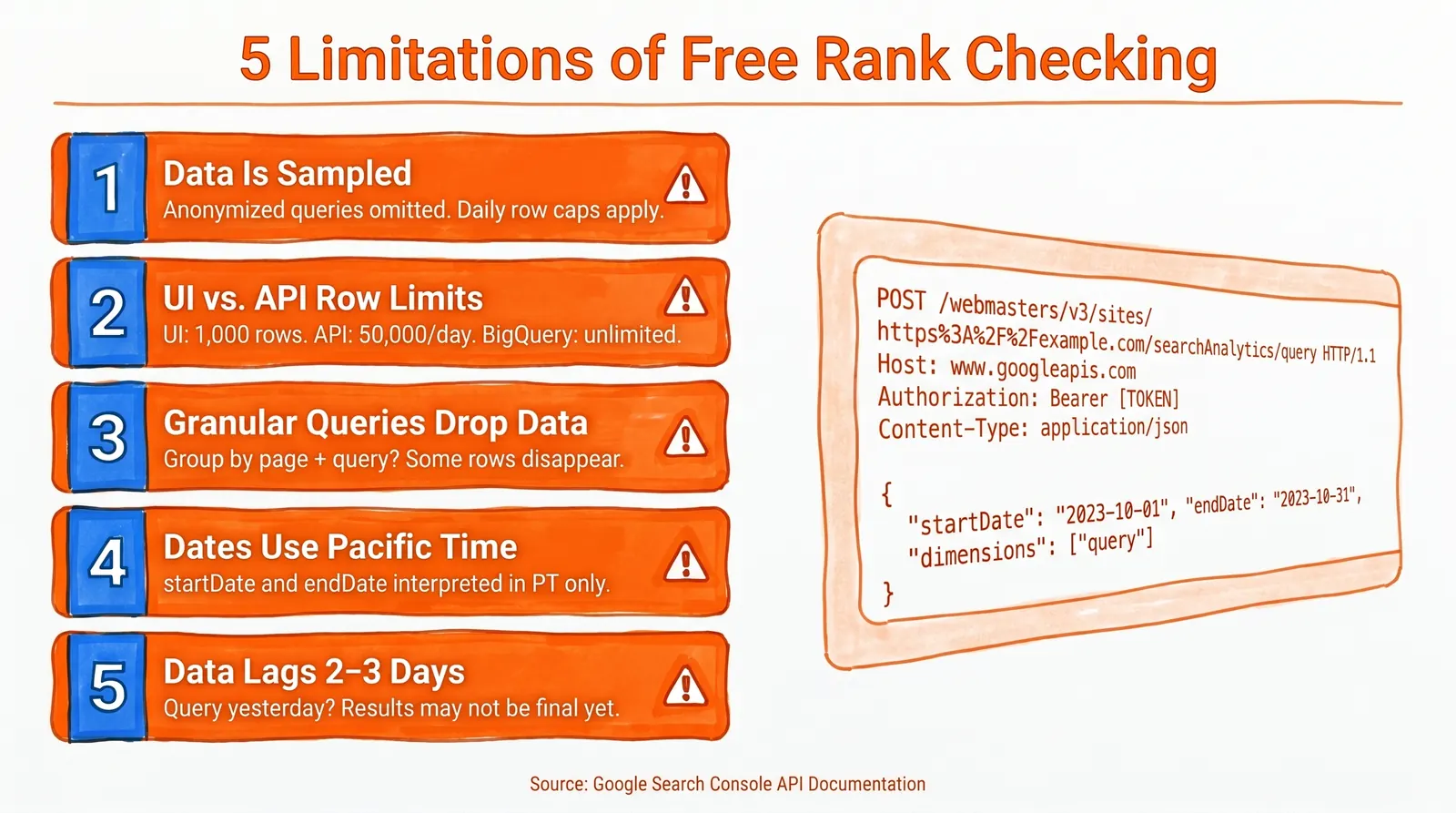
1. Search Console Data Is Sampled, Not Complete
The API has internal limits and doesn't promise every row will be returned. Google's deep-dive documentation explains the two main causes: anonymized queries are excluded for user privacy, and daily data row caps kick in on heavy exports.
2. The UI and API Don't Show the Same Amount of Data
This gap surprises people the first time they hit it.
| Interface | Row Limit |
| Search Console UI (query table) | Up to 1,000 top queries |
| Search Analytics API / Looker Studio | Up to 50,000 rows per day, per site, per search type |
| Bulk export to BigQuery | No daily row limit |
The API supports pagination with rowLimit up to 25,000 and startRow for traversing larger datasets.
3. Granular Queries Can Drop Data
Google warns that grouping by page and/or query together can cause rows to be dropped. The more dimensions you layer on, the more likely you are to lose some data.
4. Dates Use Pacific Time
The API's startDate and endDate parameters run on PT, and incomplete-date metadata comes back in America/Los_Angeles time. If your team is in a different timezone and you schedule overnight pulls, this creates real problems unless you account for it.
5. Search Console Data Isn't Real-Time
Google's guidance is daily one-day pulls, with data typically available after 2 to 3 days. Querying for yesterday and treating it as final will produce a noisier dataset than you'd expect.
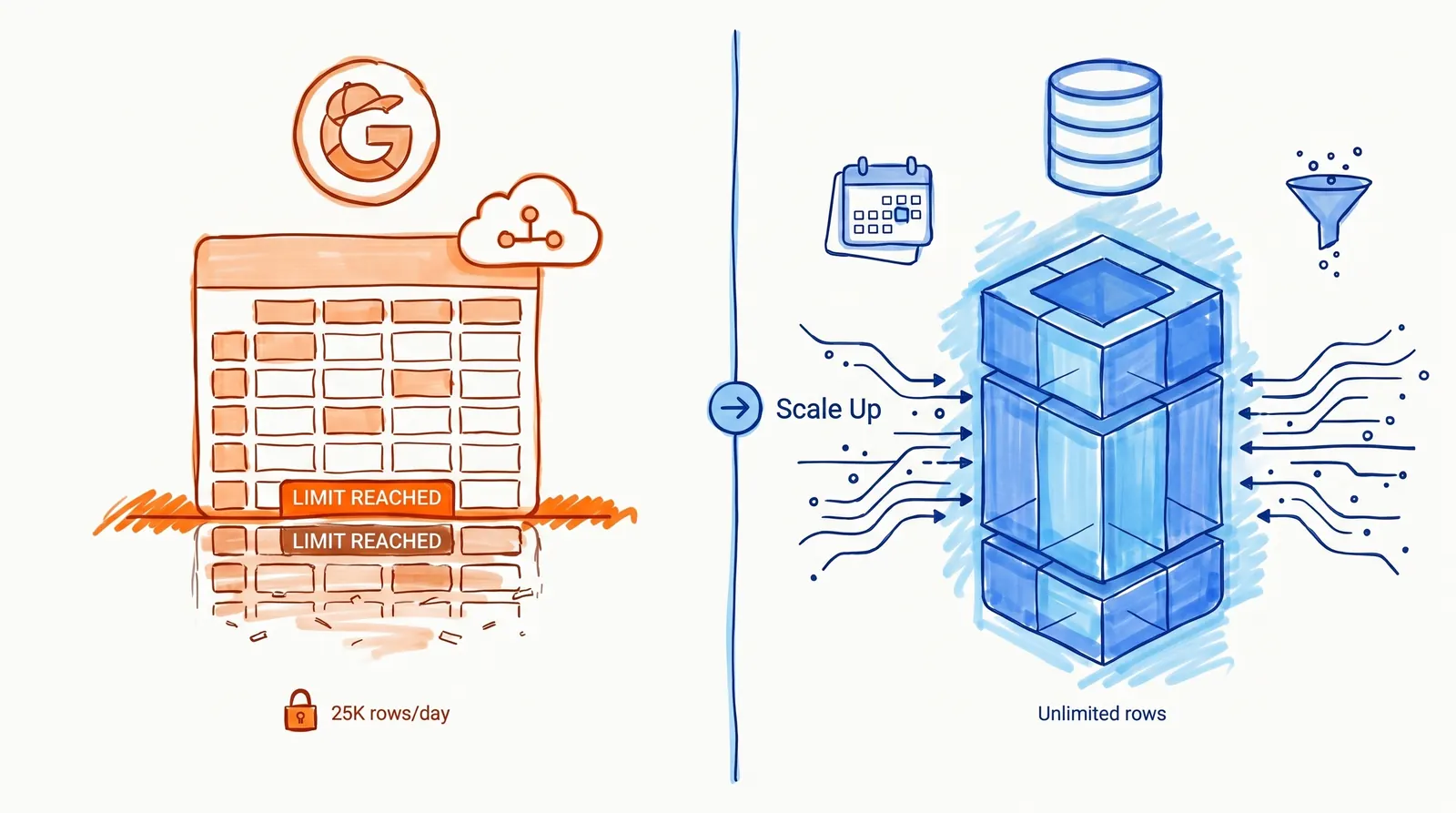
When to Scale Up from Google Sheets to BigQuery
Once your site is large enough — many thousands of pages and millions of monthly impressions — the Google Sheets setup starts to feel limiting. At that point, Search Console bulk export to BigQuery becomes the cleaner architecture.
According to Google, bulk export:
- Sends a daily data dump to BigQuery
- Includes all performance data except anonymized queries
- Is not affected by the daily data row limit
- Is especially useful for very large sites (small and medium sites usually get enough through the UI, Looker Studio, or the Search Analytics API)
What Does BigQuery Cost?
Bulk export is subject to BigQuery's standard pricing, but there's a free tier. The first 1 TiB of query data processed per month costs nothing, and on-demand pricing after that is $6.25 per TiB.
Most small and medium sites will stay under that limit — meaning BigQuery can effectively be free for them too.
SQL Query: Find Striking-Distance Keywords in BigQuery
Google's sample queries documentation notes that in bulk export, anonymized queries are stored as a zero-length string, and sum_top_position is zero-based — which is why the + 1.0 is needed to convert it to a human-readable position.
Here's a query that surfaces your best striking-distance opportunities:
WITH ranked_queries AS (
  SELECT
    query,
    SUM(impressions) AS impressions,
    SUM(clicks) AS clicks,
    SAFE_DIVIDE(SUM(clicks), SUM(impressions)) AS ctr,
    ((SUM(sum_top_position) / SUM(impressions)) + 1.0) AS avg_position
  FROM `your_project.searchconsole.searchdata_site_impression`
  WHERE data_date BETWEEN DATE_SUB(CURRENT_DATE(), INTERVAL 28 DAY) AND CURRENT_DATE()
    AND search_type = 'WEB'
    AND query != ''
  GROUP BY query
)
SELECT *
FROM ranked_queries
WHERE impressions >= 100
  AND avg_position BETWEEN 5 AND 20
ORDER BY impressions DESC;
The output shows exactly what most sites should be working on: keywords with real volume, reasonable positions, and room to climb.
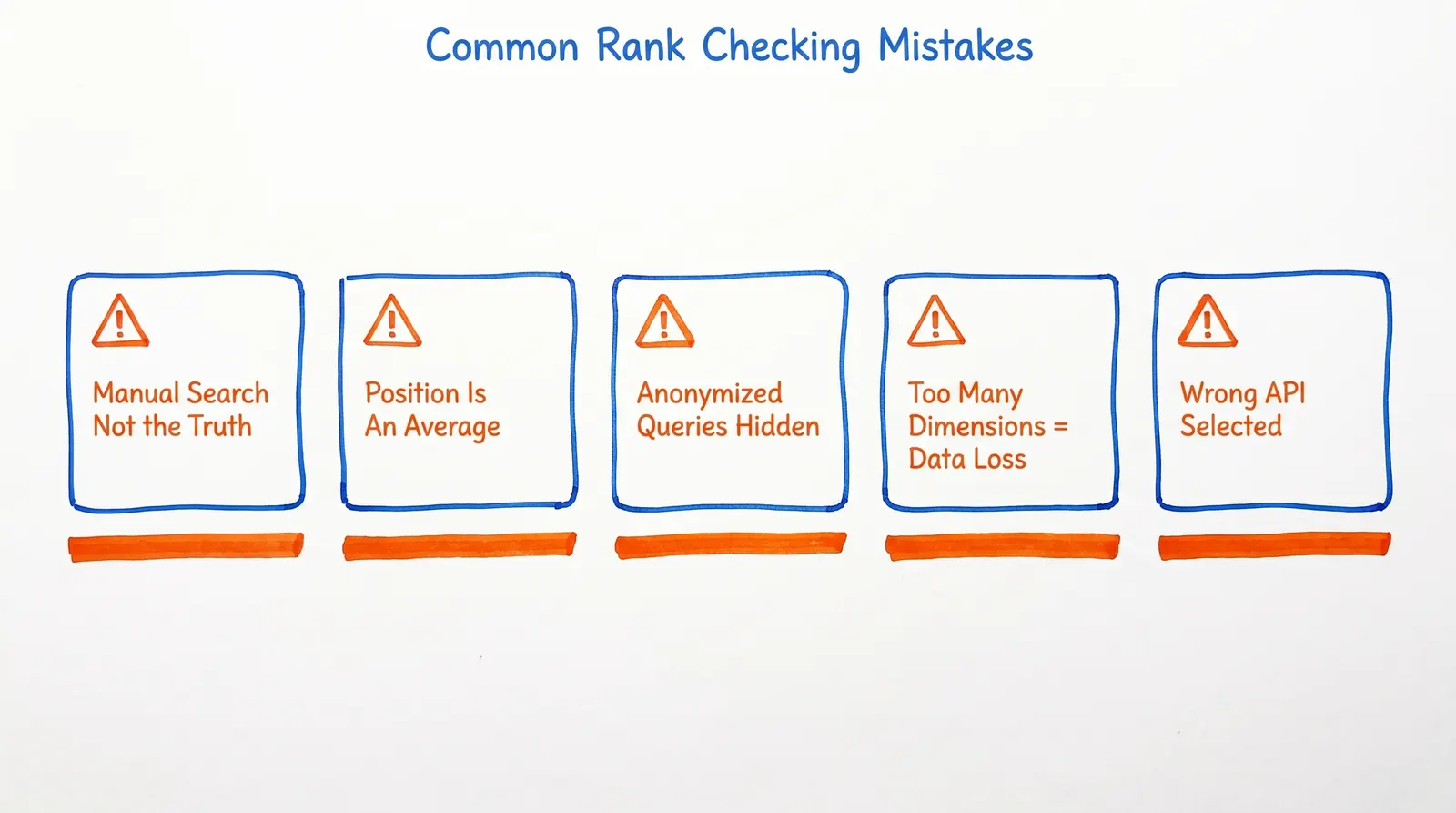
Common Mistakes That Make Free Rank Checking Look Broken
When the data looks off, one of these five things is almost always the reason.
Mistake 1: Using a manual browser search as the benchmark. One search from your browser is one context. Search Console is an average across thousands of real user searches. If they don't match, that's expected — Google says so explicitly.
Mistake 2: Reading average position as a fixed rank. Average position is exactly that — an average of the topmost position across all impressions. Google's documentation spells out why this can differ from what you'd see if you searched manually.
Mistake 3: Filtering by query and then wondering why the numbers don't add up. Anonymized queries disappear from tables and filtered views, even though they may still contribute to chart totals. Google's performance data deep-dive explains exactly how this works.
Mistake 4: Requesting everything at once and expecting complete data. Grouping by page + query + country + device is asking for the most granular breakdown possible. Google warns that high-dimensional requests drop rows — start broader and add dimensions only when you need them.
Mistake 5: Grabbing the wrong API. The Custom Search JSON API sounds like a Google search API, but it queries a Programmable Search Engine — not organic results on Google.com. It's the wrong tool for rank tracking.
How to Turn Ranking Data into SEO Wins
Pulling rankings is a means to an end. The real goal is finding which pages and keywords to act on.
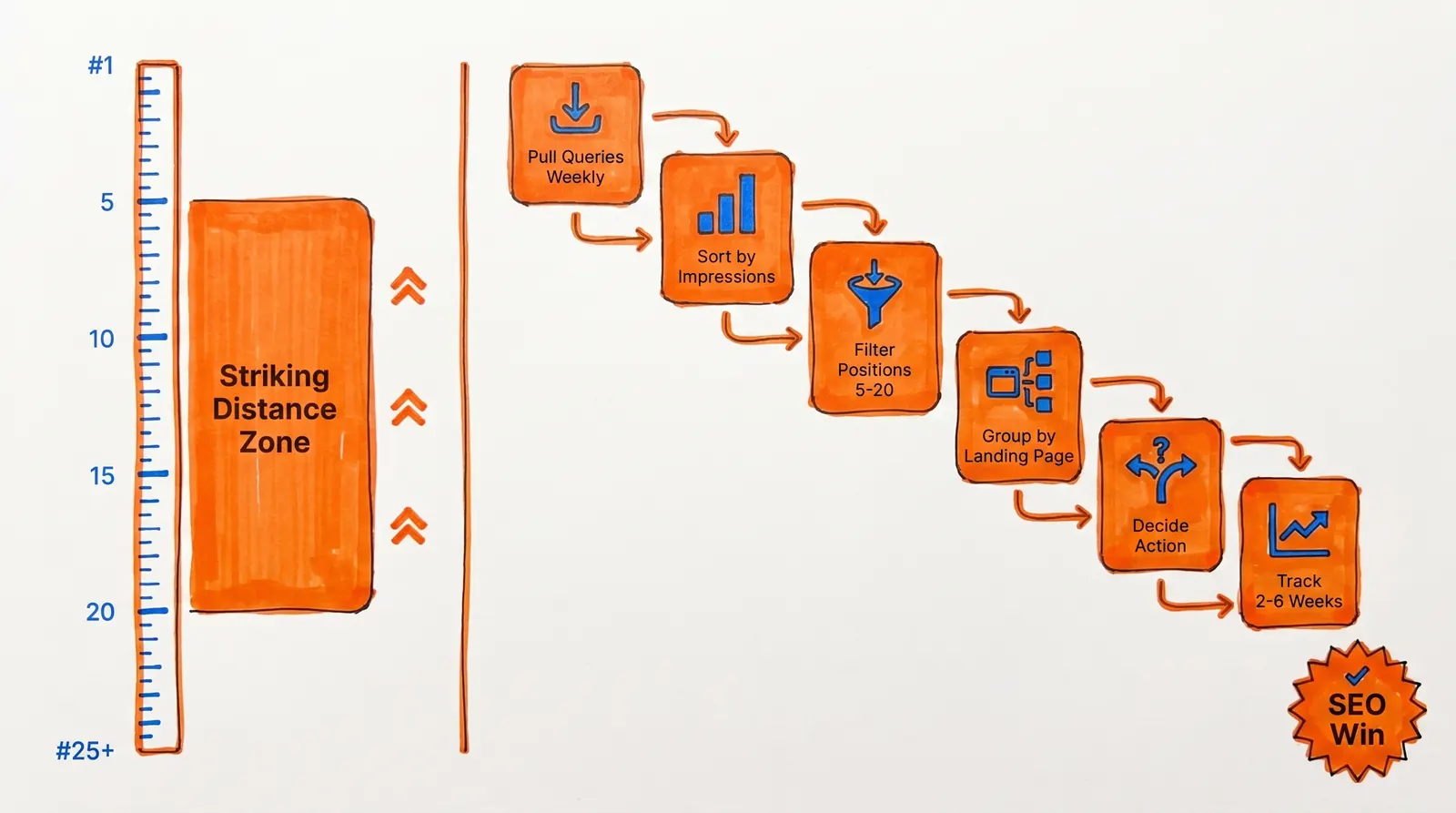
Here's the workflow that actually moves the needle:
- Pull queries weekly or daily using the methods above
- Sort by impressions first (this tells you where Google already considers you relevant)
- Filter for average positions between 5 and 20 (your striking-distance zone)
- Group by landing page to see which pages serve which clusters of queries
- Decide your action: update the page, improve CTR with better titles/descriptions, or create supporting content
- Watch what moves over the next 2 to 6 weeks
The wrong question is "did my position go up by one?" The right question is: which pages have real impression volume but low click-through rates, and what's keeping people from clicking?
That gap between visibility and clicks is where most of the low-hanging fruit lives. It's also where Search Console's official data gives you an edge — you're working with real numbers from Google's own systems, not estimates from a third-party scraper.
When the Free Google Method Is Enough (And When It Isn't)
Use the Free Google Method If:
- You want rankings for your own site
- You care about real impressions and clicks, not vanity position numbers
- You want a free, reliable baseline built on official Google data
- You're comfortable working in Sheets, Apps Script, Python, or BigQuery
Use a Dedicated Rank Tracker If:
- You need competitor tracking across multiple domains
- You need exact SERP snapshots by city, device, or location
- You need alerts, share-of-voice, or local pack tracking
- You want to monitor keywords your site hasn't appeared for yet
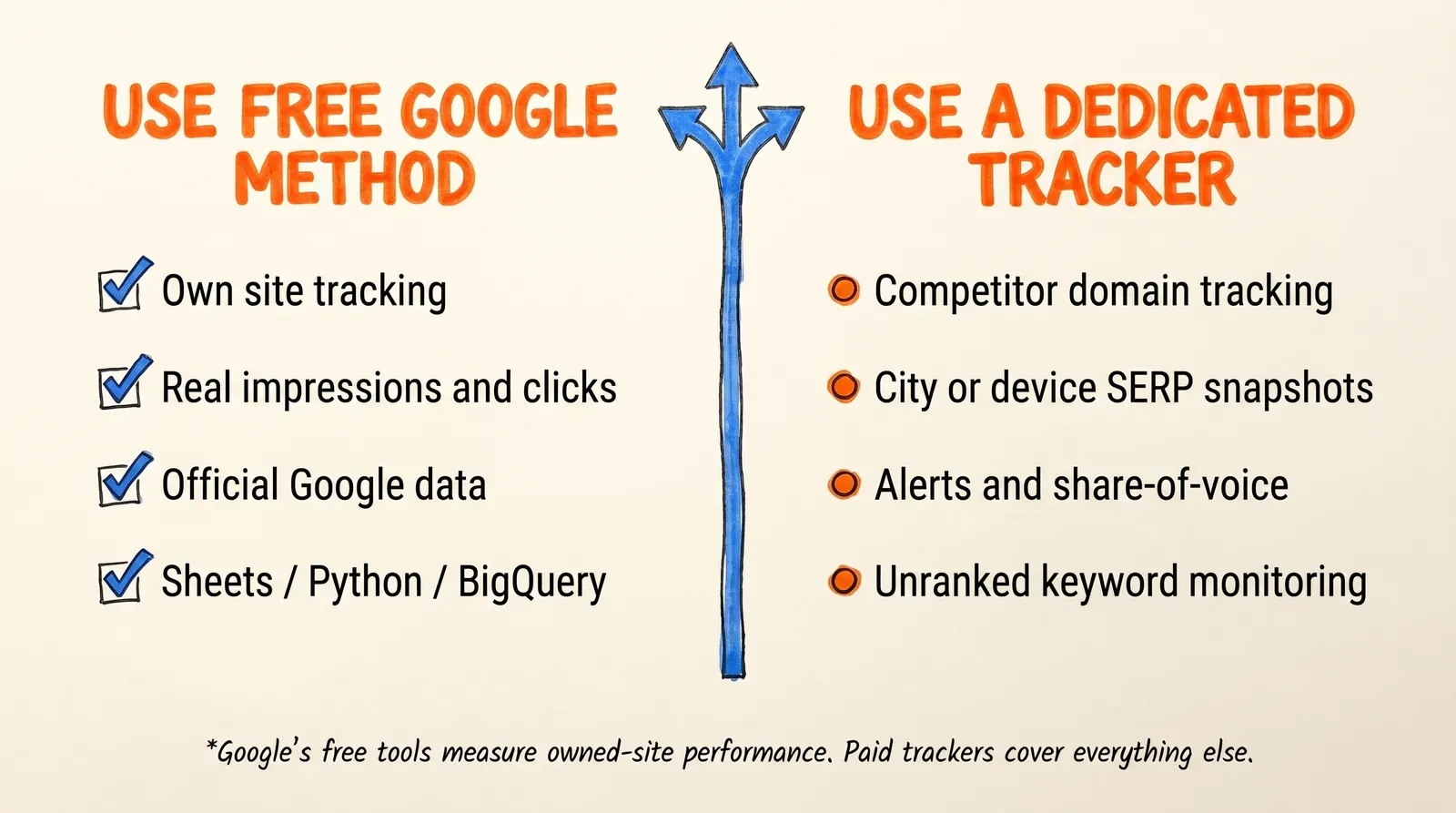
The line is clear. Google's free tools are purpose-built for measuring performance on sites you own. They cover a lot of ground — but they're not a like-for-like replacement for professional rank tracking tools when competitor data or hyperlocal SERP snapshots are what you actually need.
Frequently Asked Questions
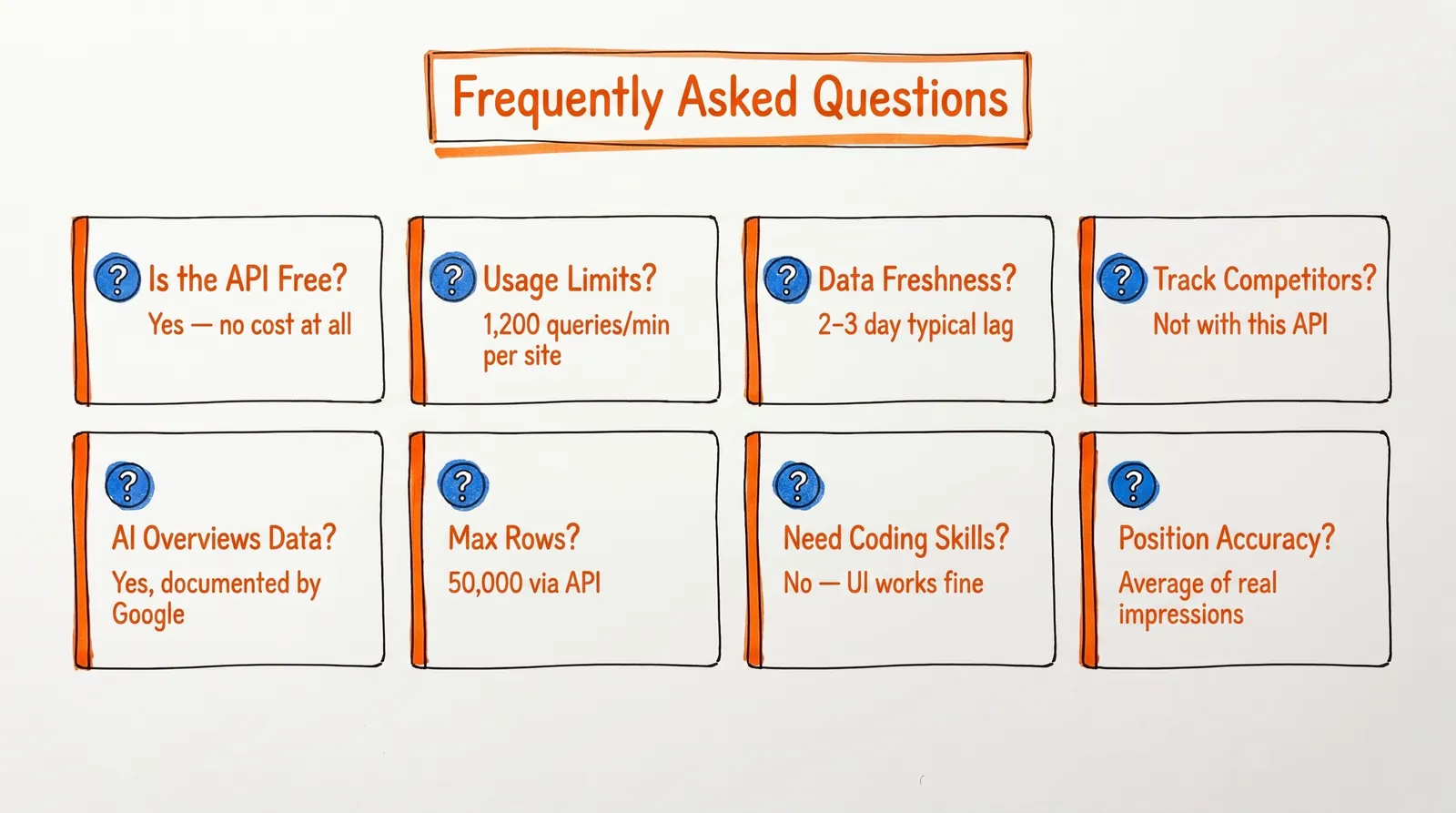
Is the Google Search Console API Free?
Yes. Google's pricing page confirms there's no charge for Search Console API usage. You'll need a Google Cloud project to generate OAuth credentials, but the API calls themselves cost nothing.
What Are the Search Console API Usage Limits?
Google's documented limits include 1,200 queries per minute per site, 1,200 queries per minute per user, and 40,000 queries per minute / 30,000,000 queries per day per project, with additional load quotas on top of that. Check the usage limits documentation for the full current list.
How Fresh Is the Ranking Data?
Google recommends pulling one day at a time and notes that data is typically finalized after 2 to 3 days. If you need something fresher and can accept incomplete data, the all or hourly_all data states give you earlier access.
Can I Use This to Track Competitor Rankings?
No. The Search Console API is scoped to properties you've verified. For tracking competitors, you'll need a third-party rank tracking tool that can query the public SERP.
Does Search Console Include AI Overviews and AI Mode Data?
Yes. Google has documented how clicks, impressions, and position are measured for both AI Overviews and AI Mode in Search Console's position documentation. With AI features becoming more prominent in 2026, this is increasingly important to understand.
How Many Rows Can I Export from Search Console?
That depends on which interface you're using:
- Search Console UI: up to 1,000 rows in the query table
- Search Analytics API / Looker Studio: up to 50,000 rows per day, per site, per search type (with pagination using
rowLimitup to 25,000 per request) - Bulk export to BigQuery: not affected by the daily row limit
What's the Difference Between Search Console API and Custom Search JSON API?
They serve completely different purposes. The Search Console API gives you performance data — clicks, impressions, average position — for properties you own. The Custom Search JSON API queries a Programmable Search Engine, not Google's organic index. It's also being discontinued for new users, with a January 2027 deadline for existing customers to migrate off it.
Do I Need Coding Skills to Check Keyword Rankings for Free?
Not for the basics. The Search Console web UI gives you query-level data with no code required. If you want scheduled pulls, historical tracking, or automated striking-distance reports, you'll need comfort with Apps Script or Python. The code examples in this guide are designed to be copied and run without modification — just swap in your property identifier.
How Accurate Is Search Console Position Data?
It's as accurate as Google's own systems. What you're seeing is the average topmost position your site held across real impressions — not a simulated result. It won't match a manual search because a manual search reflects one moment, one context. Search Console reflects an aggregate, which is far more useful for decisions.
Can I Use This Method for Local SEO Tracking?
Partially. Search Console lets you filter by country, but not by city or specific location. If you need to track rankings by zip code or neighborhood — like "plumber near me" in a specific city — you'll need a local SEO tool that can run searches from specified geographic coordinates.
Where to Take Your Free Ranking Data from Here
At this point you have a complete picture of how to check keyword rankings free with Google API in 2026. The Search Console API is genuinely capable, it runs on Google's own infrastructure, and it costs nothing to use.
Pick the right entry point for where you are: Google Sheets if you want something running in the next 15 minutes, Python if you need more programmatic control, BigQuery if your site has outgrown what a spreadsheet can handle.
The more important point: don't let the tracking become the whole project. Knowing where you rank is only useful if it leads somewhere. Find the keywords where you're already visible but not capturing clicks. Strengthen the content that's close to breaking through. Keep building the topical depth that turns single-page rankings into broad, durable organic presence.
Building topical authority around your core subject matter is one of the most durable SEO investments you can make. It's what transforms individual rankings into sustained organic growth across your entire keyword universe.
The data is free. The tools are solid. The difference between sites that grow and sites that stagnate usually comes down to what they actually do with what they're looking at.
Smart SEO,
Faster Growth!
Most Read Articles
Check Keyword Rankings Free with Google API (2026)
A practical guide to checking your keyword rankings for free using the Google Search Console API.
DylenApril 28, 2026
Generative Engine Optimization (GEO)
Learn how Generative Engine Optimization (GEO) helps your content rank in AI search engines like ChatGPT and Google AI. This comprehensive guide explains the differences between SEO and GEO, why it matters for your business, and practical steps to implement GEO strategies for better visibility in AI-generated responses.
DylenJan 18, 2025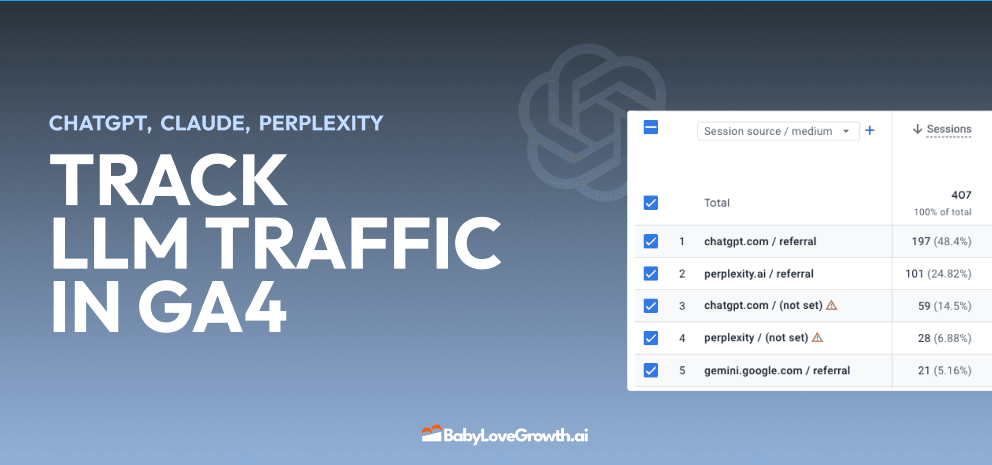
Track LLM Traffic in Google Analytics 4 (GA4)
Learn how to track and analyze traffic from AI sources like ChatGPT, Claude, Perplexity, and Google Gemini in Google Analytics 4. This step-by-step guide shows you how to set up custom filters to monitor AI-driven traffic and make data-driven decisions for your content strategy.
DylenMar 18, 2025
How to Humanize AI Text with Instructions
Learn practical techniques to make AI-generated content sound more natural and human. This guide covers active voice, direct addressing, concise writing, and other proven strategies to transform robotic text into engaging content.
DylenApril 7, 2025
Moz DA vs Ahrefs DR: Which Metric Should You Actually Use?
Moz Domain Authority and Ahrefs Domain Rating look similar but measure very different things. Learn what each score actually tells you, when to use each one, and what to track instead for real SEO results in 2026.
DylenApr 23, 2026
Open AI Revenue and Statistics (2024)
Comprehensive analysis of OpenAI financial performance, user engagement, and market position in 2023. Discover key statistics including $20B valuation, $1B projected revenue, and 100M+ monthly active users.
DylenOctober 03, 2025
"Search Google or Type a URL": What It Means & What to Do
Learn what "Search Google or type a URL" actually means, how your browser decides whether to search or navigate, and what to do if your address bar starts behaving unexpectedly. Includes browser settings guides for Chrome, Firefox, Edge, and Safari.
DylenApr 21, 2026